Actions Pack
Antivirus scan
Powered by ClamAV
✅ Verified clean
This product file has passed our security filters.
Want to run a fresh ClamAV scan right now? Takes a few seconds and shows scanner version, signature DB and live result.
This can take 5 to 30 seconds.
Clean file Threat detected
No threats detected in this file.
- File
- Size
- Scanned
- ClamAV
- Signature database
⚡ Powered by ClamAV
Scan could not be completed
Report product
If you detected an issue (broken file, malware, inappropriate content, etc.) let us know and we'll review it ASAP.
Sign in to reportNewer version out, or a problem?
About Actions Pack
When your site needs users, registration is the first thing people see
On a site with members, customers or a community, registration and login are the first contact of anyone who comes in. If those screens look different from the rest of the site, the visitor notices and trust suffers before they have bought or written anything.
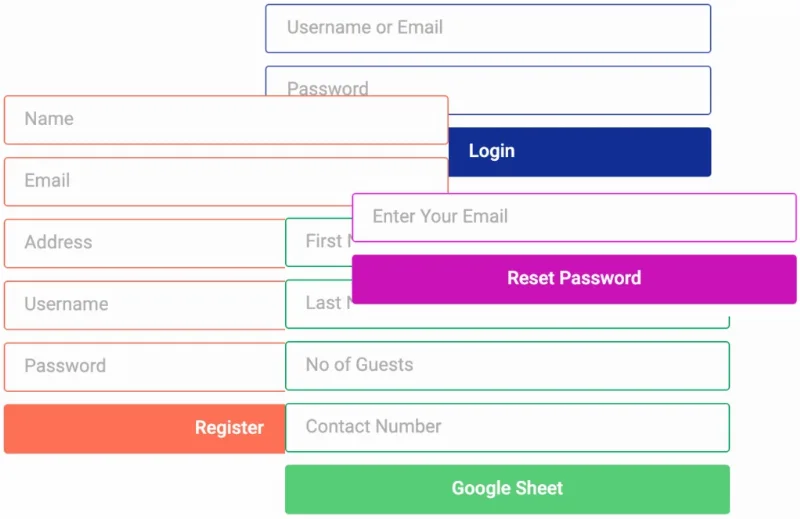
Actions Pack turns Elementor's form widget into a form with user features and extra actions. The features are added to the form you already have.
Registration with verification and custom data
When you build the registration form you decide what happens with each signup:
- You assign a user role that sets its permissions.
- You ask users to repeat the password, and you can generate the username and password automatically, sending the password by email or SMS.
- You notify by email or SMS that the registration has been completed.
- You verify the account by email, by phone or with a one-time code sent to the user, or you verify manually before the user can log in.
- You add custom fields without limit, such as country, postal code or any data you need.
- The user is logged in automatically once, right after registering.
Login with password or code, and role-based redirects
The login form is designed entirely in Elementor, without using its login widget. Users log in with their email or username and password, or with a one-time code sent to their email or phone.
Afterwards you can decide where each profile goes after logging in, how many days the browser remembers the session and which page users land on after logging out. If you want the WordPress login page to stop being seen, you can redirect it to the one you have created with Elementor.
Password recovery and user profile with your own design
Password recovery can also be done with an Elementor form, so visitors do not see WordPress's default form. The user profile is built the same way, with Elementor, and you can hide the profile page that WordPress includes.
Two details for everyday use: the eye icon lets users see the password while typing, and each field can carry an HTML pattern. For example, you can require a password of at least 8 characters with numbers and symbols.
Frequently asked questions about Actions Pack
Can I send form data to Google Sheets?
Yes. You connect the Elementor form to a Google Sheet and collect every contact that comes in, with no limit on contacts.
Can I require the user to confirm their account before logging in?
Yes. You can ask for confirmation by email or by phone, or use a one-time code. If you prefer to review each signup, manual verification blocks access until you approve the account.
Can it send SMS?
Yes. It can send an SMS to the recipient's mobile and also notify by SMS when a registration is completed.
What happens with the WordPress login page?
You can redirect it to the login page you have created with Elementor.
Elementor as the base and Google Sheets or Zoho CRM as the destination for data
Actions Pack needs Elementor installed and active, because its features are added to its form widget. If you already work with Elementor, the features are added to the form you already design.
Data can end up in a Google Sheet or in Zoho CRM.
Before deciding, think about the journey your users need: registration only, or also verification, code-based login and a custom profile.
Topics
Version history
-
v
2.4.2 Current 17 May 2024
Customer reviews
Sign in to leave a review. Only people who have the product can review it.
No reviews for this product yet.
Frequently asked questions
-
GPL (General Public License) is the license under which WordPress and most premium plugins/themes are distributed. It grants you the right to use, modify and redistribute the software in as many projects as you want, with no domain restrictions.
-
Yes. With membership you get automatic updates via our GPLClub Updater plugin (installed on your WP, detects new versions and applies them). With individual purchase, you get one year of manual updates from your account.
-
Depends on the plan. Monthly: 3 domains. Semi-annual: 7. Annual and Lifetime: 15. Individual purchase: 1 domain.
-
GPLClub offers its own support for installation, configuration and compatibility. For direct support from the original author (feature requests, product-specific bugs), a license purchased from the author is required.