Admin Menu Editor Pro Branding Addon
Antivirus scan
Powered by ClamAV
✅ Verified clean
This product file has passed our security filters.
Want to run a fresh ClamAV scan right now? Takes a few seconds and shows scanner version, signature DB and live result.
This can take 5 to 30 seconds.
Clean file Threat detected
No threats detected in this file.
- File
- Size
- Scanned
- ClamAV
- Signature database
⚡ Powered by ClamAV
Scan could not be completed
Report product
If you detected an issue (broken file, malware, inappropriate content, etc.) let us know and we'll review it ASAP.
Sign in to report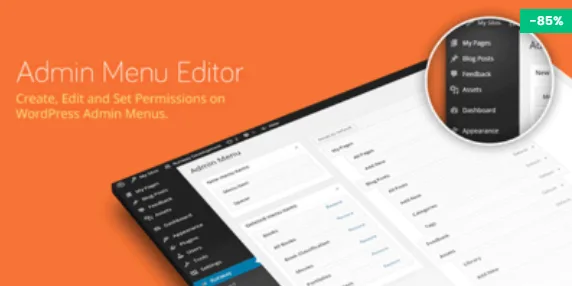
About Admin Menu Editor Pro Branding Addon
The client opens the dashboard and the first thing they see is the WordPress logo
You hand over a finished website and, a week later, the client logs in to publish a news item: a WordPress logo at the top, a "Howdy" in the corner, the usual colors and a login screen identical to any blog's. All your design work sits behind an interface that doesn't carry your mark.
That interface is the only part of your work the client sees every week. For anyone who charges for maintenance, the dashboard is where the client decides whether this is "a WordPress thing anyone can touch" or a system built by a professional. Admin Menu Editor Pro Branding Addon gathers the settings so the dashboard speaks about your studio or the client's brand, and not about WordPress.
Branding Addon in a real handover: from the login to the footer
This is how the walkthrough usually goes when you prepare a client's site:
- Login screen. You customize the login page so the first contact is already with the right brand and not the generic logo.
- Dashboard logo. You replace the WordPress logo with yours or the client's.
- Colors. You create your own color scheme for the admin, so the dashboard matches the brand's identity.
- Texts. You change the "Howdy, user" greeting and the admin page titles to something that makes sense for that person.
- Footer. You remove the WordPress version number and add your own text or HTML, for example a "Website by…" line with your contact details.
- Update notices. You hide the core update notifications so the client doesn't get scared or click without knowing what it does.
- Emails. You change the sender name and address of WordPress emails, so they don't arrive signed as "WordPress".
Now, the limits worth keeping in mind during that walkthrough. Hiding update notices doesn't update anything: someone still has to do it, and if that someone is you, put it in your calendar. Changing the sender modifies the name and address shown; whether emails reach the inbox depends on your mail server. And the settings affect the admin, the login screen and the emails, not the public design of the site.
It is an add-on, not a standalone plugin: it needs Admin Menu Editor Pro installed. Without it, it does nothing.
Questions from people who build websites for clients
Does it work without Admin Menu Editor Pro?
No. It adds branding options to Admin Menu Editor Pro, so the base plugin must be installed and active.
Can I use my client's brand colors?
Yes, you can create your own color scheme for the admin instead of using the ones WordPress ships with.
Does it remove every reference to WordPress?
It covers what is described above: logo, greeting, page titles, version and footer text, login, core notices and email sender. Don't present it to the client as a complete white-label, because it isn't that.
Can I put my contact details in the dashboard footer?
Yes, the footer accepts text or HTML, so you can leave your name, a link or a phone number.
With a single site of your own, it's probably overkill
The value of this add-on lies in repetition: setting up a consistent identity on every website you deliver. If you only manage your own site and nobody else logs in to the dashboard, changing the logo and colors will add very little. If you work for clients who log in every day, it's a detail that shows on every visit.
Version history
-
v
1.3.13 Current 5 Sep 2026
-
v
1.3.12 20 May 2026
-
v
1.3.11 18 Apr 2025
Customer reviews
Sign in to leave a review. Only people who have the product can review it.
No reviews for this product yet.
Frequently asked questions
-
GPL (General Public License) is the license under which WordPress and most premium plugins/themes are distributed. It grants you the right to use, modify and redistribute the software in as many projects as you want, with no domain restrictions.
-
Yes. With membership you get automatic updates via our GPLClub Updater plugin (installed on your WP, detects new versions and applies them). With individual purchase, you get one year of manual updates from your account.
-
Depends on the plan. Monthly: 3 domains. Semi-annual: 7. Annual and Lifetime: 15. Individual purchase: 1 domain.
-
GPLClub offers its own support for installation, configuration and compatibility. For direct support from the original author (feature requests, product-specific bugs), a license purchased from the author is required.