Admin Menu Editor Pro WP Toolbar Editor
Antivirus scan
Powered by ClamAV
✅ Verified clean
This product file has passed our security filters.
Want to run a fresh ClamAV scan right now? Takes a few seconds and shows scanner version, signature DB and live result.
This can take 5 to 30 seconds.
Clean file Threat detected
No threats detected in this file.
- File
- Size
- Scanned
- ClamAV
- Signature database
⚡ Powered by ClamAV
Scan could not be completed
Report product
If you detected an issue (broken file, malware, inappropriate content, etc.) let us know and we'll review it ASAP.
Sign in to report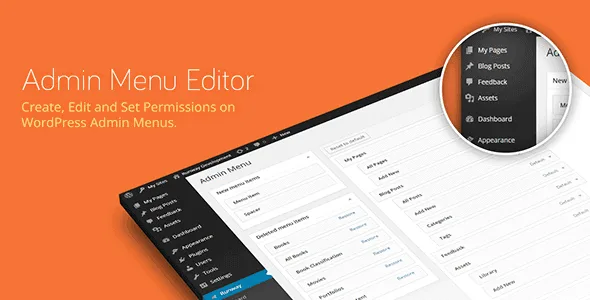
About Admin Menu Editor Pro WP Toolbar Editor
The black bar your client sees every time they open their own website
You hand over a polished site and, once logged in, your client finds a top bar full of shortcuts they neither understand nor need: items added by plugins, links to screens they shouldn't touch, shortcuts they will never use.
Admin Menu Editor Pro WP Toolbar Editor is an add-on that lets you rebuild that bar (the WordPress Toolbar, or Admin Bar) from its own interface, moving pieces with the mouse instead of touching code in the theme.
Hide, reorder, rename or invent items
You get control over every piece of the bar:
- Hide: you can remove any single item or an entire group.
- Reorder: you drag and drop items until they sit in the order that makes sense for the people who use them.
- Edit: you change the title, the URL, the CSS class and other properties. The CSS class is handy if you want to give a specific item its own style.
- Create: you add new items, for example a link to the user guide you prepared for the client or to your contact page.
- Export and import: you save the bar settings and carry them over to another installation.
Three jobs where Admin Menu Editor Pro WP Toolbar Editor fits
Agency delivering sites to clients
You leave the bar clean, with only what the client needs, and add your own link to your documentation or your issue form. The client sees an orderly tool, not a jumble.
Administrator of a multisite network
The add-on works on both single-site installations and networks.
Someone maintaining several similar websites
Export and import let you prepare the ideal bar on one site, export it and apply it to the others without moving items one by one again.
Questions people ask before installing it
Does it work on its own?
No. It is an add-on for Admin Menu Editor Pro and needs that plugin installed and active.
Can I use it on multisite?
Yes, it supports single installations and networks of sites.
Can I add my own links?
Yes, you can create new items and set their title, URL and CSS class.
Can I reuse my settings on another site?
Yes, the bar settings can be exported and imported.
Can the whole bar be removed?
Any item or group can be hidden. If your goal is to remove the bar entirely for certain users, check in the demo how the result looks before promising it to a client.
It needs Admin Menu Editor Pro and only touches the top bar
This add-on does not replace the base plugin: without it, the bar editor cannot be installed. Its job is also limited to the WordPress Toolbar, so any other admin adjustment must be handled with the tools of Admin Menu Editor Pro.
Version history
-
v
1.5.2 Current 12 Aug 2026
-
v
1.5.1 8 Jan 2025
Customer reviews
Sign in to leave a review. Only people who have the product can review it.
No reviews for this product yet.
Frequently asked questions
-
GPL (General Public License) is the license under which WordPress and most premium plugins/themes are distributed. It grants you the right to use, modify and redistribute the software in as many projects as you want, with no domain restrictions.
-
Yes. With membership you get automatic updates via our GPLClub Updater plugin (installed on your WP, detects new versions and applies them). With individual purchase, you get one year of manual updates from your account.
-
Depends on the plan. Monthly: 3 domains. Semi-annual: 7. Annual and Lifetime: 15. Individual purchase: 1 domain.
-
GPLClub offers its own support for installation, configuration and compatibility. For direct support from the original author (feature requests, product-specific bugs), a license purchased from the author is required.