Advanced iFrame Pro
Antivirus scan
Powered by ClamAV
✅ Verified clean
This product file has passed our security filters.
Want to run a fresh ClamAV scan right now? Takes a few seconds and shows scanner version, signature DB and live result.
This can take 5 to 30 seconds.
Clean file Threat detected
No threats detected in this file.
- File
- Size
- Scanned
- ClamAV
- Signature database
⚡ Powered by ClamAV
Scan could not be completed
Report product
If you detected an issue (broken file, malware, inappropriate content, etc.) let us know and we'll review it ASAP.
Sign in to report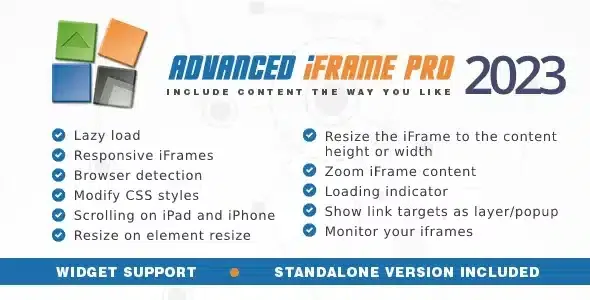
About Advanced iFrame Pro
An iframe is a window into someone else's house
Embedding an external tool (a client portal, a calendar, a calculator, another site of yours) often ends up as a frame with double scrollbars, repeated headers, tiny text on mobile or, worse, a blank box nobody has noticed.
Note: the content you show does not depend on you. Its owner can forbid embedding or change the page, and your site is left with a gap. Advanced iFrame Pro helps you adapt the iframe to your design and also keep an eye on whether it still works.
Advanced iFrame Pro: showing only the part you care about
The idea is for third-party content to look like part of your page. It brings together several tools for that:
- Area selector: you mark the zone you want to show with the mouse and the rest is left out, even if the remote page is not yours.
- Zoom: with a fixed ratio or an automatic one based on browser size. On non-responsive pages it can be the only way out for mobile.
- Dynamic CSS: lets you hide headers and footers or override fixed sizes so the page adapts better.
- Auto height: the iframe adjusts to its content, even when that content changes or hidden elements are present.
- Links: you can change their target or open them in a layer, with its own header and footer, so visitors don't leave your site.
- Parameters: forward those of the page and use placeholders such as the WordPress username. It can also add the iframe URL to your page URL so it can be bookmarked.
What it requires from you
Adjusting the height or modifying the CSS of a remote page requires adding one line of JavaScript to that page, so it only works if you can edit it (or if it is on your same domain, and note that www.example.com and test.example.com are different domains). If you can't, you can still show part of the iframe. You also can't include an HTTP page inside an HTTPS one. And some HTML and CSS knowledge helps to identify the elements you want to hide.
Lazy loading, mobile and third-party cookies
Loading an iframe often takes extra time. The plugin loads your content first and the iframe afterwards, or only when it becomes visible, or when a button is clicked. Meanwhile it can show a loading icon.
Browser detection lets you serve different iframes, or different parts of one, depending on the device. It also includes a scrolling fix for iOS, applied only where needed. If the iframe relies on cookies, Safari and IE handle them poorly by default: there is a third-party cookie workaround, but it is a possible fix, not a guarantee, because browsers can also be configured on their own.
It comes with a widget to place iframes (or any shortcode) in your widget areas, a Gutenberg block with preview, and a checker that reviews your iframes every day, even those not created by this plugin, so visitors don't suddenly see an empty gap. It can also be used on any PHP page where you insert a few lines of code.
Questions before buying Advanced iFrame Pro
Can I embed any website?
No. If the owner doesn't allow their page to be embedded, no plugin can get around that. Use the iframe checker first to see whether the page can be included.
Can I change the look of a site I don't control?
You can show only part of it, hide areas and zoom. Modifying its CSS or adjusting its height requires the line of JavaScript on that page.
Does it work with videos?
Yes, it has options to make iframes responsive and it supports videos.
Does it work if my site uses HTTPS and the content is HTTP?
No: HTTP pages can't be included in HTTPS pages.
One line of JavaScript on the remote page decides what you can do
Before buying, check three things, because they determine which features you will have:
- Whether the page you want to show allows being embedded.
- Whether it is on the same domain as yours.
- Whether you can modify it to add that line of JavaScript.
With your own domain or access to the page, you get the full range: auto height, CSS and links. Without access, you are left with cropping, hiding and zooming. It's better to know this before configuring anything.
Version history
-
v
2026.5 Current 4 Nov 2026
-
v
2026.4 14 Oct 2026
-
v
2026.3 22 Sep 2026
-
v
2026.2 3 Jun 2026
-
v
2026.1 11 Apr 2026
Customer reviews
Sign in to leave a review. Only people who have the product can review it.
No reviews for this product yet.
Frequently asked questions
-
GPL (General Public License) is the license under which WordPress and most premium plugins/themes are distributed. It grants you the right to use, modify and redistribute the software in as many projects as you want, with no domain restrictions.
-
Yes. With membership you get automatic updates via our GPLClub Updater plugin (installed on your WP, detects new versions and applies them). With individual purchase, you get one year of manual updates from your account.
-
Depends on the plan. Monthly: 3 domains. Semi-annual: 7. Annual and Lifetime: 15. Individual purchase: 1 domain.
-
GPLClub offers its own support for installation, configuration and compatibility. For direct support from the original author (feature requests, product-specific bugs), a license purchased from the author is required.