All-in-One WP Migration File Extension
Antivirus scan
Powered by ClamAV
✅ Verified clean
This product file has passed our security filters.
Want to run a fresh ClamAV scan right now? Takes a few seconds and shows scanner version, signature DB and live result.
This can take 5 to 30 seconds.
Clean file Threat detected
No threats detected in this file.
- File
- Size
- Scanned
- ClamAV
- Signature database
⚡ Powered by ClamAV
Scan could not be completed
Report product
If you detected an issue (broken file, malware, inappropriate content, etc.) let us know and we'll review it ASAP.
Sign in to report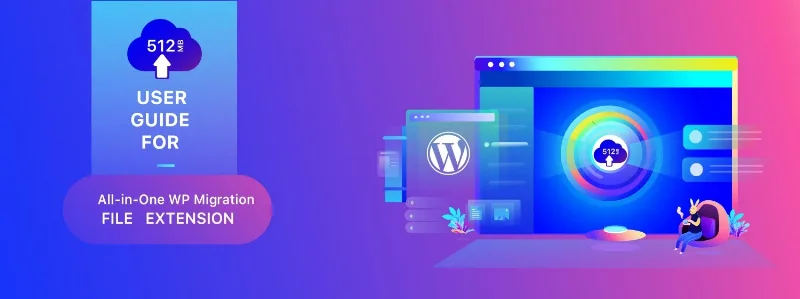
About All-in-One WP Migration File Extension
When the file is already on the server and still will not go in
It is one of the more absurd situations in WordPress. You have the site backup, it weighs two gigabytes, and you already uploaded it to the server over FTP in a minute. But the migration plugin only knows how to import through the browser form, and that form has a cap the hosting decides. So the file is there, a foot away from where it needs to be, and there is no way to get it in.
This extension adds the option that was missing: importing from a file already on the server, without going through the browser.
What it does exactly
- Import from file, reading directly the backup you left on the server.
- No browser limit, because the file never goes through the upload form.
- Works for multisite networks too, with the same procedure.
- Integrates into the plugin's import screen, as one more option.
The case where this is the right answer
It is the most direct and cheapest solution when the problem is size and you have server access. Upload the file over FTP, go into WordPress, choose import from file and done.
Where it does not fit is if you have no FTP access, if you need the backups to happen by themselves, or if what you want is storing them off the server. There are other extensions for that, and worth being clear which solves your problem before buying.
Requirements
It needs the All-in-One WP Migration plugin, which is what generates and restores the backup. This extension only adds the way in. And you need server access over FTP or through the hosting file manager, in order to place the file there.
How to start
One. Export the origin site and download the file.
Two. Upload it over FTP to the plugin's backups folder on the destination site.
Three. On the destination, open the import screen and choose import from file.
Four. When finished, save the permalinks twice and check you can log in. It is the step everybody skips and the one that avoids the scare of being locked out.
Alternatives in the catalogue
Within the same family, each extension solves a different problem and they are worth not confusing. The unlimited extension acts on the PHP parameters so the browser upload accepts large files: it is the one you need if you have no FTP. The Dropbox one and the FTP and SFTP one add an external destination and scheduled backups. And the multisite one is what networks require.
And if what you want is not migration but a complete backup system, UpdraftPlus is another approach: incremental backups, several destinations at once and partial restores.
Frequently asked questions
Do I need the main plugin?
Yes. It is an All-in-One WP Migration extension and does not work without it.
Does it clear the hosting upload limit?
Yes, because the file does not get uploaded through the browser: it is read from the server.
Do I need FTP access?
Yes, or your hosting panel's file manager, in order to place the backup there.
Does it work for multisite?
Yes, importing from file works the same with networks.
Does it do scheduled backups?
No. Those come from the external destination extensions, like the Dropbox or FTP ones.
What do I do if the site will not load after importing?
Saving the permalinks twice usually fixes it. And checking the site address came out right.
Topics
Version history
-
v
1.8 Current 17 May 2024
Customer reviews
Sign in to leave a review. Only people who have the product can review it.
No reviews for this product yet.
Frequently asked questions
-
GPL (General Public License) is the license under which WordPress and most premium plugins/themes are distributed. It grants you the right to use, modify and redistribute the software in as many projects as you want, with no domain restrictions.
-
Yes. With membership you get automatic updates via our GPLClub Updater plugin (installed on your WP, detects new versions and applies them). With individual purchase, you get one year of manual updates from your account.
-
Depends on the plan. Monthly: 3 domains. Semi-annual: 7. Annual and Lifetime: 15. Individual purchase: 1 domain.
-
GPLClub offers its own support for installation, configuration and compatibility. For direct support from the original author (feature requests, product-specific bugs), a license purchased from the author is required.