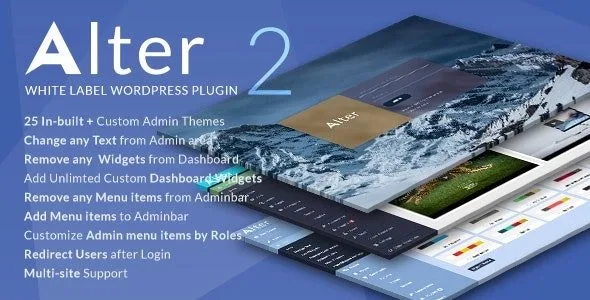
Alter - White Label Wordpress
Antivirus scan
Powered by ClamAV
✅ Verified clean
This product file has passed our security filters.
Want to run a fresh ClamAV scan right now? Takes a few seconds and shows scanner version, signature DB and live result.
This can take 5 to 30 seconds.
Clean file Threat detected
No threats detected in this file.
- File
- Size
- Scanned
- ClamAV
- Signature database
⚡ Powered by ClamAV
Scan could not be completed
Report product
If you detected an issue (broken file, malware, inappropriate content, etc.) let us know and we'll review it ASAP.
Sign in to reportNewer version out, or a problem?
About Alter - White Label Wordpress
A client panel with your brand and without the WordPress logo
When you deliver a website, the first thing the client sees when logging into the panel is the WordPress logo and texts, and that dilutes the work you have done. Alter changes the look of the admin panel so it carries the identity you choose.
You can define your own color theme, with no limit on options, and choose between a flat design or the shadow style. Alter removes the WordPress texts and logo and places your logo on the login screen and on the admin pages.
- Custom login theme, with adjustable login form height.
- Custom CSS for the login screen and the admin pages.
- Logo for the collapsed menu, which also replaces the WordPress one in the block editor.
- White Label Emails.
What each user sees in the panel, by profile
Not every user needs the same panel. Alter hides admin menu items by role, so each profile sees only what it needs.
Agencies with clients who should not touch the settings
You hide the technical options and leave the client with the sections they actually use. Since you can rename and reorder the menu, the names can be the ones they understand.
Sites with several editors
Each role can have its own view of the menu. A content editor does not need to see settings from plugins they do not handle, and when setting up the menu you can select all roles at once or clear them.
Widgets, admin bar and menu tailored to you
The WordPress dashboard tends to fill up with widgets the client did not ask for, and the top bar with links that do not serve them. Alter lets you add custom widgets without limit, delete any dashboard widget even if a third-party plugin or theme created it, and do the same with admin bar items. You can also add as many custom links as you want to that bar.
In the side menu you can hide, rename and reorder items, and assign them Dashicons or FontAwesome icons. If you set up a configuration you want to repeat on another site, you can export and import the settings.
Admin Menu Editor overwrites Alter's menu changes
Alter and the Admin Menu Editor and Admin Menu Editor Pro plugins have the same menu customization function, so each one takes control over the other. If you change an item's text with Alter and Admin Menu Editor rewrites the menu with the original text, the change will not appear. If you need those two plugins, decide which one manages the menu and do not use both for the same thing at once.
Frequently asked questions about Alter White Label WordPress
Can I hide the menu only for some users?
Yes. You can hide admin menu items by user role.
Can I remove widgets that other plugins have added?
Yes. You can delete any dashboard widget, even if a third-party plugin or theme created it.
Can I use my own icons in the menu?
Yes, with Dashicons or FontAwesome icons.
Does it work on multisite networks and with right-to-left languages?
Yes. It is compatible with multisite installations and has RTL support.
Plugins tested with Alter: WPBakery, WooCommerce and caching
Alter has been tested with WPBakery Page Builder, WP Super Cache, WP Total Cache, Contact Form 7 and WooCommerce. You can also hide the WooCommerce layout header in the admin panel.
Version history
-
v
2.5.1 Current 11 Oct 2025
Customer reviews
Sign in to leave a review. Only people who have the product can review it.
No reviews for this product yet.
Frequently asked questions
-
GPL (General Public License) is the license under which WordPress and most premium plugins/themes are distributed. It grants you the right to use, modify and redistribute the software in as many projects as you want, with no domain restrictions.
-
Yes. With membership you get automatic updates via our GPLClub Updater plugin (installed on your WP, detects new versions and applies them). With individual purchase, you get one year of manual updates from your account.
-
Depends on the plan. Monthly: 3 domains. Semi-annual: 7. Annual and Lifetime: 15. Individual purchase: 1 domain.
-
GPLClub offers its own support for installation, configuration and compatibility. For direct support from the original author (feature requests, product-specific bugs), a license purchased from the author is required.