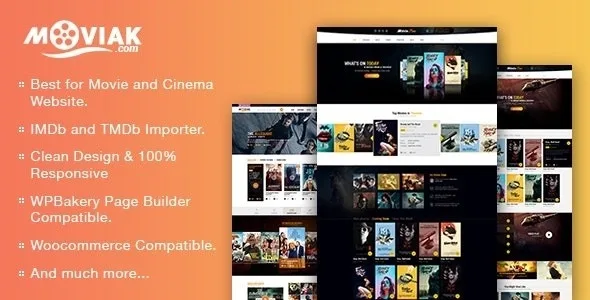
AmyMovie – Movie and Cinema WordPress Theme
Antivirus scan
Powered by ClamAV
✅ Verified clean
This product file has passed our security filters.
Want to run a fresh ClamAV scan right now? Takes a few seconds and shows scanner version, signature DB and live result.
This can take 5 to 30 seconds.
Clean file Threat detected
No threats detected in this file.
- File
- Size
- Scanned
- ClamAV
- Signature database
⚡ Powered by ClamAV
Scan could not be completed
Report product
If you detected an issue (broken file, malware, inappropriate content, etc.) let us know and we'll review it ASAP.
Sign in to reportNewer version out, or a problem?
About AmyMovie – Movie and Cinema WordPress Theme
Three kinds of movie site that AmyMovie covers with the same base
A cinema that publishes its showtimes in a PDF loses the visitor who is looking for a film for that same evening. And a film news site whose articles are not sorted by format ends up looking like any other blog. AmyMovie serves both cases because it separates movie, cinema and person pages into their own content types.
A single-screen cinema
Even if you have only one screen, each film has its own page, with release date, runtime, genre and trailers, and the sessions are set by day and time.
A multi-venue cinema complex
Each cinema has its own description, gallery, address, phone, email and website, and can show its location on a Google map. The same film can appear in several cinemas, each with its own showtimes.
A film news or criticism site
Here the blog entries and the movie pages carry the weight. The theme supports standard, image and video entries, and can gather in one page the entries of a specific category.
Showtimes, search and bookings: what the visitor sees when looking for a session
The listings can be shown in three ways: on the page of each film, in a list where the time for that day appears next to each title, or in a grid of posters. The showtimes page lets the visitor choose the film first, then the cinema, and see the available date and time. AmyMovie also includes support for online ticket bookings.
Each session carries its cinema, date and time, and the advanced movie search lets visitors sort the results by title, date or release date.
Movie and person pages with trailers, gallery and cast
Each film supports a release date, runtime, IMDb rating, MPAA rating and language. You can add several gallery images and several trailers from YouTube or Vimeo, which are displayed on the film page. You also assign banners, posters, genres and cast to each page.
Actors and directors have their own page with name, summary, biography, avatar, banner, birthday, birthplace, gender and nationality, and the page lists the films they appear in. You can also add custom fields to each film page, enable a streaming system and manage TV show pages.
Blog, header and colors: the look is adjusted from the panel
The blog has three layouts on its main page (grid, list and masonry), and specific categories can use one of two layouts of their own through the AmyMovie Blog shortcode. Entries support a featured image, automatically generated thumbnails and content placed beside or below the image.
In the theme options you can change the color of the site, choose among three headers, enable a sticky menu on small screens, adjust the page title bar, control the footer columns (up to ten) and add Google Fonts. If you know some programming, there is also an option to add your own CSS and JavaScript.
Showtimes only appear on the posters of films screening that day
In the film grid, the time (hours and minutes) is shown only on the posters of the titles screening that day. Films with no session on that date appear without a time, so it is worth checking that each session has its day assigned before publishing the schedule.
Frequently asked questions about AmyMovie
Can I import films from IMDb?
Yes. AmyMovie lets you import films from the IMDb website, which saves you from entering each page by hand.
Does it work for one cinema or for several?
For both. You can add as many cinemas as you want and assign to each film the cinemas where it is shown.
Can I change the texts to my language?
Yes. There are translation options to adapt the site to your own language.
Can I add my own CSS or JavaScript?
Yes. The theme has an option to customize CSS and JavaScript.
Elementor, Visual Composer and Breadcrumb NavXT already integrated
AmyMovie integrates with Elementor and Visual Composer, two page builders. It also includes integration with Breadcrumb NavXT, which adds breadcrumb navigation showing the visitor the path to the page they are on.
Topics
Version history
-
v
4.2.0 Current 17 Jun 2024
Customer reviews
Sign in to leave a review. Only people who have the product can review it.
No reviews for this product yet.
Frequently asked questions
-
GPL (General Public License) is the license under which WordPress and most premium plugins/themes are distributed. It grants you the right to use, modify and redistribute the software in as many projects as you want, with no domain restrictions.
-
Yes. With membership you get automatic updates via our GPLClub Updater plugin (installed on your WP, detects new versions and applies them). With individual purchase, you get one year of manual updates from your account.
-
Depends on the plan. Monthly: 3 domains. Semi-annual: 7. Annual and Lifetime: 15. Individual purchase: 1 domain.
-
GPLClub offers its own support for installation, configuration and compatibility. For direct support from the original author (feature requests, product-specific bugs), a license purchased from the author is required.