Analytify Authors Tracking Addon
Antivirus scan
Powered by ClamAV
✅ Verified clean
This product file has passed our security filters.
Want to run a fresh ClamAV scan right now? Takes a few seconds and shows scanner version, signature DB and live result.
This can take 5 to 30 seconds.
Clean file Threat detected
No threats detected in this file.
- File
- Size
- Scanned
- ClamAV
- Signature database
⚡ Powered by ClamAV
Scan could not be completed
Report product
If you detected an issue (broken file, malware, inappropriate content, etc.) let us know and we'll review it ASAP.
Sign in to reportNewer version out, or a problem?
About Analytify Authors Tracking Addon
Multi-author blogs that need to know who brings in readers
In a newsroom with several bylines, the real question is rarely how much traffic reaches the site, but which author generates it. Without that data, decisions about which topics to commission or who gets more space are made by gut feeling. This add-on is built for that case: blogs or sites with several authors that want to measure each post's performance by who wrote it.
If you only want an overview of your site without splitting by author, the general analytics plugin covers that. This add-on focuses on individual author performance, and it needs Analytify installed to work, because it extends that plugin and does not work on its own.
What the editor sees in the reports per author
For each author, the add-on shows the traffic metrics of their posts, filtered by byline. That way you can compare authors:
- Page views and unique visitors generated by each author.
- Average time on page, to see whether the text holds the attention of those who arrive.
- Bounce rate, which shows whether readers stay or leave after a single page.
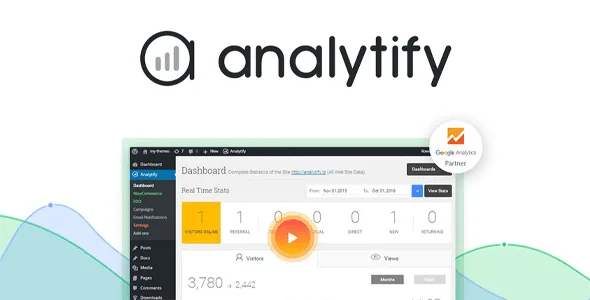
The general statistics for the last 30 days (sessions, bounce rate, users and page views) and the traffic sources and most visited pages give the wider context in which those figures are read.
Making decisions with data: content strategy and topic assignment
With per-author data you can recognize who consistently generates the most traffic and engagement, and which type of content connects best with your audience. That helps you create more of what works and assign topics according to each author's strengths. It also lets you recognize the work of those who contribute the most.
Tip: before changing how topics are assigned, look at a long enough period so that one exceptional post does not decide on its own.
Installation without technical knowledge
Installing the add-on takes a few clicks and requires no programming or technical knowledge. It is designed so that whoever manages the blog can have it running even if their profile is not technical.
Frequently asked questions about Analytify Authors Tracking Addon
How is it different from the general analytics of my site?
General analytics gives the overall picture of the site. This add-on looks at the performance of each author: how much traffic, engagement and bounce rate they generate based on who wrote each post, so you can compare bylines with one another.
Do I need anything else for it to work?
Yes, Analytify has to be installed, because the add-on extends that plugin.
Is it useful if my site has only one author?
Yes, it works both for sites with a single author and for sites with several.
Which metrics do I see per author?
Page views, unique visitors, average time on page and bounce rate, all filtered by author. With them you can identify your best-performing authors.
Topics
Version history
-
v
5.1.1 Current 28 Sep 2025
Customer reviews
Sign in to leave a review. Only people who have the product can review it.
No reviews for this product yet.
Frequently asked questions
-
GPL (General Public License) is the license under which WordPress and most premium plugins/themes are distributed. It grants you the right to use, modify and redistribute the software in as many projects as you want, with no domain restrictions.
-
Yes. With membership you get automatic updates via our GPLClub Updater plugin (installed on your WP, detects new versions and applies them). With individual purchase, you get one year of manual updates from your account.
-
Depends on the plan. Monthly: 3 domains. Semi-annual: 7. Annual and Lifetime: 15. Individual purchase: 1 domain.
-
GPLClub offers its own support for installation, configuration and compatibility. For direct support from the original author (feature requests, product-specific bugs), a license purchased from the author is required.