Analytify Pro WordPress Plugin
Antivirus scan
Powered by ClamAV
✅ Verified clean
This product file has passed our security filters.
Want to run a fresh ClamAV scan right now? Takes a few seconds and shows scanner version, signature DB and live result.
This can take 5 to 30 seconds.
Clean file Threat detected
No threats detected in this file.
- File
- Size
- Scanned
- ClamAV
- Signature database
⚡ Powered by ClamAV
Scan could not be completed
Report product
If you detected an issue (broken file, malware, inappropriate content, etc.) let us know and we'll review it ASAP.
Sign in to report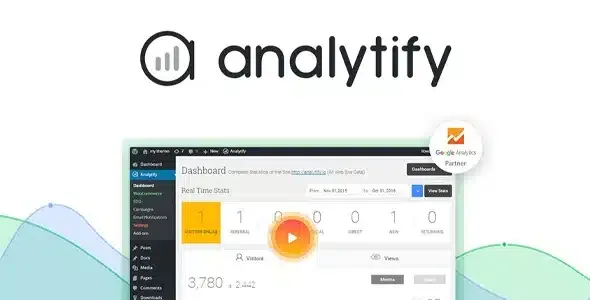
About Analytify Pro WordPress Plugin
When your client doesn't want to log into Google Analytics
Google Analytics has everything you need to know, but it sits in an interface full of menus that hardly anyone returns to after the first week. The usual result: the data exists, nobody looks at it and decisions about what content to write are made by gut feeling. Analytify Pro brings that data to your WordPress dashboard, in charts and summaries that can be read without prior training.
The underlying idea is simple: a statistic is only useful if it is seen by the person who can act on it. A writer won't open another platform to find out whether their article works, but they will look at what sits right below their own content.
What each profile sees inside Analytify Pro
If you manage websites for clients
Many clients want to see their site's traffic but not wrestle with complex reports. With Analytify Pro you show them the essentials in the WordPress dashboard they already use, without giving them access to another tool.
If you run a blog or a publication with contributors
Every post and page has its metrics organized beneath the content itself. With frontend reporting, contributors and editors check per-post statistics without entering the admin area. It's a way for writers to see what works and what doesn't.
If you sell online
Enhanced ecommerce tracking avoids manual setup, which is usually the most tedious part of measuring sales and transactions. You can also manage your marketing campaigns without leaving WordPress.
If you publish portfolios, galleries or testimonials
The plugin tracks custom post types and offers detailed statistics for them, something that in Google Analytics requires filtering by hand.
Features that change your day-to-day
- Real-time stats: who is online and what they are doing at that moment.
- Social media reports: to see whether your social effort turns into visits, inside your dashboard.
- Universal tracking: manage marketing campaigns without leaving WordPress.
- Page and post analytics: where people come from for each specific piece of content, data that is hard to find in Google Analytics even if you know it.
- Translation-ready plugin: it can be converted into other languages.
It isn't a plugin that slows your site down: it uses Google Analytics 4's gtag.js tracking code and, by default, data is shown on the fly without being saved to your database. If you prefer to cache it inside the Analytify dashboard, it's an option in the settings.
It needs a Google Analytics account
Analytify Pro doesn't replace Google Analytics: it reads its data. You need a Google Analytics account with your site's profile already set up to connect it. If you want to measure something Google Analytics doesn't collect, this plugin won't make it appear. And if you want to compare in great detail or build highly customized reports, you will still need the original interface.
Frequently asked questions about Analytify Pro
Do I need to know how to code?
No. Setup is connect-and-go, without touching code.
Does it affect site speed?
Tracking is done by Google Analytics 4's gtag.js and, by default, the plugin saves nothing to the database; reports are calculated when you view them.
Does it work without a Google Analytics account?
No: an account with your site's profile is essential to connect it.
Is it available in other languages?
Yes, it is translation-ready.
Is it useful for online stores?
Yes, it includes enhanced ecommerce tracking with sales and transaction data.
Why it suits people who don't live in analytics
If your priority is for your team or client to really look at the numbers, Analytify Pro reduces friction: the data appears where they already work. Trying the demo will tell you whether the level of detail in its reports is enough for you.
Topics
Version history
-
v
9.1.2 Current 21 Aug 2026
-
v
9.0.1 4 May 2026
Customer reviews
Sign in to leave a review. Only people who have the product can review it.
No reviews for this product yet.
Frequently asked questions
-
GPL (General Public License) is the license under which WordPress and most premium plugins/themes are distributed. It grants you the right to use, modify and redistribute the software in as many projects as you want, with no domain restrictions.
-
Yes. With membership you get automatic updates via our GPLClub Updater plugin (installed on your WP, detects new versions and applies them). With individual purchase, you get one year of manual updates from your account.
-
Depends on the plan. Monthly: 3 domains. Semi-annual: 7. Annual and Lifetime: 15. Individual purchase: 1 domain.
-
GPLClub offers its own support for installation, configuration and compatibility. For direct support from the original author (feature requests, product-specific bugs), a license purchased from the author is required.