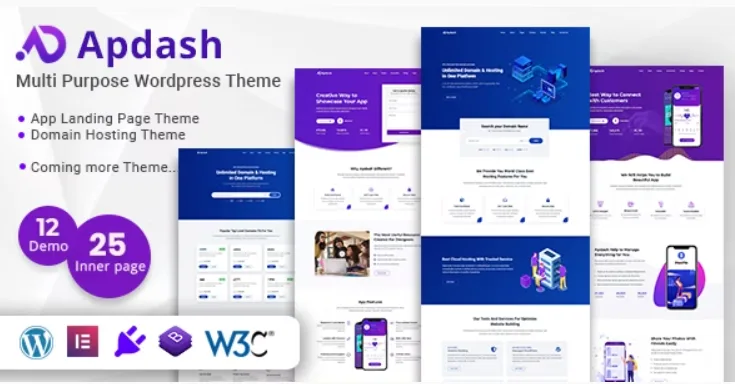
Apdash – Multi-Purpose WordPress Theme
Antivirus scan
Powered by ClamAV
✅ Verified clean
This product file has passed our security filters.
Want to run a fresh ClamAV scan right now? Takes a few seconds and shows scanner version, signature DB and live result.
This can take 5 to 30 seconds.
Clean file Threat detected
No threats detected in this file.
- File
- Size
- Scanned
- ClamAV
- Signature database
⚡ Powered by ClamAV
Scan could not be completed
Report product
If you detected an issue (broken file, malware, inappropriate content, etc.) let us know and we'll review it ASAP.
Sign in to reportNewer version out, or a problem?
About Apdash – Multi-Purpose WordPress Theme
Apdash starts from an app or hosting landing page that is already designed
Anyone launching an app or a hosting service needs two things at once: a page that explains the product clearly and a site where the customer can take the step without hesitating. Building both from scratch takes time, and it is easy to end up with a website that does not convey what the business does. Apdash is a multipurpose WordPress theme built for that starting point, with app and hosting landing pages already designed so you only have to adapt them.
Imagine a hosting company that wants to launch a new website. The first step is choosing the demo closest to its offer. Apdash includes demos for WordPress, Joomla, Magento, Opencart, Prestashop and Drupal hosting, plus business hosting, dedicated servers, Windows VPS, gaming hosting and a domain registration home page.
Common questions before building the site
Is it only for hosting?
No. Although it has hosting demos, it also works as a landing page for apps and products, and you can use it for branding to present what you sell.
Do I need a bridge plugin to connect WHMCS?
No. The WHMCS template comes included with the theme, and you do not need any intermediate plugin to use it.
Can I change the WHMCS template from WordPress?
No. The WHMCS template cannot be edited from WordPress, so any change to that part of the order process is made outside the website editor.
Do the demo images stay on my website?
They are imported with the demo, but they are there for preview only. Replace them with your own images and illustrations.
Replacing images and adjusting each block with Elementor
Once the demo is imported, day-to-day work is done with Elementor, the drag-and-drop page builder included with the theme.
- Hero slider
- Counters
- Testimonials
- Frequently asked questions
- Contact information
- Pricing blocks
The important warning concerns the images: they come from free resources and only serve for the demo, so the brand has to appear with your own material.
The WHMCS template of Apdash stays outside WordPress
If you sell hosting with WHMCS, the theme includes its order template and a dark-style variant, ready to use without a bridge plugin. Here is the most concrete limit of Apdash: the WHMCS template cannot be edited from WordPress.
Forms, custom fonts and a site that adapts to mobile
So that visitors can contact you, the theme includes Contact Form 7 integrated, and if you want to collect emails there is Mailchimp integration. If the brand has its own typography, you can upload custom fonts, besides using the Google Fonts included in the design, such as Montserrat and Open Sans.
As the last step of the journey, the page looks right on any screen: the design is fully responsive and mobile-friendly, the code is W3C validated, and the theme is compatible with common browsers. This way visitors reach your offer smoothly when they switch devices.
Topics
Version history
-
v
4.4.1 Current 8 Aug 2024
Customer reviews
Sign in to leave a review. Only people who have the product can review it.
No reviews for this product yet.
Frequently asked questions
-
GPL (General Public License) is the license under which WordPress and most premium plugins/themes are distributed. It grants you the right to use, modify and redistribute the software in as many projects as you want, with no domain restrictions.
-
Yes. With membership you get automatic updates via our GPLClub Updater plugin (installed on your WP, detects new versions and applies them). With individual purchase, you get one year of manual updates from your account.
-
Depends on the plan. Monthly: 3 domains. Semi-annual: 7. Annual and Lifetime: 15. Individual purchase: 1 domain.
-
GPLClub offers its own support for installation, configuration and compatibility. For direct support from the original author (feature requests, product-specific bugs), a license purchased from the author is required.