Artesia - Freelancer, Consultant & Outsource WordPress Theme
Antivirus scan
Powered by ClamAV
✅ Verified clean
This product file has passed our security filters.
Want to run a fresh ClamAV scan right now? Takes a few seconds and shows scanner version, signature DB and live result.
This can take 5 to 30 seconds.
Clean file Threat detected
No threats detected in this file.
- File
- Size
- Scanned
- ClamAV
- Signature database
⚡ Powered by ClamAV
Scan could not be completed
Report product
If you detected an issue (broken file, malware, inappropriate content, etc.) let us know and we'll review it ASAP.
Sign in to report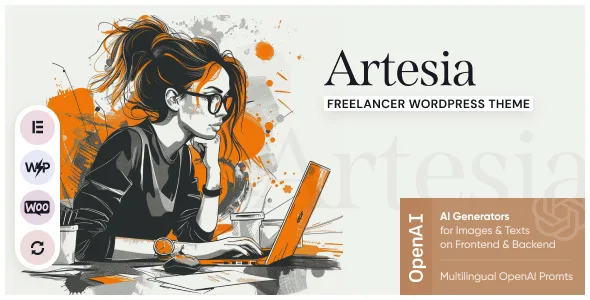
About Artesia - Freelancer, Consultant & Outsource WordPress Theme
The freelancer who dresses up as an agency loses the one thing that sets them apart
When you work alone, the temptation is to write in the plural: «our team», «our specialists». It sounds more serious. But whoever hires an independent professional does so precisely because they know who will do the work, who answers the email and who they will talk to. If your site sounds like an agency, you get compared with agencies, and there you lose.
Artesia, by AncoraThemes, forces that decision from day one, and it is its most useful detail: the about and services pages come in two versions, one personal and one for an agency.
What Artesia includes
- Six home pages: creative agency, photographer, freelancer, creative portfolio, fullscreen portfolio and video background.
- About and services in a personal version and an agency version, plus team, pricing and FAQ pages.
- Three portfolio styles, with project pages at full width, with a sidebar or as a gallery.
- Services with a price and an icon, which can be linked to a WooCommerce product if you have it active.
- Testimonials as their own content type.
- More than 750 Customizer options, a colour scheme editor and AJAX search.
- Editing with Elementor and compatibility with WooCommerce and WPML.
Personal or agency: how to choose the version of each page
If you do the work yourself, use the personal versions. Your name, your photo and the way you work are the argument. A services page in the first person says exactly what you do and what you do not.
If you subcontract, say so. Someone who outsources work to a network of collaborators can use the agency version, but it is worth explaining who coordinates and who is accountable. The team page is for that, not for inflating the headcount.
Put a price on whatever can be packaged. Since each service accepts a price and can link to a WooCommerce product, you can sell an audit or a fixed consulting session without building a full shop.
Which profile it is built for, and what it asks for on the side
The name says consultant and outsourcing, but the six home pages are for visual work: photography, design, video. It suits someone who sells with images better than someone who sells with arguments; a business consultant will have to fill spaces designed for photos with text.
The theme needs its ThemeREX Addons plugin as well as Elementor. The artificial intelligence features it includes connect by API to external services such as OpenAI, Google AI or Stability AI, so they need an account with that service. And it has right to left styles, but the demo brings no content in that direction.
PHP, memory and the child theme: how to get started with Artesia
It asks for WordPress 5.0 or later and PHP 5.6.20, or PHP 7.0 if you will use WooCommerce. The recommended limits are 600 seconds of execution, 128 MB of memory and 32 MB of upload; on shared hosting that is short on resources, the demo import can fail.
- Install the child theme before importing anything, or the theme options get reset.
- Activate ThemeREX Addons and Elementor.
- Set the site language before importing.
- Run the full import only on a fresh install, because it replaces the existing content.
- Edit the demo pages with Elementor and do not mix builders on the same page.
Other portfolio and consulting themes at GPL Club
If yours is pure consulting, Leroux is made for consultancies, advisory firms and professionals, with eight home pages. For a studio that wants to present projects as cases, Agencium brings case study sections. And if you already have a theme, Visual Portfolio Pro adds portfolios with nested albums, watermarking and client proofing in its paid version.
Questions about Artesia before installing it
Does it work for a consultant without a visual portfolio?
It works, but its home pages are designed for images. Leroux suits a consulting profile better.
Can I charge for a service without building a shop?
Each service can be linked to a WooCommerce product, so creating that product is enough.
Which plugins does it need?
ThemeREX Addons and Elementor. Contact Form 7, MailChimp for WordPress and Slider Revolution are recommended.
Do the AI features work on their own?
No. They connect to external services such as OpenAI or Google AI and need an account with them.
Why install the child theme before importing?
Because if you activate it afterwards, the theme options get reset.
Version history
-
v
1.23.0 Current 9 Jun 2026
Customer reviews
Sign in to leave a review. Only people who have the product can review it.
No reviews for this product yet.
Frequently asked questions
-
GPL (General Public License) is the license under which WordPress and most premium plugins/themes are distributed. It grants you the right to use, modify and redistribute the software in as many projects as you want, with no domain restrictions.
-
Yes. With membership you get automatic updates via our GPLClub Updater plugin (installed on your WP, detects new versions and applies them). With individual purchase, you get one year of manual updates from your account.
-
Depends on the plan. Monthly: 3 domains. Semi-annual: 7. Annual and Lifetime: 15. Individual purchase: 1 domain.
-
GPLClub offers its own support for installation, configuration and compatibility. For direct support from the original author (feature requests, product-specific bugs), a license purchased from the author is required.