Asgard Instagram Alerts Builder
Antivirus scan
Powered by ClamAV
✅ Verified clean
This product file has passed our security filters.
Want to run a fresh ClamAV scan right now? Takes a few seconds and shows scanner version, signature DB and live result.
This can take 5 to 30 seconds.
Clean file Threat detected
No threats detected in this file.
- File
- Size
- Scanned
- ClamAV
- Signature database
⚡ Powered by ClamAV
Scan could not be completed
Report product
If you detected an issue (broken file, malware, inappropriate content, etc.) let us know and we'll review it ASAP.
Sign in to report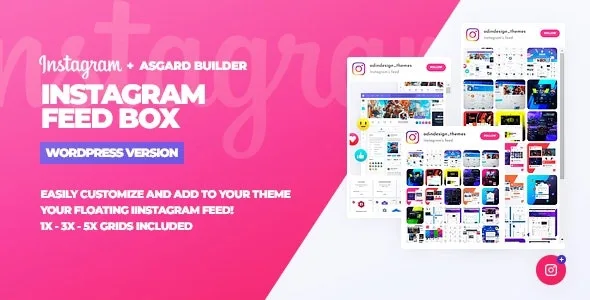
About Asgard Instagram Alerts Builder
Your Instagram changes every week and your website looks frozen
You post photos on Instagram, but visitors to your website won't see them unless they go looking for you, and they rarely come back. Your pages stay still while your profile keeps changing. Asgard Instagram Alerts Builder solves this with a floating box that shows your latest photos without taking a fixed spot in the layout.
You connect your Instagram account and the plugin automatically pulls up to your last 25 photos. What you post on the network appears on your website without you having to re-upload it by hand.
Three ways to use Asgard Instagram Alerts Builder depending on your case
The box supports three formats, and which one to choose depends on what your website already has.
Your design is already busy
If the page has plenty of content, choose the single-line format with each photo's text showing on hover, and set the box to start closed. It takes little space and visitors open it only if they are interested.
You live off visuals
For photography, food, fashion or any business where the image sells, the 3 or 5 photo grids show more at once. You can set the box to start open so visitors see the feed as soon as they arrive.
You run several campaigns or several websites
You can create as many alerts and profiles as you want, save each configuration group and load it again later to change texts, boxes or colors. From the manage alerts tab you activate one in your theme with a single click, which helps when switching campaigns without rebuilding anything.
The Asgard builder: visual settings without touching code
Everything is changed from its own builder, designed so the box fits your brand and doesn't look like a foreign add-on.
- Colors, texts and icons: you adapt them to your website's palette.
- Google Fonts: you add the typeface you already use across the rest of the site.
- Font Awesome: you bring in icons from that library easily.
- Initial state: you decide whether the box starts open or closed.
Being a floating element, visitors always have it within reach while they browse.
Common questions before installing Asgard Instagram Alerts Builder
How many photos does it show? It takes up to the last 25 from the connected account.
Can I have several different alerts? Yes, you can create as many as you want, save them and activate the one you need with a click.
Does it work with other social networks? This plugin works with Instagram. To connect several networks there is a separate multi-network version.
Do I need to know how to code? You will need to follow a step-by-step guide to get the Instagram credential.
It needs an Access Token from the Instagram account
The plugin requests data from Instagram through the Instagram Basic Display API, so before it shows your photos you will have to get an Access Token for the account you want to display. It comes with a step-by-step guide to do it, but it is a task you should count in your setup.
Nor is it a gallery for uploading loose images: it shows what is in that account and nothing else.
Topics
Version history
-
v
1.0.0 Current 16 May 2024
Customer reviews
Sign in to leave a review. Only people who have the product can review it.
No reviews for this product yet.
Frequently asked questions
-
GPL (General Public License) is the license under which WordPress and most premium plugins/themes are distributed. It grants you the right to use, modify and redistribute the software in as many projects as you want, with no domain restrictions.
-
Yes. With membership you get automatic updates via our GPLClub Updater plugin (installed on your WP, detects new versions and applies them). With individual purchase, you get one year of manual updates from your account.
-
Depends on the plan. Monthly: 3 domains. Semi-annual: 7. Annual and Lifetime: 15. Individual purchase: 1 domain.
-
GPLClub offers its own support for installation, configuration and compatibility. For direct support from the original author (feature requests, product-specific bugs), a license purchased from the author is required.