Asgard Social Builder
Antivirus scan
Powered by ClamAV
✅ Verified clean
This product file has passed our security filters.
Want to run a fresh ClamAV scan right now? Takes a few seconds and shows scanner version, signature DB and live result.
This can take 5 to 30 seconds.
Clean file Threat detected
No threats detected in this file.
- File
- Size
- Scanned
- ClamAV
- Signature database
⚡ Powered by ClamAV
Scan could not be completed
Report product
If you detected an issue (broken file, malware, inappropriate content, etc.) let us know and we'll review it ASAP.
Sign in to reportNewer version out, or a problem?
About Asgard Social Builder
Messages and media boxes to announce news
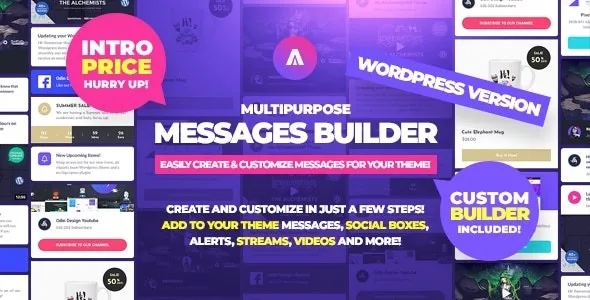
Announcing a new product, an update or a featured video often ends up as code pasted into the theme, so every text change goes through someone who can program. Asgard Social Builder lets you create messages and media boxes to add to your theme.
Base templates so you don't start from scratch
The pack includes more than ten base templates you can customize. Among them are messages, notifications, image boxes, video boxes and social accounts. All of them come from the same base, so you can add or remove elements such as the icon, button, image or video.
An alerts builder with saved groups
The alerts builder lets you change texts, colors, icons, sizes and positions with a few clicks. You can add Google Fonts, pick icons from the Font Awesome library or use SVG icons, and link images and videos.
Alert groups are saved inside the builder, so you can edit them later to add templates or fix details. To show one in your theme, activate the group from the manage alerts section. You can have several groups and switch between them with the activate switch.
Social accounts and feeds are not part of this pack: connecting your accounts and creating feeds is handled by the Social Networks version.
Frequently asked questions about Asgard Social Builder
Can I change the colors, texts and icons of the alerts?
Yes. From the builder you can change colors, texts, fonts, icons, sizes and positions.
Which icons can I use?
You can use SVG icons and the Font Awesome library, and for alert texts the Google Fonts families you add.
Can I have several alert groups?
Yes. You can keep several saved groups and switch between them with the activate switch.
What happens to my profiles if I delete the plugin?
If you remove it with the WordPress Delete button, all the profiles you have created are deleted. To keep them, follow the update guide included in the documentation.
Can I adjust the size of the alert boxes?
Yes. The dimensions of the alert boxes are set in the group options, and the progress bars also allow this adjustment.
Before choosing it, check whether you need notices or connected social accounts
If your site changes its notices often, this plugin lets you change texts, colors and icons with just a few clicks. If what you need is connected social accounts or feeds, this pack does not cover them, and it is better to know that before buying.
Topics
Version history
-
v
1.1.5 Current 16 May 2024
Customer reviews
Sign in to leave a review. Only people who have the product can review it.
No reviews for this product yet.
Frequently asked questions
-
GPL (General Public License) is the license under which WordPress and most premium plugins/themes are distributed. It grants you the right to use, modify and redistribute the software in as many projects as you want, with no domain restrictions.
-
Yes. With membership you get automatic updates via our GPLClub Updater plugin (installed on your WP, detects new versions and applies them). With individual purchase, you get one year of manual updates from your account.
-
Depends on the plan. Monthly: 3 domains. Semi-annual: 7. Annual and Lifetime: 15. Individual purchase: 1 domain.
-
GPLClub offers its own support for installation, configuration and compatibility. For direct support from the original author (feature requests, product-specific bugs), a license purchased from the author is required.