Auto Recipe
Antivirus scan
Powered by ClamAV
✅ Verified clean
This product file has passed our security filters.
Want to run a fresh ClamAV scan right now? Takes a few seconds and shows scanner version, signature DB and live result.
This can take 5 to 30 seconds.
Clean file Threat detected
No threats detected in this file.
- File
- Size
- Scanned
- ClamAV
- Signature database
⚡ Powered by ClamAV
Scan could not be completed
Report product
If you detected an issue (broken file, malware, inappropriate content, etc.) let us know and we'll review it ASAP.
Sign in to reportNewer version out, or a problem?
About Auto Recipe
A recipe blog that does not stall when time runs short
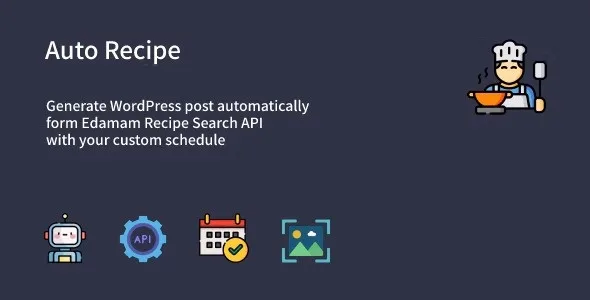
Keeping a recipe blog up to date means finding ideas, writing each post, formatting it and publishing it at the right moment. It is the first thing that gets dropped when the restaurant or the project gets busy, and the blog ends up with three posts from a year ago. Auto Recipe takes care of that repetitive part: it generates WordPress posts automatically from the Edamam Recipe Search API, so you do not have to write every recipe from scratch.
Auto Recipe keyword campaigns and RSS feeds
The core of the plugin is its campaigns. You create a campaign with one or several keywords, long-tail keywords included, and the plugin generates posts from the Edamam results. To find keywords you can rely on suggestions that come from the Google Suggest API.
If you already follow recipe sources through RSS, you can convert their items into posts, pages or custom post types. You can import and aggregate feeds from different sources automatically, and during bulk import organize them into categories when they cover similar topics.
One limit to keep in mind: the recipes in each campaign depend on what Edamam returns for each keyword or on what each feed publishes, so your blog's catalog grows at the pace of those sources and not at the pace of your own writing.
Scheduling, statuses and control over what gets published
You can schedule the publication of posts, and campaigns run automatically with WP Cron. You choose the status each post appears with (published, draft, private or pending), the content type (posts, pages or attachments) and the author who signs it.
To avoid repeated content, the plugin includes advanced options that check that no duplicate content is published on your site, and it uses a caching system. Every campaign and every WP Cron run leaves a record in the log, so you can see what was generated and when.
Frequently asked questions about Auto Recipe
Where do the recipes come from?
From the Edamam Recipe Search API. You define the keywords or RSS feeds, and the plugin generates the posts from there.
Can I also publish pages or attachments?
Yes. Besides posts, the content type can be a page or an attachment.
Can I review posts before they go live?
Yes. You can generate them as drafts, private or pending, and publish them once you have reviewed them.
How do I know what each campaign has done?
The plugin keeps logs of the campaigns and of the WP Cron jobs that run them.
Edamam, WP Cron and the size of your recipe blog
Before choosing it, be clear that you need access to the Edamam Recipe Search API, because that is where the posts come from. Scheduled campaigns depend on WP Cron.
It supports keywords and RSS feeds with no limit on their number, so the size depends on how many campaigns you want to maintain.
Topics
Version history
-
v
1.0.4 Current 21 Jan 2025
Customer reviews
Sign in to leave a review. Only people who have the product can review it.
No reviews for this product yet.
Frequently asked questions
-
GPL (General Public License) is the license under which WordPress and most premium plugins/themes are distributed. It grants you the right to use, modify and redistribute the software in as many projects as you want, with no domain restrictions.
-
Yes. With membership you get automatic updates via our GPLClub Updater plugin (installed on your WP, detects new versions and applies them). With individual purchase, you get one year of manual updates from your account.
-
Depends on the plan. Monthly: 3 domains. Semi-annual: 7. Annual and Lifetime: 15. Individual purchase: 1 domain.
-
GPLClub offers its own support for installation, configuration and compatibility. For direct support from the original author (feature requests, product-specific bugs), a license purchased from the author is required.