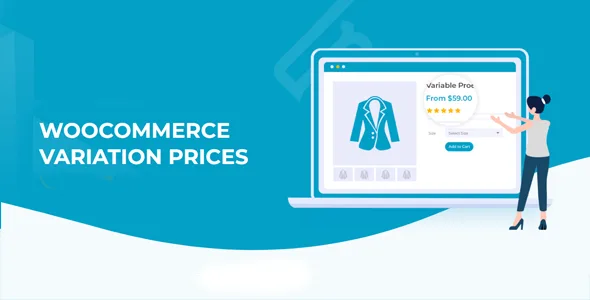
Barn2 Media Woocommerce Variation Prices
Antivirus scan
Powered by ClamAV
✅ Verified clean
This product file has passed our security filters.
Want to run a fresh ClamAV scan right now? Takes a few seconds and shows scanner version, signature DB and live result.
This can take 5 to 30 seconds.
Clean file Threat detected
No threats detected in this file.
- File
- Size
- Scanned
- ClamAV
- Signature database
⚡ Powered by ClamAV
Scan could not be completed
Report product
If you detected an issue (broken file, malware, inappropriate content, etc.) let us know and we'll review it ASAP.
Sign in to reportNewer version out, or a problem?
About Barn2 Media Woocommerce Variation Prices
Price ranges that put buyers off on variable products
When a product has variations, WooCommerce shows a range by default, something like 10 - 80, and the buyer has to pick an option to find out what they will pay. That extra step is friction, and such an open range is too limited for many stores. Variation Prices for WooCommerce replaces that range with the format you choose, from a starting price to hiding it altogether.
Price formats you can choose
The plugin lets you decide how variation prices are read. These are the main options:
- Range separator: replaces the dash between the lowest and highest price with text such as 10 to 80 or 10 / 80.
- Minimum or maximum: shows only the starting price, such as 10+, or only the highest price, such as Up to 80.
- Custom text: replaces the range with the format you prefer, without being limited to predefined options.
- Hide the price: if you don't want to show any amount on the variations, you can remove it completely.
Price visible when choosing a variation
Another common friction point is that the buyer sees no price until selecting an option. With Variation Prices for WooCommerce you can list all variation prices immediately, so buyers can see every price from the start. If you prefer a cleaner page, you can also hide the variable product's price until a variation is chosen. From that moment, the main price on the page updates to the selected option, so the buyer sees what they would pay for the one they are looking at.
Variable and grouped products, and the pages where the change shows
You can choose whether the new format applies to the price of WooCommerce variable products, grouped products, or both. The change appears on each product page and also on the shop and category pages, where you can enable or disable the new format. The plugin acts on variable and grouped products, not on simple products.
Frequently asked questions about Variation Prices for WooCommerce
Can I change the price of grouped products?
Yes. You can choose whether the change affects variable products, grouped products, or both.
Does the new format appear in the shop and categories?
Yes. The shop and category pages also let you enable or disable the new variation price format.
Can I hide the price until the buyer chooses a variation?
Yes. The product price can stay hidden until a variation is chosen, and then the price of the chosen variation appears.
Can I adapt how it behaves to my store?
It includes hooks and base components to extend or adjust its behavior, designed to make customizations upgrade-safe.
WooCommerce, Subscriptions and other plugins: what Variation Prices for WooCommerce works with
The plugin needs WooCommerce active, because it changes how prices are shown for its variable and grouped products. It is compatible with WooCommerce checkout blocks and HPOS order storage, and it works with Subscriptions.
It also works with related products and with other plugins in your store.
If you mainly sell simple products, this plugin will have no effect on them, because it only acts on variable and grouped products.
Topics
Version history
-
v
1.2.3 Current 9 May 2024
Customer reviews
Sign in to leave a review. Only people who have the product can review it.
No reviews for this product yet.
Frequently asked questions
-
GPL (General Public License) is the license under which WordPress and most premium plugins/themes are distributed. It grants you the right to use, modify and redistribute the software in as many projects as you want, with no domain restrictions.
-
Yes. With membership you get automatic updates via our GPLClub Updater plugin (installed on your WP, detects new versions and applies them). With individual purchase, you get one year of manual updates from your account.
-
Depends on the plan. Monthly: 3 domains. Semi-annual: 7. Annual and Lifetime: 15. Individual purchase: 1 domain.
-
GPLClub offers its own support for installation, configuration and compatibility. For direct support from the original author (feature requests, product-specific bugs), a license purchased from the author is required.