Beaver Themer WordPress Plugin
Antivirus scan
Powered by ClamAV
✅ Verified clean
This product file has passed our security filters.
Want to run a fresh ClamAV scan right now? Takes a few seconds and shows scanner version, signature DB and live result.
This can take 5 to 30 seconds.
Clean file Threat detected
No threats detected in this file.
- File
- Size
- Scanned
- ClamAV
- Signature database
⚡ Powered by ClamAV
Scan could not be completed
Report product
If you detected an issue (broken file, malware, inappropriate content, etc.) let us know and we'll review it ASAP.
Sign in to report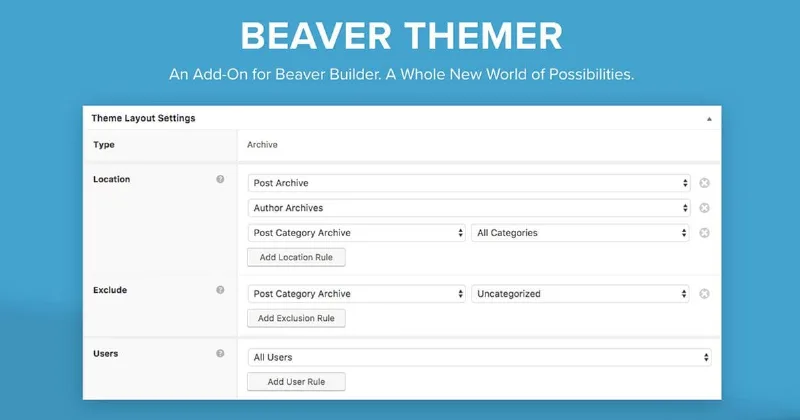
About Beaver Themer WordPress Plugin
Your homepage is polished, but Google sends people to other pages
Beaver Themer tackles that gap: you design the parts the theme normally controls using the Beaver Builder interface.
Beaver Themer: one template for an entire content type
You create a template for posts, products, a custom post type or an archive, and every page that uses it follows it. If you change something, it changes everywhere: no copying layouts and no pages drifting apart. The same goes for search results and 404 pages.
Post grids let you decide how each item in a list looks: image, excerpt, post details. That way the blog and its archives stop being the part nobody designed.
Headers, footers and notices that appear only where they should
You can replace your theme's header and footer with your own designs. You can also create standalone parts (an announcement bar, a call-to-action row) and place them above or below any header, footer or content area. You choose whether they show sitewide, in one section or on a single page.
Custom fields and shop pages without touching PHP files
You can pull content from ACF, Pods and Meta Box into your layouts. It is useful when the client edits the fields and you want to keep the design: no need to write a PHP template. It also lets you redesign the WooCommerce shop, cart, checkout and my account pages without editing template files.
It will not run without a paid Beaver Builder
Beaver Themer runs on top of the Beaver Builder plugin, which must be installed and active. It does not work with the free (Lite) version. Before deciding, separate what it solves from what you will cover yourself:
- Already solved: templates for posts, products, archives, search and 404; headers, footers and parts with display rules; connection to ACF, Pods and Meta Box fields; design of WooCommerce pages.
- Covered with another plugin: the custom fields themselves, which Themer displays in the layout but for which you need ACF, Pods or Meta Box.
- Depends on your theme: for full control of the header and footer you need a compatible theme; archive, post and 404 templates work with almost any.
- Done by you: the content, images and text of each template.
Questions before choosing Beaver Themer
How is it different from Beaver Builder on its own?
Beaver Builder designs one page at a time. Beaver Themer builds a template and applies it to all posts, products or custom post types, plus headers, footers and archives. The drag-and-drop interface is the same.
Do I need the Beaver Builder Theme?
Not necessarily. They are separate products that work well together, but Themer also works with several compatible third-party themes.
Does it work with the free version of Beaver Builder?
No. It needs a paid version of Beaver Builder.
Do I need to know PHP?
No. You design the theme parts visually, without writing PHP templates.
Version history
-
v
1.6.1 Current 24 Sep 2026
-
v
1.6 9 Jul 2026
-
v
1.5.2.4 19 Mar 2026
Customer reviews
Sign in to leave a review. Only people who have the product can review it.
No reviews for this product yet.
Frequently asked questions
-
GPL (General Public License) is the license under which WordPress and most premium plugins/themes are distributed. It grants you the right to use, modify and redistribute the software in as many projects as you want, with no domain restrictions.
-
Yes. With membership you get automatic updates via our GPLClub Updater plugin (installed on your WP, detects new versions and applies them). With individual purchase, you get one year of manual updates from your account.
-
Depends on the plan. Monthly: 3 domains. Semi-annual: 7. Annual and Lifetime: 15. Individual purchase: 1 domain.
-
GPLClub offers its own support for installation, configuration and compatibility. For direct support from the original author (feature requests, product-specific bugs), a license purchased from the author is required.
Related products
WooCommerce Wholesale Prices Premium
By WooCommerce
Gravity Forms PDF, Excel, CSV and Google Sheet
By Gravity Forms
NEX-Forms – The Ultimate WordPress Form Builder
By NEX-Forms