Better Payment - Pro
Antivirus scan
Powered by ClamAV
✅ Verified clean
This product file has passed our security filters.
Want to run a fresh ClamAV scan right now? Takes a few seconds and shows scanner version, signature DB and live result.
This can take 5 to 30 seconds.
Clean file Threat detected
No threats detected in this file.
- File
- Size
- Scanned
- ClamAV
- Signature database
⚡ Powered by ClamAV
Scan could not be completed
Report product
If you detected an issue (broken file, malware, inappropriate content, etc.) let us know and we'll review it ASAP.
Sign in to reportNewer version out, or a problem?
About Better Payment - Pro
The payments lost before the customer reaches checkout
When a customer has to look for a way to pay you, many sales fall through along the way. Better Payment puts the payment form inside the page you already built with Elementor, with the payment methods your customer expects to find.
Payment forms, payment methods and currencies in Better Payment
You can create as many payment forms as you need. Better Payment includes its own widget and also integrates with the Elementor form widget.
- PayPal, Stripe and Paystack: add these popular payment options to your pages without setting up each gateway separately.
- Several currencies: charge in different currencies from a single platform.
- Your own style: adjust colors and details of the form so it fits your website design.
For now it only collects payment data
The plugin only collects payment data. Collecting more information is planned for the near future, but it is not available yet.
Payment is completed on Stripe or PayPal
The form lives on your page, but right now the customer goes to Stripe or PayPal to pay and then returns to your website. The payment itself does not stay inside your own page.
What you manage in the dashboard and what the customer receives
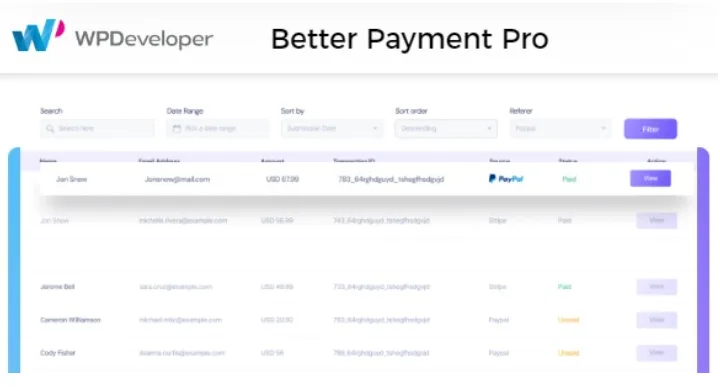
Better Payment brings the management of your payments into the WordPress dashboard. From there you see the payments coming in and can act on each one.
- Manage payments and donations from the WordPress dashboard itself.
- Check a visual analytics view of your collections.
- Refund a payment with a few clicks.
- Generate and send a professional receipt for each payment.
- Send personalized emails for each payment.
Subscriptions and recurring payments with Stripe
If you charge periodic fees, the Stripe integration lets you add your subscription form and manage recurring payments with ease. The same plugin covers one-off payments, donations and subscriptions, so you do not need different tools for each case.
Frequently asked questions about charging with Better Payment
Can I refund a payment?
Yes. From the WordPress dashboard you can process the refund with a few clicks.
Can I charge subscriptions?
Yes, with the Stripe integration you can manage recurring charges from a subscription form.
Can the customer pay without leaving my website?
Not right now. The payment is completed on Stripe or PayPal, and then the customer returns to your website.
What does the customer receive after paying?
A professional receipt generated by the plugin, sent in a personalized email.
Elementor, PayPal, Stripe or Paystack: the pieces that need to be ready
Better Payment needs Elementor installed and active. To take payments you also need an account with the gateway you choose, PayPal, Stripe or Paystack, because that is where each payment is completed.
For specific charges, donations or subscriptions, keep in mind that the payment is completed on the gateway and not on your page.
Topics
Version history
-
v
0.3.0 Current 18 May 2024
Customer reviews
Sign in to leave a review. Only people who have the product can review it.
No reviews for this product yet.
Frequently asked questions
-
GPL (General Public License) is the license under which WordPress and most premium plugins/themes are distributed. It grants you the right to use, modify and redistribute the software in as many projects as you want, with no domain restrictions.
-
Yes. With membership you get automatic updates via our GPLClub Updater plugin (installed on your WP, detects new versions and applies them). With individual purchase, you get one year of manual updates from your account.
-
Depends on the plan. Monthly: 3 domains. Semi-annual: 7. Annual and Lifetime: 15. Individual purchase: 1 domain.
-
GPLClub offers its own support for installation, configuration and compatibility. For direct support from the original author (feature requests, product-specific bugs), a license purchased from the author is required.