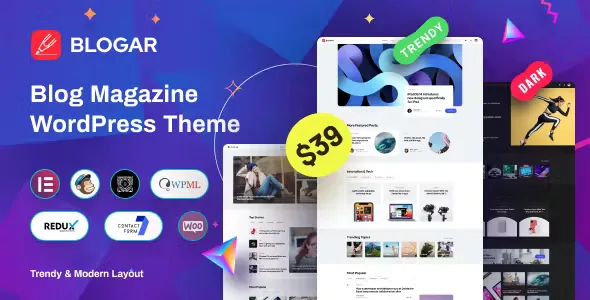
Blogar Blog Magazine Theme
Antivirus scan
Powered by ClamAV
✅ Verified clean
This product file has passed our security filters.
Want to run a fresh ClamAV scan right now? Takes a few seconds and shows scanner version, signature DB and live result.
This can take 5 to 30 seconds.
Clean file Threat detected
No threats detected in this file.
- File
- Size
- Scanned
- ClamAV
- Signature database
⚡ Powered by ClamAV
Scan could not be completed
Report product
If you detected an issue (broken file, malware, inappropriate content, etc.) let us know and we'll review it ASAP.
Sign in to reportNewer version out, or a problem?
About Blogar Blog Magazine Theme
Digital media and blogs that publish daily without a technical team
A news or review blog lives on frequency: every new post needs a homepage that changes, categories that make sense and a design that looks right on mobile. Blogar does not require programming knowledge. It fits creative blogs, tech and lifestyle blogs, magazines, news agencies, travel and tour agencies, and lifestyle brands.
One limit is worth knowing: the demo images and videos are not included in the download bundle. They are only for demonstration, so you will need to add your own photos and videos when you publish.
Homepage, header and footer changes from the Blogar panel
Blogar includes more than five homepage variations, more than five header versions and several footers. The dark and light mode switcher lets you switch between both modes. It also includes a sticky header. The live customizer lets you change colors, and typography is customizable with Google Web Fonts.
The design is responsive and has been tested on laptops, mobiles and tablets. It is also Google AMP ready, and Font Awesome icons come integrated.
Building with Elementor and importing the technology demo
Blogar comes integrated with Elementor, so you build pages by dragging and dropping blocks. It includes a predefined demo aimed at technology news that imports with one click. If you like its look, you can keep it as it is; if not, swap the texts and images for your own.
If you already have a site, you can also import the XML manually. Internal pages, the different header styles and contact forms complete the set.
Posts, formats and categories with their own identity
Each post can use the standard, video, audio, gallery, quote or text only format, and there are more than five different layouts for single posts. It supports videos from YouTube and other platforms. Categories have their own color and image, which helps when a section of the magazine needs to stand out at first glance.
The megamenu and the sidebars (left, right or none, with widgets for recent posts, categories, contact information and social networks) give you room to organize sections without touching code. Breadcrumbs and social share buttons are included too.
Blogar with Instagram, Mailchimp and Yoast SEO
Blogar is Mailchimp compatible and integrates with an Instagram feed, so you can show your Instagram posts on the site and connect your subscriber list. For search visibility, the theme supports Yoast SEO and is optimized for SEO, with validated HTML5 and CSS3.
Each integration depends on its plugin: the Instagram feed uses Smash Balloon Instagram Feed, the Mailchimp connection uses MC4WP, and contact forms are based on Contact Form 7, which must be active for them to work.
Frequently asked questions about Blogar
Do I need to know how to code to use Blogar?
No. The theme does not require programming knowledge: layouts are built with Elementor and the demo is imported with one click.
Are the demo images included in the package?
No. Demo images and videos are not included in the download, so you will need to upload your own.
Does it have a dark mode?
Yes. It includes a switch between dark and light mode.
Can I place the sidebar on the left or on the right?
Yes. You can place it on the left, on the right or remove it, and create unlimited sidebars.
Topics
Version history
-
v
1.3.4 Current 9 Jul 2026
-
v
1.3.3 30 Oct 2025
Customer reviews
Sign in to leave a review. Only people who have the product can review it.
No reviews for this product yet.
Frequently asked questions
-
GPL (General Public License) is the license under which WordPress and most premium plugins/themes are distributed. It grants you the right to use, modify and redistribute the software in as many projects as you want, with no domain restrictions.
-
Yes. With membership you get automatic updates via our GPLClub Updater plugin (installed on your WP, detects new versions and applies them). With individual purchase, you get one year of manual updates from your account.
-
Depends on the plan. Monthly: 3 domains. Semi-annual: 7. Annual and Lifetime: 15. Individual purchase: 1 domain.
-
GPLClub offers its own support for installation, configuration and compatibility. For direct support from the original author (feature requests, product-specific bugs), a license purchased from the author is required.