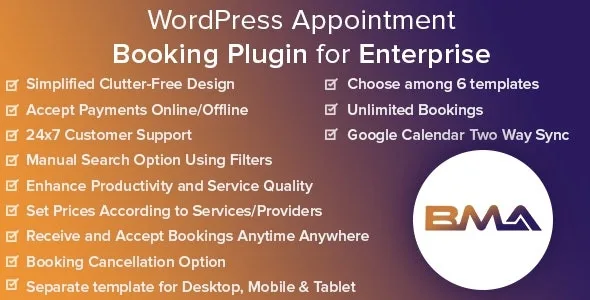
BMA - WordPress Appointment Booking Plugin for Enterprise
Antivirus scan
Powered by ClamAV
✅ Verified clean
This product file has passed our security filters.
Want to run a fresh ClamAV scan right now? Takes a few seconds and shows scanner version, signature DB and live result.
This can take 5 to 30 seconds.
Clean file Threat detected
No threats detected in this file.
- File
- Size
- Scanned
- ClamAV
- Signature database
⚡ Powered by ClamAV
Scan could not be completed
Report product
If you detected an issue (broken file, malware, inappropriate content, etc.) let us know and we'll review it ASAP.
Sign in to reportNewer version out, or a problem?
About BMA - WordPress Appointment Booking Plugin for Enterprise
Time bookings with people, without double bookings
BMA Pro is built for businesses that sell time with a person: clinics, salons and spas, tutors and consultants. It shows only free times and checks them again when each booking is saved. It needs BMA Lite installed and active, because BMA Pro runs on top of it.
Clinics and consultations with one-to-one appointments
Each one-to-one appointment can be booked only once. If two customers confirm the same slot at the same moment, only one booking is saved and the other customer sees a message to choose another time. Times respect the professional's working hours, breaks and the business holidays.
Salons and spas with several professionals
Each team member has their own hours, services and, if you need it, their own price. Customers only see the professionals who offer the chosen service.
Tutors and group classes
A group service has a minimum and a maximum number of people, and its time stays open until the places are filled. BMA Pro counts the people already booked and only accepts a new booking if it fits in the places left.
Seven form layouts for the same schedule
There are four form designs, and three of them come with boxed or underlined fields, which makes seven layouts. All of them take the same bookings; what changes is how the steps are shown: tabs, a progress bar, a service list with expanding sections, or a side panel with the steps ticked off.
Each saved form has its own shortcode, with its own design and step order, so several forms can share one page. You can choose a different design for phones, tablets and desktops. In the tab and progress bar layouts you can reorder the service, staff and location steps or remove the ones you do not need. The styles only affect the form, so your theme keeps its look. There is no separate Elementor widget: the shortcode works in the block editor and in page builders that accept shortcodes.
BMA Pro takes payment with Stripe or PayPal, or on arrival
Customers can pay by card on the Stripe page, with PayPal, or at the appointment. The money goes directly to your Stripe or PayPal account. A booking is only marked as paid when Stripe or PayPal confirm the full amount to the site, and coupons and per-person prices are calculated on the server, so the amount charged is the amount shown.
New bookings can wait for your approval or be approved automatically. With online payment, a booking can also be approved as soon as it is paid. Full refunds you make in Stripe or PayPal are recorded against the booking, and coupons can be a fixed amount or a percentage, with dates, a usage limit and excluded services or categories.
Email and SMS reminders, and a calendar for each customer
Reminders go out a few days before the appointment, at the time of day you choose. SMS messages are sent through your own Twilio or MSG91 account. The templates accept placeholders for the customer, service, professional, location, total, cancellation links and answers to your questions.
Customers can add the appointment to Google Calendar, Apple Calendar or Outlook from the confirmation or from their appointment list, and they can cancel up to the notice period you set, from 1 minute to 3 days before. Cancellation links are signed, so nobody can change them to cancel someone else's booking.
Frequently asked questions about BMA Pro
Do I need to install anything before BMA Pro?
Yes, BMA Lite, the free plugin from WordPress.org, must be installed and active. To take online payments you need a Stripe account or a PayPal REST app, and for SMS a Twilio or MSG91 account, only if you use those features.
What happens if a customer cancels?
They can cancel from their page or from the link in the email, within the notice period you set. If you have Google Calendar connected, the event is removed too. Professionals approve, cancel or reject their own bookings after signing in.
Google Calendar does not sync in both directions
Bookings are sent to the Google calendar you connect, and busy times in that calendar can block availability if you turn it on. But if you move or delete an event in Google, the BMA booking does not change. Only one Google account can be connected per site, and the sync is optional: you can take bookings without it.
It also has no WooCommerce checkout, no video-meeting links and no mobile app.
Topics
Version history
-
v
1.7.7 Current 16 May 2024
Customer reviews
Sign in to leave a review. Only people who have the product can review it.
No reviews for this product yet.
Frequently asked questions
-
GPL (General Public License) is the license under which WordPress and most premium plugins/themes are distributed. It grants you the right to use, modify and redistribute the software in as many projects as you want, with no domain restrictions.
-
Yes. With membership you get automatic updates via our GPLClub Updater plugin (installed on your WP, detects new versions and applies them). With individual purchase, you get one year of manual updates from your account.
-
Depends on the plan. Monthly: 3 domains. Semi-annual: 7. Annual and Lifetime: 15. Individual purchase: 1 domain.
-
GPLClub offers its own support for installation, configuration and compatibility. For direct support from the original author (feature requests, product-specific bugs), a license purchased from the author is required.