Booking com Property Reservation Forms
Antivirus scan
Powered by ClamAV
✅ Verified clean
This product file has passed our security filters.
Want to run a fresh ClamAV scan right now? Takes a few seconds and shows scanner version, signature DB and live result.
This can take 5 to 30 seconds.
Clean file Threat detected
No threats detected in this file.
- File
- Size
- Scanned
- ClamAV
- Signature database
⚡ Powered by ClamAV
Scan could not be completed
Report product
If you detected an issue (broken file, malware, inappropriate content, etc.) let us know and we'll review it ASAP.
Sign in to report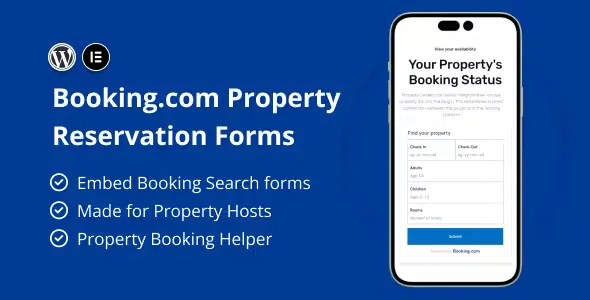
About Booking com Property Reservation Forms
Your Booking.com listing shares the screen with your competition
Having your property listed on Booking.com brings guests, but there your accommodation appears next to others that the traveler compares with one click. Your own website is the only place where the visitor sees just your property, and that is exactly where something is often missing: a clear, well-designed booking form that does not look like a last-minute add-on.
Booking com Property Reservation Forms is an Elementor plugin made for hosts with active properties on Booking.com. It adds carefully designed booking forms to your pages, so your website grows at the same pace as your booking page.
How Booking com Property Reservation Forms fits your situation
You have one property and a simple website
If you already built your page with Elementor, you add the form to whichever page you want without touching the rest of the design. The plugin is compatible with any theme, so you do not have to switch templates to try it.
You manage several properties
You can create forms on different pages built with Elementor, for example one page per property, and also place them with a shortcode elsewhere on the site. That way each property can have its own booking point.
You bring visitors from social media or ads
A page with a form is a good destination for a link in your profiles or for a paid campaign: the visitor arrives and finds right away where to book, without wandering through the menu.
Your guests do not speak your language
The plugin can be translated into any language, which is useful if your accommodation receives travelers from several countries and you want the form to speak like them.
Forms inside Elementor or wherever you need them
The idea is simple: you build the form like any other Elementor block and publish it on the page you prefer. There are two ways to use it:
- With Elementor: you create the form on any page built with the page builder.
- With a shortcode: you insert it anywhere else on the site where you can paste a shortcode.
The options are designed to be set up without code. The package also includes demo content that you can import to see how the pages look and use it as a starting point; the images in those demos are samples and should be replaced with photos of your own property.
Questions before installing Booking com Property Reservation Forms
Do I need Elementor?
Yes, the plugin is made for Elementor Page Builder. With the shortcode you can place it outside an Elementor page.
Does it work with my theme?
It is meant to be compatible with any theme, so it does not force you to change the look of your website.
Can I use it if my accommodation is not on Booking.com?
It is made for Booking.com hosts. If your property is not listed there, check in the demo whether the forms still work for your case.
Can it be translated?
Yes, it is fully translatable into any language.
What happens when someone submits the form?
This is the first thing to check in the demo: what the visitor receives and what you receive when it is submitted, to confirm it fits the way you handle bookings.
It is built for Elementor, not for any page builder
The design of the forms depends on Elementor. Before buying it, check in the demo whether it covers what you expect from your booking process, such as the calendar or payments.
Topics
Version history
-
v
1.0.0 Current 8 May 2024
Customer reviews
Sign in to leave a review. Only people who have the product can review it.
No reviews for this product yet.
Frequently asked questions
-
GPL (General Public License) is the license under which WordPress and most premium plugins/themes are distributed. It grants you the right to use, modify and redistribute the software in as many projects as you want, with no domain restrictions.
-
Yes. With membership you get automatic updates via our GPLClub Updater plugin (installed on your WP, detects new versions and applies them). With individual purchase, you get one year of manual updates from your account.
-
Depends on the plan. Monthly: 3 domains. Semi-annual: 7. Annual and Lifetime: 15. Individual purchase: 1 domain.
-
GPLClub offers its own support for installation, configuration and compatibility. For direct support from the original author (feature requests, product-specific bugs), a license purchased from the author is required.