
BookingPress Zapier Integration Addon
Antivirus scan
Powered by ClamAV
✅ Verified clean
This product file has passed our security filters.
Want to run a fresh ClamAV scan right now? Takes a few seconds and shows scanner version, signature DB and live result.
This can take 5 to 30 seconds.
Clean file Threat detected
No threats detected in this file.
- File
- Size
- Scanned
- ClamAV
- Signature database
⚡ Powered by ClamAV
Scan could not be completed
Report product
If you detected an issue (broken file, malware, inappropriate content, etc.) let us know and we'll review it ASAP.
Sign in to reportNewer version out, or a problem?
About BookingPress Zapier Integration Addon
When an appointment changes, your other tools need to know
A new booking comes into BookingPress, but the data stays there: someone has to copy it into the spreadsheet, add the customer to the mailing list or tell the team. When appointment volume grows, that manual copying gets delayed or done wrong, and your tools end up with different data. This addon makes the events in your calendar or customer base that you choose trigger an action in another app, without writing code.
Zapier works with two or more applications: one detects the event and the other runs the action you set up. From BookingPress, the event is what happens to your appointments or customers, and the action can live in any of the thousands of apps Zapier connects, such as Mailchimp, Instagram or Google Sheets. That way the booking calendar stops being an island inside your business.
Appointments and customers you can send to Zapier, event by event
Every automation starts with a trigger, that is, an event that kicks off the workflow. With this addon you choose which BookingPress triggers are sent to Zapier, instead of forwarding everything that happens in the calendar. The available ones cover three areas:
- New, updated and deleted appointments, to automate actions based on calendar activity.
- Customers created, updated or deleted, to launch workflows whenever your contact base changes.
- BookingPress form fields, which you can select and send to Zapier.
A simple example: a new appointment is created in BookingPress, Zapier receives the event and tells another connected app to carry out the action you have set up. You also choose which appointment fields are sent with each trigger, so the destination tool receives only what it needs.
If you already use BookingPress, this addon brings your bookings into Zapier
You need BookingPress installed, because this addon extends that plugin and takes appointments, customers and forms from it.
It fits if your business already splits tasks across several apps and you want the calendar to be one more piece of that circuit, especially if your customers and appointments need to reach email tools, spreadsheets or social networks. Before building the workflow, check the demo and decide which triggers you really need.
Frequently asked questions about the BookingPress Zapier addon
Do I need to know how to code to connect BookingPress with other apps?
No. Zapier does not require code. You only have to choose the source event and the action that should run in the other application.
Can I send only some events to Zapier?
Yes. You can selectively choose which BookingPress triggers are sent, so you don't have to forward everything that happens in the calendar.
What happens when a customer is changed or deleted?
You can set up a trigger for customers created, updated or deleted, and launch automatic workflows whenever your customer base changes.
Can I choose which appointment data Zapier receives?
Yes. You select the appointment fields sent with each trigger, so the destination app receives only the information it will use.
Topics
Version history
-
v
1.8 Current 4 May 2024
Customer reviews
Sign in to leave a review. Only people who have the product can review it.
No reviews for this product yet.
Frequently asked questions
-
GPL (General Public License) is the license under which WordPress and most premium plugins/themes are distributed. It grants you the right to use, modify and redistribute the software in as many projects as you want, with no domain restrictions.
-
Yes. With membership you get automatic updates via our GPLClub Updater plugin (installed on your WP, detects new versions and applies them). With individual purchase, you get one year of manual updates from your account.
-
Depends on the plan. Monthly: 3 domains. Semi-annual: 7. Annual and Lifetime: 15. Individual purchase: 1 domain.
-
GPLClub offers its own support for installation, configuration and compatibility. For direct support from the original author (feature requests, product-specific bugs), a license purchased from the author is required.
Related products

Theme My Login Redirection
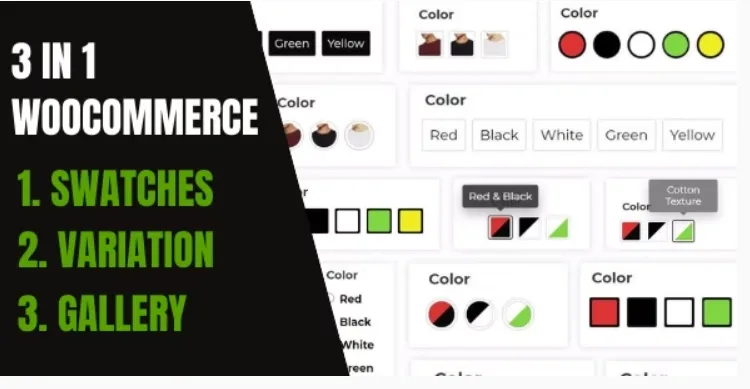
WooCommerce Additional Variation Images And Swatches PRO
By WooCommerce

PMPRO Recurring Payment Email Reminders Addon
By Paid Memberships Pro

YayMail Addon for WooCommerce Back In Stock Notifications
By WooCommerce