Bookly Discounts Addon
Antivirus scan
Powered by ClamAV
✅ Verified clean
This product file has passed our security filters.
Want to run a fresh ClamAV scan right now? Takes a few seconds and shows scanner version, signature DB and live result.
This can take 5 to 30 seconds.
Clean file Threat detected
No threats detected in this file.
- File
- Size
- Scanned
- ClamAV
- Signature database
⚡ Powered by ClamAV
Scan could not be completed
Report product
If you detected an issue (broken file, malware, inappropriate content, etc.) let us know and we'll review it ASAP.
Sign in to report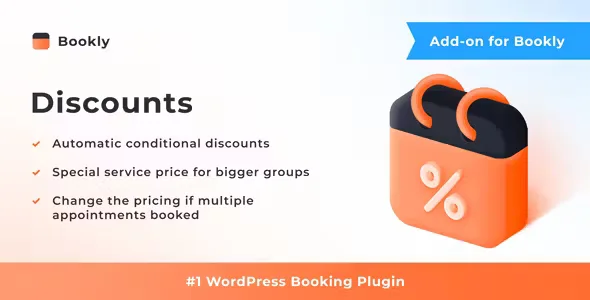
About Bookly Discounts Addon
Discounting a single appointment loses money; discounting a bigger booking hurts less
Anyone who lives off appointments sells agenda hours, and an empty hour can't be recovered. That's why many businesses hesitate over discounts: if you cut the price of an individual appointment, you just earn less for the same time. It's different when you reward someone who fills more of your agenda in a single booking: a group of people or several services in a row. There the discount makes commercial sense, and that is what Bookly Discounts Addon automates inside your booking system.
Bookly Discounts Addon: the conditions you can set and what it needs to work
The add-on applies the discount only when the booking meets the condition you defined. The customer sees the reduced price instantly. This is what you can configure:
- Special price for bigger groups: based on the number of people in the booking.
- Reduction on the total based on services booked: designed for those who chain several appointments in one session.
- Validity period: you specify the dates during which the discount can be used.
- Percentage or fixed amount: you choose how the reduction is calculated.
- Scope: the discount can apply to all services or only to some.
Now, the important limit: it's an add-on and doesn't work on its own. It needs Bookly PRO installed and activated. Its features also depend on other Bookly add-ons. For group discounts you need the Group Booking add-on. For discounts based on the number of services you need at least one of the add-ons that allow booking several appointments in one session.
Questions buyers ask before getting it
Can I use it with Bookly PRO and nothing else?
No. Bookly PRO is the base, but for discounts to exist you also need the group add-on and/or one of those that allow several appointments per session.
Does the customer have to enter anything to get the discount?
No. If the booking meets the condition, the discount is applied automatically and the reduced price appears instantly.
Can I limit it to a seasonal promotion?
Yes, you can specify the period during which the discount is available.
Does it work for a single service?
Yes, you can bind it to all services or only to the ones you choose.
Percentage or fixed amount: which suits each service
A percentage adapts by itself when your services have very different prices: 10% weighs differently on a short session than on a long treatment. A fixed amount is easier for the customer to understand and gives you more control if you want the reduction to be the same on any booking. A good practice is to limit the discount to the services where your margin allows it, instead of applying it to the whole catalog by default.
Install Bookly PRO and the multiple-booking add-on first
Before setting up any discount, check that you have the complete base: Bookly PRO active and, depending on the condition you want to use, the Group Booking add-on or one of those that allow several appointments per session. Then define the rules one by one and make a test booking in your form to see that the reduced price appears when it should and doesn't appear when the condition isn't met. If you want to see how the booking system behaves before deciding, check the Bookly demo.
Topics
Version history
-
v
2.4 Current 28 Oct 2026
-
v
2.3 5 Sep 2026
-
v
2.1 26 Feb 2026
Customer reviews
Sign in to leave a review. Only people who have the product can review it.
No reviews for this product yet.
Frequently asked questions
-
GPL (General Public License) is the license under which WordPress and most premium plugins/themes are distributed. It grants you the right to use, modify and redistribute the software in as many projects as you want, with no domain restrictions.
-
Yes. With membership you get automatic updates via our GPLClub Updater plugin (installed on your WP, detects new versions and applies them). With individual purchase, you get one year of manual updates from your account.
-
Depends on the plan. Monthly: 3 domains. Semi-annual: 7. Annual and Lifetime: 15. Individual purchase: 1 domain.
-
GPLClub offers its own support for installation, configuration and compatibility. For direct support from the original author (feature requests, product-specific bugs), a license purchased from the author is required.