Bookly Invoices (Add-on)
Antivirus scan
Powered by ClamAV
✅ Verified clean
This product file has passed our security filters.
Want to run a fresh ClamAV scan right now? Takes a few seconds and shows scanner version, signature DB and live result.
This can take 5 to 30 seconds.
Clean file Threat detected
No threats detected in this file.
- File
- Size
- Scanned
- ClamAV
- Signature database
⚡ Powered by ClamAV
Scan could not be completed
Report product
If you detected an issue (broken file, malware, inappropriate content, etc.) let us know and we'll review it ASAP.
Sign in to report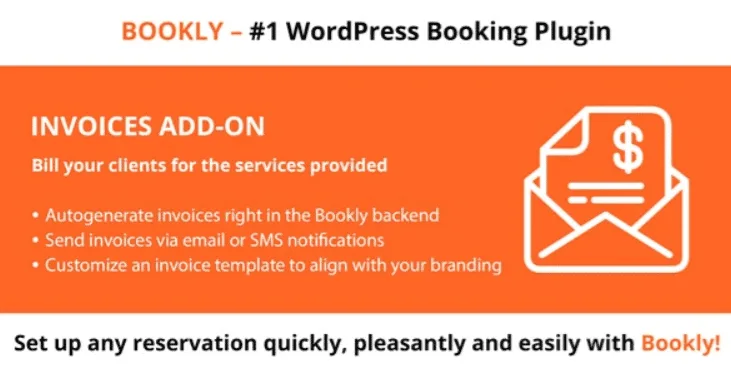
About Bookly Invoices (Add-on)
Invoicing by hand after every appointment piles up
You finish the session, the client leaves, and the invoice goes onto the to-do list. A week later you have ten to issue, details to look up and a client who no longer remembers what they owe you. In an appointment business, getting paid depends on how fast the invoice arrives: the later it goes out, the later it gets paid.
Bookly Invoices (Add-on) automates that step inside Bookly: it generates the invoice from the booked appointment and takes away the admin work nobody hires you to do.
What Bookly Invoices does with each booking
The idea is simple: the invoice comes from the appointment, not from your memory. These are its features:
- Automatic or manual generation: you can let it create invoices on its own or issue them yourself when you decide.
- Payment request based on appointment status: you can choose to send it when the appointment is booked, approved or received.
- Payment period: you can set a specific period so the client knows how long they have.
- Sending by email or SMS: the invoice goes by email, or a link is included in SMS notifications.
- Invoice list: you view, filter and download them as PDF.
The most important limit: it is an add-on, not a standalone plugin. Without Bookly PRO installed it does nothing. Nor does it replace accounting software: it generates documents for your appointments, and if you need specific tax treatment for your country, check in the demo that the data you can include covers what you are required to show.
Questions people ask before installing it
Can I use it without Bookly PRO? No. It is designed as an add-on and requires Bookly PRO.
Do I have to send every invoice myself? Not necessarily. You can generate them automatically and choose at which point of the appointment the payment request goes out.
Can it be sent by SMS? The invoice does not travel in the SMS: a link is included in the notification.
What format can I download them in? PDF, from the list where you can filter them.
Can I add my branding? Yes, you can customize the template with your font and images.
Template, prefix and data: what to decide early
An invoice is one of the few documents your client keeps and can show to other people, so take care of how it looks. The template adapts to your brand with the font and images, and you choose which data appears on it.
You can also define a prefix for file names. It seems a minor detail, but when you have hundreds of downloaded PDFs, a tidy name saves you from searching one by one. Decide the prefix before issuing the first ones, so you do not mix criteria later.
Bookly PRO has to be running before the add-on
The practical approach is to start with the basics: install and set up Bookly PRO with your services and appointments, then add Bookly Invoices. That way you can test how the invoice behaves with real bookings.
First make a test booking and check three things: the moment the payment request is sent, the look of the PDF with your branding, and that the link arrives properly in the SMS notification if you use it. The live demo is a good place to see the flow before committing.
Topics
Version history
-
v
5.9 Current 28 Aug 2026
-
v
5.5 26 Feb 2026
Customer reviews
Sign in to leave a review. Only people who have the product can review it.
No reviews for this product yet.
Frequently asked questions
-
GPL (General Public License) is the license under which WordPress and most premium plugins/themes are distributed. It grants you the right to use, modify and redistribute the software in as many projects as you want, with no domain restrictions.
-
Yes. With membership you get automatic updates via our GPLClub Updater plugin (installed on your WP, detects new versions and applies them). With individual purchase, you get one year of manual updates from your account.
-
Depends on the plan. Monthly: 3 domains. Semi-annual: 7. Annual and Lifetime: 15. Individual purchase: 1 domain.
-
GPLClub offers its own support for installation, configuration and compatibility. For direct support from the original author (feature requests, product-specific bugs), a license purchased from the author is required.