Bookly Ratings (Add-on)
Antivirus scan
Powered by ClamAV
✅ Verified clean
This product file has passed our security filters.
Want to run a fresh ClamAV scan right now? Takes a few seconds and shows scanner version, signature DB and live result.
This can take 5 to 30 seconds.
Clean file Threat detected
No threats detected in this file.
- File
- Size
- Scanned
- ClamAV
- Signature database
⚡ Powered by ClamAV
Scan could not be completed
Report product
If you detected an issue (broken file, malware, inappropriate content, etc.) let us know and we'll review it ASAP.
Sign in to report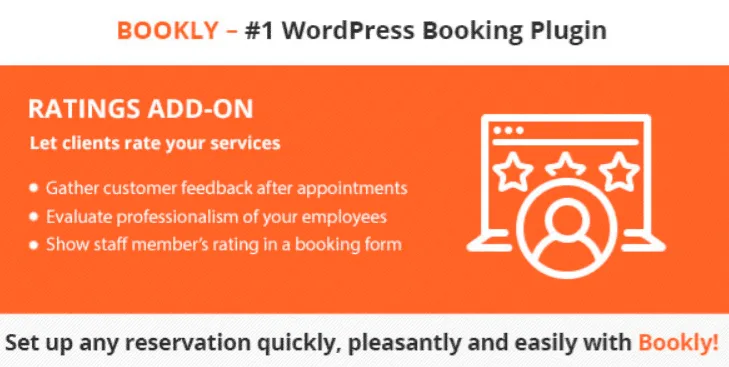
About Bookly Ratings (Add-on)
When a client doesn't come back and nobody knows why
In an appointment-based business, the client who leaves unhappy rarely says so at the door: they simply never book again. If you also have several people on the team, the problem gets worse, because an overall average hides that one of them is doing great while another leaves people with a bad impression.
Bookly Ratings is a Bookly add-on that asks the client for their opinion after the appointment and ties it to the professional who served them. The complaint stops being a rumor and becomes a data point per employee and per service.
A rating and a comment after every visit
The add-on works with two pieces that complement each other:
- Rating: the client scores the service they received after their visit.
- Comment: they can leave text to evaluate the quality of the service, which is what really tells you what to fix.
For you, the Bookly admin panel shows the average rating for each employee and their service, and the comment appears in the Appointments section. On the client side, the staff member's rating is shown in a Bookly booking form, so whoever is choosing who to book with can see how people have rated each professional.
It needs Bookly PRO, and what you do with the ratings is up to you
It is an add-on, not a standalone plugin: it requires Bookly PRO to be installed. If you don't use Bookly yet, what you will really be setting up is the full booking system, and this add-on is a layer on top.
Here is what is already solved and what you will have to cover yourself:
- Solved: the client rates and comments after their appointment.
- Solved: the professional's rating is shown in the Bookly booking form.
- Solved: average per employee and service in the panel, and comments visible in Appointments.
- Up to you: having Bookly PRO as the base.
- Up to you: talking to the team member when ratings drop. The add-on measures, it doesn't fix anything.
- Up to you: checking in the demo how the rating looks in the form before deciding whether it fits your design.
How to read the ratings without turning them into a weapon
A rating is a snapshot, not a verdict. A couple of low scores for one professional don't mean the same as a sustained streak, and someone with few ratings can have a misleading average, for better or worse. Read the comments before the number: they explain whether the problem was the treatment, the wait or the service itself.
Since the staff rating can be seen in the booking form, the team should know about it from the start. Presenting it as a tool to improve the service, and not as a ranking to single anyone out, avoids internal friction.
Frequently asked questions
Does it work without Bookly PRO?
No. It is an add-on and needs Bookly PRO installed to work.
Can I see which professional has the best rating?
Yes. The Bookly admin panel shows an average rating per employee and per their service.
Can the client write something besides the score?
Yes. They can leave a comment on the quality of the service, and you see it in the Appointments section of Bookly.
Do clients see the ratings?
The staff member's rating is shown in a Bookly booking form, so yes, at least that rating is visible when booking.
Topics
Version history
-
v
3.3 Current 7 Sep 2026
-
v
3.2 13 Jul 2026
-
v
3.1 26 Feb 2026
Customer reviews
Sign in to leave a review. Only people who have the product can review it.
No reviews for this product yet.
Frequently asked questions
-
GPL (General Public License) is the license under which WordPress and most premium plugins/themes are distributed. It grants you the right to use, modify and redistribute the software in as many projects as you want, with no domain restrictions.
-
Yes. With membership you get automatic updates via our GPLClub Updater plugin (installed on your WP, detects new versions and applies them). With individual purchase, you get one year of manual updates from your account.
-
Depends on the plan. Monthly: 3 domains. Semi-annual: 7. Annual and Lifetime: 15. Individual purchase: 1 domain.
-
GPLClub offers its own support for installation, configuration and compatibility. For direct support from the original author (feature requests, product-specific bugs), a license purchased from the author is required.