Bookly Staff Cabinet Addon
Antivirus scan
Powered by ClamAV
✅ Verified clean
This product file has passed our security filters.
Want to run a fresh ClamAV scan right now? Takes a few seconds and shows scanner version, signature DB and live result.
This can take 5 to 30 seconds.
Clean file Threat detected
No threats detected in this file.
- File
- Size
- Scanned
- ClamAV
- Signature database
⚡ Powered by ClamAV
Scan could not be completed
Report product
If you detected an issue (broken file, malware, inappropriate content, etc.) let us know and we'll review it ASAP.
Sign in to report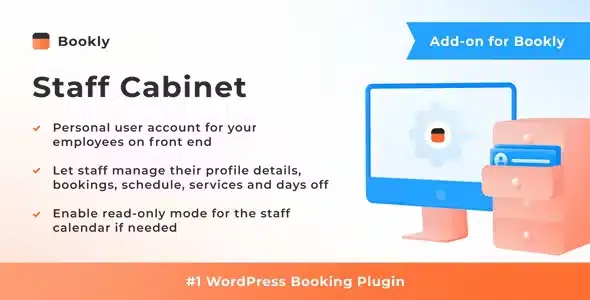
About Bookly Staff Cabinet Addon
For a business with a team already using Bookly PRO, not for solo operators
When every shift change, every moved appointment and every cancelled client goes through one person (the owner or the front desk), that person ends up as the switchboard of the business. Bookly Staff Cabinet Addon removes that bottleneck: each professional logs in with their own account on the public side of your site and manages their own work without going through the WordPress admin panel.
It suits you if:
- You have several professionals with their own schedules.
- You already work with Bookly PRO or are going to, because this addon does not work on its own.
- You want to decide what each person sees and what they can touch.
It does not suit you if you work alone, because there is nobody to delegate to. Nor if you are looking for a complete booking system: the addon does not take bookings by itself, it extends what Bookly PRO already does.
What each professional finds after logging in
Inside their cabinet, the team member sees the Bookly calendar in the mode they prefer: month, week, day or list.
- Appointments: create new ones, approve, reschedule or cancel existing ones.
- Own details: view and update their personal information, their schedule and their prices.
- Export: take the calendar information out to a CSV file.
Permissions in Bookly Staff Cabinet Addon: what you show and what you block
You can limit the cabinet so that only the elements you want to show appear.
You can also remove sensitive permissions: turn off the ability to change services and prices, or leave the calendar in read-only mode.
Why it pays to take the team out of the WordPress dashboard
Giving WordPress admin access to someone who only needs to see their schedule opens more doors than necessary.
One practical point: the permissions let you fine-tune a lot, but the exact experience depends on how you configure it. Before giving the whole team access, try the demo path of a professional with restricted permissions.
Frequently asked questions
Does it work without Bookly PRO?
No. It is an add-on and needs Bookly PRO installed and activated.
Do my employees need to enter the WordPress admin panel?
No. They manage their schedule and details from the public side of the site, with their personal account.
Can I stop them from changing prices?
Yes. You can turn off editing of services and prices.
Can the calendar be left view-only?
Yes, there is a read-only mode for the professional's calendar.
Can the schedule be exported?
Yes, the calendar information can be exported to a CSV file.
Topics
Version history
-
v
6.3 Current 23 Sep 2026
-
v
6.2 13 Jul 2026
-
v
6.0 26 Feb 2026
Customer reviews
Sign in to leave a review. Only people who have the product can review it.
No reviews for this product yet.
Frequently asked questions
-
GPL (General Public License) is the license under which WordPress and most premium plugins/themes are distributed. It grants you the right to use, modify and redistribute the software in as many projects as you want, with no domain restrictions.
-
Yes. With membership you get automatic updates via our GPLClub Updater plugin (installed on your WP, detects new versions and applies them). With individual purchase, you get one year of manual updates from your account.
-
Depends on the plan. Monthly: 3 domains. Semi-annual: 7. Annual and Lifetime: 15. Individual purchase: 1 domain.
-
GPLClub offers its own support for installation, configuration and compatibility. For direct support from the original author (feature requests, product-specific bugs), a license purchased from the author is required.