Bookly Waiting List Addon
Antivirus scan
Powered by ClamAV
✅ Verified clean
This product file has passed our security filters.
Want to run a fresh ClamAV scan right now? Takes a few seconds and shows scanner version, signature DB and live result.
This can take 5 to 30 seconds.
Clean file Threat detected
No threats detected in this file.
- File
- Size
- Scanned
- ClamAV
- Signature database
⚡ Powered by ClamAV
Scan could not be completed
Report product
If you detected an issue (broken file, malware, inappropriate content, etc.) let us know and we'll review it ASAP.
Sign in to report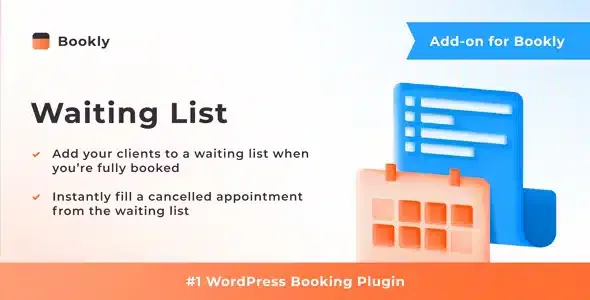
About Bookly Waiting List Addon
A last-minute cancellation is a lost appointment if nobody finds out in time
Your calendar looks full, a customer still wants to come and goes to a competitor. Two days later someone cancels, the slot sits empty and there is nobody left to fill it. It is the usual pattern in hair salons, clinics, studios or any business where the professional's time is what gets billed: a slot that goes unfilled cannot be recovered.
Bookly Waiting List Addon turns the demand you currently turn away into an orderly queue, so a cancellation does not mean a dead hour.
How the waiting list works inside Bookly
When a time slot is full, the customer can join a waiting list instead of looking elsewhere. From there the addon works on three fronts:
- List for the customer: the option to wait is offered on fully booked times.
- Management in the panel: waitlisted customers are managed from the Bookly admin panel.
- Automatic alerts: staff get a notification when a slot opens up, and the customer gets one when the time they wanted becomes available to book.
The notification to the professional includes the list of customers in line. Next to each name there is a link that changes their status from "on waiting list" to "approved".
It needs Bookly PRO to work
It is not a standalone plugin: it is an add-on that integrates into Bookly PRO and does nothing without it. If you only use the free version of Bookly, you will need PRO first. Nor is it a booking system on its own or a replacement for Bookly.
The assignment is still up to you
The addon notifies you and gives you the link to approve, but deciding who gets the slot is up to you or your staff.
Frequently asked questions
Does it work if I don't use Bookly PRO?
No. It is an add-on that requires Bookly PRO to be installed.
Who gets the alert when a slot opens up?
The service provider receives the notification with the list of waitlisted customers, and the customer receives another when the time they wanted becomes available to book.
How do I turn someone on the list into a confirmed appointment?
With the link next to their name you change the status from "on waiting list" to "approved".
Can I see who is waiting?
Yes, waitlisted customers are managed in the Bookly admin panel.
A good alert message is worth more than the list itself
A cancellation only fills the slot if the customer reacts quickly. Last-minute slots get lost through late or confusing messages, so review the text of the notifications and think about what you want the customer to do on receiving them. The clearer the alert, the fewer empty slots you will have.
Try it in the Bookly demo before turning it on in your calendar
Before opening it to your customers, run a full test: join a full time slot, cancel an appointment, check that the alerts reach both staff and customer, and approve the request with the link. That way you will know what each step looks like from both sides.
Topics
Version history
-
v
4.1 Current 14 Nov 2026
-
v
4.0 30 Sep 2026
-
v
3.9 14 Apr 2026
Customer reviews
Sign in to leave a review. Only people who have the product can review it.
No reviews for this product yet.
Frequently asked questions
-
GPL (General Public License) is the license under which WordPress and most premium plugins/themes are distributed. It grants you the right to use, modify and redistribute the software in as many projects as you want, with no domain restrictions.
-
Yes. With membership you get automatic updates via our GPLClub Updater plugin (installed on your WP, detects new versions and applies them). With individual purchase, you get one year of manual updates from your account.
-
Depends on the plan. Monthly: 3 domains. Semi-annual: 7. Annual and Lifetime: 15. Individual purchase: 1 domain.
-
GPLClub offers its own support for installation, configuration and compatibility. For direct support from the original author (feature requests, product-specific bugs), a license purchased from the author is required.