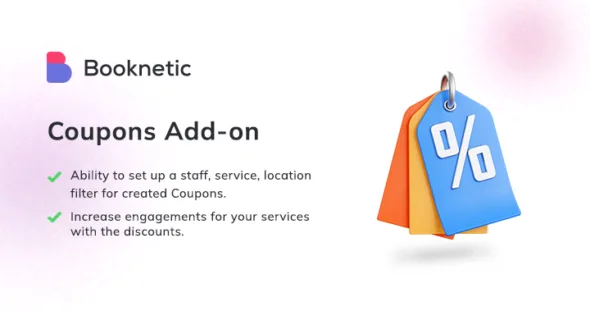
Booknetic Coupons Addon
Antivirus scan
Powered by ClamAV
✅ Verified clean
This product file has passed our security filters.
Want to run a fresh ClamAV scan right now? Takes a few seconds and shows scanner version, signature DB and live result.
This can take 5 to 30 seconds.
Clean file Threat detected
No threats detected in this file.
- File
- Size
- Scanned
- ClamAV
- Signature database
⚡ Powered by ClamAV
Scan could not be completed
Report product
If you detected an issue (broken file, malware, inappropriate content, etc.) let us know and we'll review it ASAP.
Sign in to reportNewer version out, or a problem?
About Booknetic Coupons Addon
Clinics and appointment businesses that want coupons with rules
The Coupons module of Booknetic lets you create and manage discount codes that the customer enters during the booking. With it you decide which services and which staff each code applies to, and the period in which it is valid.
It suits anyone who already manages appointments with Booknetic, because it is a module of that plugin and needs it installed and active. If your business does not book appointments with Booknetic, it does not make sense. And removing a coupon from an appointment that has already been created is not available yet.
Booknetic Coupons Addon: dates, usage and services you control
Each coupon has a unique code that the customer enters when booking, and it can give a percentage discount or a fixed amount. Start and end dates are optional: if you leave them empty, the coupon does not expire or start on a specific day. The same goes for the usage limit, which you can set to a specific number of uses or leave without a cap. Before saving, check that the code is not already in use by another coupon.
The once per customer or per booking checkbox stops the same person from using it several times. With the service and staff filters you limit the coupon to what you choose; if you leave them empty, it applies to all services and all available staff.
Applying the coupon from your panel or from the customer's booking
You can apply a coupon yourself when creating an appointment from the Appointments menu or the Calendar module. The customer can also enter it in the booking panel, when reaching the confirmation step.
- From the admin side: create the appointment, go to the Coupons tab and choose the coupon.
- From the customer side: type the code at the confirmation step and click OK.
Coupon list: usage history and bulk deletion
From the list you can see how many times each coupon has been used. The usage history shows who used it and the details of the appointments linked to the coupon.
Editing or deleting a coupon is done from the options next to each one. If you have several to remove, select them, choose the Delete action and click Apply at the bottom of the list.
Common questions about Booknetic Coupons Addon
Can I use it without Booknetic?
No. It is a module of Booknetic, so that plugin must be installed and active.
Can I offer a percentage or a fixed amount?
Yes, you choose a percentage or a fixed discount when you create each coupon.
How do I stop a customer from using the same coupon several times?
Tick the once per customer or per booking box. If you want an overall cap, set the usage limit.
Can I see who has used each coupon?
Yes, the usage history shows each use and the appointments linked to the coupon.
Topics
Version history
-
v
1.2.2 Current 9 May 2024
Customer reviews
Sign in to leave a review. Only people who have the product can review it.
No reviews for this product yet.
Frequently asked questions
-
GPL (General Public License) is the license under which WordPress and most premium plugins/themes are distributed. It grants you the right to use, modify and redistribute the software in as many projects as you want, with no domain restrictions.
-
Yes. With membership you get automatic updates via our GPLClub Updater plugin (installed on your WP, detects new versions and applies them). With individual purchase, you get one year of manual updates from your account.
-
Depends on the plan. Monthly: 3 domains. Semi-annual: 7. Annual and Lifetime: 15. Individual purchase: 1 domain.
-
GPLClub offers its own support for installation, configuration and compatibility. For direct support from the original author (feature requests, product-specific bugs), a license purchased from the author is required.