Booknetic Invoices Addon
Antivirus scan
Powered by ClamAV
✅ Verified clean
This product file has passed our security filters.
Want to run a fresh ClamAV scan right now? Takes a few seconds and shows scanner version, signature DB and live result.
This can take 5 to 30 seconds.
Clean file Threat detected
No threats detected in this file.
- File
- Size
- Scanned
- ClamAV
- Signature database
⚡ Powered by ClamAV
Scan could not be completed
Report product
If you detected an issue (broken file, malware, inappropriate content, etc.) let us know and we'll review it ASAP.
Sign in to reportNewer version out, or a problem?
About Booknetic Invoices Addon
Booknetic Invoices Addon: PDF invoices without redoing them by hand
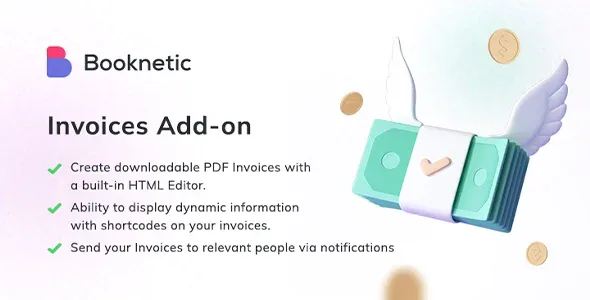
Preparing invoices is a complex task that takes time, and invoices help a business get paid in full and on time. Booknetic Invoices Addon generates invoices automatically and in PDF format for your services with Booknetic.
An invoice gathers what a charge usually needs: the customer's and the seller's names, contact details, a summary of the services or items, the value of each one and the total due. Invoices also often include a due date, an invoice number and payment terms.
Your own templates and invoices attached to notifications
You create an invoice with the Add Invoice button and fill it in with the keywords the system shows to insert each booking's data. You can download and preview the PDF before using it, and if you already have an HTML template, you can import it from the code view.
To send it, go to the Workflow module, edit the corresponding action and choose in Attachment(s) the invoice to attach to the notification. You can also attach several invoices to the same action.
Is it a good fit if you already charge your appointments with Booknetic?
You need Booknetic installed and active, because this add-on extends that appointment plugin. If your business already books services with Booknetic, you can issue invoices from the same plugin. It belongs to the Booknetic add-on family, alongside Zoom or Google Calendar, and you find it in the Boostore tab of the Booknetic panel.
Frequently asked questions about Booknetic Invoices Addon
What data does an invoice include?
The customer's and the seller's names, contact details, the services or items with their value, and the total due. In the template you can add a due date, an invoice number and payment terms.
Can I send the invoice automatically with each notification?
Yes. From the Workflow module you attach the invoice to the notification action, and you can attach several to the same action.
Can I use my own invoice design?
Yes. You can import an HTML template from the code view and preview the PDF before using it.
Can invoices serve as proof when claiming a payment?
They can serve as proof that the service was delivered and that the payment is owed to you.
Topics
Version history
-
v
1.1.2 Current 9 May 2024
Customer reviews
Sign in to leave a review. Only people who have the product can review it.
No reviews for this product yet.
Frequently asked questions
-
GPL (General Public License) is the license under which WordPress and most premium plugins/themes are distributed. It grants you the right to use, modify and redistribute the software in as many projects as you want, with no domain restrictions.
-
Yes. With membership you get automatic updates via our GPLClub Updater plugin (installed on your WP, detects new versions and applies them). With individual purchase, you get one year of manual updates from your account.
-
Depends on the plan. Monthly: 3 domains. Semi-annual: 7. Annual and Lifetime: 15. Individual purchase: 1 domain.
-
GPLClub offers its own support for installation, configuration and compatibility. For direct support from the original author (feature requests, product-specific bugs), a license purchased from the author is required.