BuddyPress Auto Friendship Pro
Antivirus scan
Powered by ClamAV
✅ Verified clean
This product file has passed our security filters.
Want to run a fresh ClamAV scan right now? Takes a few seconds and shows scanner version, signature DB and live result.
This can take 5 to 30 seconds.
Clean file Threat detected
No threats detected in this file.
- File
- Size
- Scanned
- ClamAV
- Signature database
⚡ Powered by ClamAV
Scan could not be completed
Report product
If you detected an issue (broken file, malware, inappropriate content, etc.) let us know and we'll review it ASAP.
Sign in to reportNewer version out, or a problem?
About BuddyPress Auto Friendship Pro
When every new member should already have connections in the network
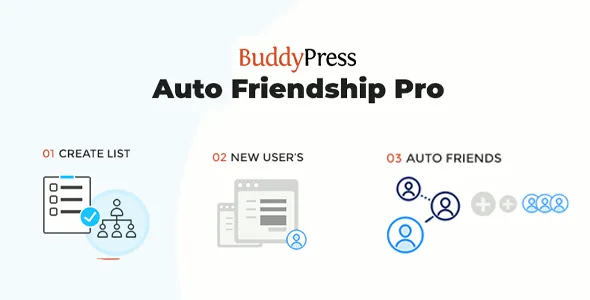
BuddyPress Auto Friendship Pro handles that first moment: when the new member activates their account, they receive friends or followers prepared by you, according to the lists you have defined.
Global and conditional lists: who connects with each new member
You can create as many lists as you need and use each one as a friends list, a followers list or a following list. A global list has no conditions, so its users are always added to the new member. A conditional list only applies to those who meet the rules you define.
- Conditions can be based on profile fields, user roles or member types.
- You can combine several conditions in the same list.
- If several lists match, all their users are added to the new member.
With friendship lists, the new user becomes friends with everyone on the list who meets the criteria. With follower lists, the matching users follow the new member; with following lists, the new member follows the matching users. For one-off cases, the BuddyPress Connection Creator tool manually connects two members, and lists can also be synchronized with users who were already registered.
The plugin also automates connections when a user joins a group, leaves it or is removed from it.
Use it if you want the BuddyPress network to connect new members from day one
It serves to connect each new member with other people when they activate their account, and to apply rules by member type. It requires BuddyPress to be active. If you also want users to follow each other, you need the BuddyPress follow plugin by Andy Peatling and r-a-y, or the follow feature of BuddyBoss. Manual connection only offers the connection types your site has available, depending on whether the friendship and follow components are active.
Frequently asked questions about BuddyPress Auto Friendship Pro
What is it exactly used for?
It adds friends or followers to new members when they activate their account, and it lets administrators manually connect two users.
Can I create several lists?
Yes. You can create as many lists as you want and add any number of users to each one.
What is the difference between a global and a conditional list?
The global list applies to all new members. The conditional list only applies to those who meet the conditions you define with profile fields, roles or member types.
What happens with users who were already registered?
You can synchronize the lists with them in bulk, to create relationships with existing users.
Topics
Version history
-
v
1.8.0 Current 8 Jan 2025
Customer reviews
Sign in to leave a review. Only people who have the product can review it.
No reviews for this product yet.
Frequently asked questions
-
GPL (General Public License) is the license under which WordPress and most premium plugins/themes are distributed. It grants you the right to use, modify and redistribute the software in as many projects as you want, with no domain restrictions.
-
Yes. With membership you get automatic updates via our GPLClub Updater plugin (installed on your WP, detects new versions and applies them). With individual purchase, you get one year of manual updates from your account.
-
Depends on the plan. Monthly: 3 domains. Semi-annual: 7. Annual and Lifetime: 15. Individual purchase: 1 domain.
-
GPLClub offers its own support for installation, configuration and compatibility. For direct support from the original author (feature requests, product-specific bugs), a license purchased from the author is required.