Bus Ticket Booking and Seat Reservation for WooCommerce
Antivirus scan
Powered by ClamAV
✅ Verified clean
This product file has passed our security filters.
Want to run a fresh ClamAV scan right now? Takes a few seconds and shows scanner version, signature DB and live result.
This can take 5 to 30 seconds.
Clean file Threat detected
No threats detected in this file.
- File
- Size
- Scanned
- ClamAV
- Signature database
⚡ Powered by ClamAV
Scan could not be completed
Report product
If you detected an issue (broken file, malware, inappropriate content, etc.) let us know and we'll review it ASAP.
Sign in to report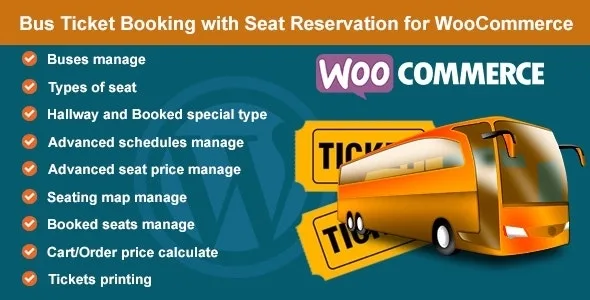
About Bus Ticket Booking and Seat Reservation for WooCommerce
A seat sold twice costs more than an empty one
Selling bus tickets by phone, by WhatsApp or with a spreadsheet works until the day two people show up with the same seat. And there is another side: an empty seat can't be recovered, because the bus leaves anyway. Anyone selling seats needs to know at every moment which ones are left, and customers want to pick theirs without calling anyone.
Bus Ticket Booking and Seat Reservation for WooCommerce handles that part inside your WooCommerce store: the customer sees the seat map on the product page, chooses a schedule and seats, and adds them to the cart. When the order is completed, those seats show up as booked.
Bus Ticket Booking and Seat Reservation profiles: VIP, hallways and a row-by-column map
Each bus is defined as a profile, and on each WooCommerce product you choose which profile it uses. Inside the profile you build the real layout of the vehicle:
- Seat types such as Available, Booked, VIP or Standard, each with its own color or its own icon.
- A special booked seat type, meant to block seats already sold or to take out of sale any seats you don't want to offer.
- A hallway type, to mark the spaces that are not seats so the map looks like the bus.
- The map itself: you enter the row and column labels, choose the type of each cell and name each seat.
If you have buses with different layouts, you create one profile for each and leave the rest untouched.
One-off or daily schedules, and different prices for children, adults or students
Schedules can be created for specific dates with a calendar picker, or as a daily schedule by choosing the days of the week and the time. That way a line that departs every Monday and Wednesday doesn't force you to enter each departure by hand.
Fares work by passenger type: you define categories such as Child, Adult or Student and a price for each one. The customer sees the seat types with their price, chooses a schedule and option, selects their seats, and the cart calculates the amount according to the seat type and the chosen option.
On the management side, booked seats are visible on the product edit page and in each order's details. From the orders list you can print tickets with the basic information.
Is a seat map inside WooCommerce enough to sell your seats?
This plugin is a WooCommerce add-on: without the store installed it does nothing. Its strength is the numbered seat with a schedule and a fare. In what it describes, the core is the WooCommerce product with its profile, not a route search with origin and destination; if your business has many lines, check in the demo how your catalog would look before deciding. Printed tickets carry basic information, so if you need a very elaborate design, weigh that too.
Is it only for buses?
It is designed for buses, but it can also be used for cinemas, trains, planes, events, theaters or beach chairs, because everything is based on seats, schedules and price types.
Can I block seats I don't want to sell?
Yes. There is a booked seat type for that, useful both for seats already sold and for seats you want to disable.
Can I charge children and adults differently?
Yes. You create price types (child, adult, student or others) and set an amount for each one.
Can I print the tickets?
Yes, from the orders list, with the basic order information and the seats.
Does it work without WooCommerce?
No. It manages seat reservations on top of WooCommerce products and orders.
Version history
-
v
1.8 Current 14 Jan 2025
Customer reviews
Sign in to leave a review. Only people who have the product can review it.
No reviews for this product yet.
Frequently asked questions
-
GPL (General Public License) is the license under which WordPress and most premium plugins/themes are distributed. It grants you the right to use, modify and redistribute the software in as many projects as you want, with no domain restrictions.
-
Yes. With membership you get automatic updates via our GPLClub Updater plugin (installed on your WP, detects new versions and applies them). With individual purchase, you get one year of manual updates from your account.
-
Depends on the plan. Monthly: 3 domains. Semi-annual: 7. Annual and Lifetime: 15. Individual purchase: 1 domain.
-
GPLClub offers its own support for installation, configuration and compatibility. For direct support from the original author (feature requests, product-specific bugs), a license purchased from the author is required.