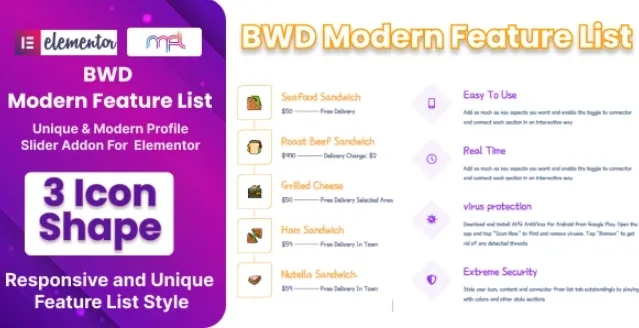
BWD Modern Feature List Addon For Elementor
Antivirus scan
Powered by ClamAV
✅ Verified clean
This product file has passed our security filters.
Want to run a fresh ClamAV scan right now? Takes a few seconds and shows scanner version, signature DB and live result.
This can take 5 to 30 seconds.
Clean file Threat detected
No threats detected in this file.
- File
- Size
- Scanned
- ClamAV
- Signature database
⚡ Powered by ClamAV
Scan could not be completed
Report product
If you detected an issue (broken file, malware, inappropriate content, etc.) let us know and we'll review it ASAP.
Sign in to reportNewer version out, or a problem?
About BWD Modern Feature List Addon For Elementor
A services page with advantages nobody finishes reading
On a services website, the advantages of each offer usually end up written in one long paragraph, and a visitor comparing three proposals has no time to hunt for what each one includes. A well-ordered feature list solves that: each point stands on its own and can be scanned at a glance. The Modern Feature List Addon for Elementor is used to create eye-catching feature lists with drag and drop and plenty of customization options.
It works best when the content is a set of short, comparable points. If each advantage needs three paragraphs of explanation, the list loses its purpose and another format is better.
How to build the list inside an Elementor page
The usual path starts on the page you are already editing. These are the steps and what each one decides:
- You place the element in the section. With Elementor's drag and drop, you position it in the section.
- You write each feature. Each point should be an advantage the visitor understands without reading anything else.
- You adjust the look. The customization options let you change the design of the list.
- You check how it looks on a small screen. The list is designed to be responsive.
It is an add-on for Elementor, so the page builder must be installed and active for the element to appear in the editor.
Customizing the design without losing your website's identity
A list of features gives itself away when it looks like a generic block pasted onto the page. That is why customization matters: adjusting the look so the list fits the rest of the design is what makes the page feel made to measure. The plugin offers a wide range of options for this, so you can adjust the list to your brand.
It helps to decide the tone of the page first, because a very eye-catching list next to sober text can clash. If the section already has a defined background and typography, adjust the list to them rather than the other way round.
Why the list looks right on phones and responds to the visitor
A large share of visits come from phones, and a list that breaks on small screens makes the visitor lose interest right when they were deciding. This add-on is designed for responsive and interactive lists.
Frequently asked questions about Modern Feature List Addon
Do I need to know how to code to build the list?
The work is done by dragging and dropping inside Elementor, and the customization options adjust the design of the list.
Does it look good on mobile?
Yes, the list is designed to be responsive.
What kind of content works best in a feature list?
Short points of the same kind, for example the advantages of a service or the elements of a product. If each point needs several paragraphs, the list stops being comfortable to read.
Can I change the look so it matches my brand?
Yes, with the customization options you can adjust the design of the list so it follows the style of your website.
Version history
-
v
1.0 Current 8 Apr 2024
Customer reviews
Sign in to leave a review. Only people who have the product can review it.
No reviews for this product yet.
Frequently asked questions
-
GPL (General Public License) is the license under which WordPress and most premium plugins/themes are distributed. It grants you the right to use, modify and redistribute the software in as many projects as you want, with no domain restrictions.
-
Yes. With membership you get automatic updates via our GPLClub Updater plugin (installed on your WP, detects new versions and applies them). With individual purchase, you get one year of manual updates from your account.
-
Depends on the plan. Monthly: 3 domains. Semi-annual: 7. Annual and Lifetime: 15. Individual purchase: 1 domain.
-
GPLClub offers its own support for installation, configuration and compatibility. For direct support from the original author (feature requests, product-specific bugs), a license purchased from the author is required.