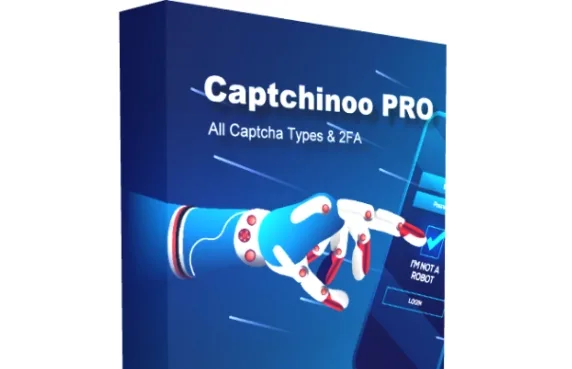
Captchinoo Captcha & 2FA (PRO)
Antivirus scan
Powered by ClamAV
✅ Verified clean
This product file has passed our security filters.
Want to run a fresh ClamAV scan right now? Takes a few seconds and shows scanner version, signature DB and live result.
This can take 5 to 30 seconds.
Clean file Threat detected
No threats detected in this file.
- File
- Size
- Scanned
- ClamAV
- Signature database
⚡ Powered by ClamAV
Scan could not be completed
Report product
If you detected an issue (broken file, malware, inappropriate content, etc.) let us know and we'll review it ASAP.
Sign in to reportNewer version out, or a problem?
About Captchinoo Captcha & 2FA (PRO)
Bots are already testing the forms on your WordPress site
Bots crawl login, registration and comment forms automatically, looking for a gap to slip spam through or to try passwords over and over.
Captchinoo Captcha & 2FA (PRO) puts a verification step in front of those forms to slow down automated abuse without making things harder for real visitors. It is built for people who want simple, reliable protection rather than a complex security setup.
How you choose which forms Captchinoo protects
Imagine a community with open registration, comments on articles and a WooCommerce shop. From the same settings page you choose which forms get verification: the login form, the password reset form, the registration form and comments. If your site uses BuddyPress or WooCommerce, you can also protect their forms. You can switch protection on or off whenever you need it, and decide form by form instead of applying it everywhere at once.
Then you choose the type of challenge. There are six verification methods:
- A slider you swipe to unlock
- Icon captcha: the visitor picks the icon that does not belong in the row
- Google reCAPTCHA in its checkbox mode, the familiar «I am not a robot» box
- Invisible Google reCAPTCHA, which checks suspicious activity without interrupting real users
- Two-factor authentication with Google Authenticator
- hCaptcha as an alternative visual captcha service
What a real visitor sees
For someone who is actually a person, verification should be simple and stay out of the way. The slider is swiped to unlock and works on desktop and touch screens, with no external service or API keys. The icon captcha is visual and quick, and requires no typing. Invisible reCAPTCHA evaluates suspicious activity without interrupting real users.
Turning on two-factor login only for the roles that need it
A captcha slows down bots, but 2FA adds a second step beyond the password: after entering the password, the user confirms their identity with a time-based code generated by Google Authenticator on their mobile device. Each user needs that app on their phone. You choose which WordPress user roles need 2FA, so you can reserve it for administrators or editors.
Third-party services: reCAPTCHA and hCaptcha
reCAPTCHA relies on Google's bot detection, and hCaptcha is an alternative visual captcha service. Both depend on an external service, so check whether they fit your privacy policy and your project's requirements before enabling them. If you want verification without any external service, the slider is the option that works without them.
Questions about Captchinoo Captcha & 2FA (PRO)
Can I protect only the login form?
Yes. You choose each form separately, so you can enable verification just on login and leave the rest as it is.
What does a user need for 2FA?
The Google Authenticator app on their mobile phone. They enter their password and then the time-based code shown in the app.
Can I turn protection off when it is no longer needed?
Yes, you can switch it on or off at any time from the settings.
Does the slider need API keys?
No. It works without external services or API keys, on both desktop and touch devices.
Does it work on BuddyPress and WooCommerce forms?
Yes, it can also be enabled on those forms, as long as your site uses them.
Topics
Version history
-
v
5.1 Current 8 Apr 2024
Customer reviews
Sign in to leave a review. Only people who have the product can review it.
No reviews for this product yet.
Frequently asked questions
-
GPL (General Public License) is the license under which WordPress and most premium plugins/themes are distributed. It grants you the right to use, modify and redistribute the software in as many projects as you want, with no domain restrictions.
-
Yes. With membership you get automatic updates via our GPLClub Updater plugin (installed on your WP, detects new versions and applies them). With individual purchase, you get one year of manual updates from your account.
-
Depends on the plan. Monthly: 3 domains. Semi-annual: 7. Annual and Lifetime: 15. Individual purchase: 1 domain.
-
GPLClub offers its own support for installation, configuration and compatibility. For direct support from the original author (feature requests, product-specific bugs), a license purchased from the author is required.