Chartify Chart Builder for WordPress Premium
Antivirus scan
Powered by ClamAV
✅ Verified clean
This product file has passed our security filters.
Want to run a fresh ClamAV scan right now? Takes a few seconds and shows scanner version, signature DB and live result.
This can take 5 to 30 seconds.
Clean file Threat detected
No threats detected in this file.
- File
- Size
- Scanned
- ClamAV
- Signature database
⚡ Powered by ClamAV
Scan could not be completed
Report product
If you detected an issue (broken file, malware, inappropriate content, etc.) let us know and we'll review it ASAP.
Sign in to reportNewer version out, or a problem?
About Chartify Chart Builder for WordPress Premium
Charts that follow your data when it changes
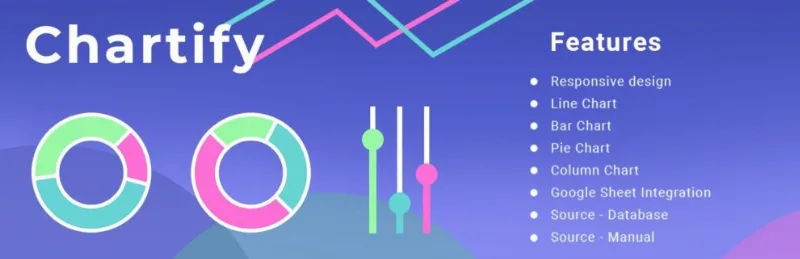
Chartify turns raw data into responsive charts for WordPress from data you type in yourself, from a CSV file, from a Google spreadsheet or from your database.
Four data sources, and a spreadsheet that updates itself
Manual data suits extracting insights from data you already have and sharing it with your website visitors: you add the rows and columns you need from the panel and see a live preview before publishing. CSV import lets you load a file you already have prepared with little effort. With Google Sheets, the chart stays linked to your sheet and, when you add or change data in it, it updates automatically without touching the chart again. No programming skills are needed for that.
More than twenty chart types, from the pie chart to the Gantt chart
There are pie, donut, column, bar, line, area, histogram, combo, bubble, scatter, candlestick, Gantt, Sankey, treemap, word tree, table, a 3D pie chart, plus geographic maps with colours by country and organization charts. An organization chart suits an About Us page that shows how the team is structured, and a line chart works well to show trends over time and your business performance.
What works without code and what needs SQL skills
- Charts with data typed in by hand or imported from CSV: you add the rows and columns you want, or load a file with little effort.
- Charts linked to Google Sheets, which update when the sheet changes: no code required.
- Queries to your database with the SQL builder: requires some development skills.
The SQL builder is for representing comparisons over time or frequency distributions.
From the editor to the post with a shortcode
You create a new chart, choose its type and data source, and copy the generated shortcode into the post or page where you want it to appear. Visitors can also print the chart or export it as XLSX or CSV. The plugin also includes a WooCommerce integration.
Frequently asked questions about Chartify
How much data can I add to a chart?
There is no limit: you can add as much data as you need, whatever the source, and then insert the chart into your website.
How do I insert a chart into a post or page?
Click Add new, choose the chart type and fill in the data with the source you prefer: manual, Google Sheet or database. Save and paste the generated shortcode into the post or page you want.
Can I type the data in by hand?
Yes. You open Chartify from the left menu of the dashboard, create a new chart and fill in all the rows and columns you need. You can see a live preview before publishing.
Where is my data stored?
It is stored only in your own database, and the plugin has no access to it.
Version history
-
v
20.0.9.201 Current 8 Jan 2025
Customer reviews
Sign in to leave a review. Only people who have the product can review it.
No reviews for this product yet.
Frequently asked questions
-
GPL (General Public License) is the license under which WordPress and most premium plugins/themes are distributed. It grants you the right to use, modify and redistribute the software in as many projects as you want, with no domain restrictions.
-
Yes. With membership you get automatic updates via our GPLClub Updater plugin (installed on your WP, detects new versions and applies them). With individual purchase, you get one year of manual updates from your account.
-
Depends on the plan. Monthly: 3 domains. Semi-annual: 7. Annual and Lifetime: 15. Individual purchase: 1 domain.
-
GPLClub offers its own support for installation, configuration and compatibility. For direct support from the original author (feature requests, product-specific bugs), a license purchased from the author is required.