Chaty Pro
Antivirus scan
Powered by ClamAV
✅ Verified clean
This product file has passed our security filters.
Want to run a fresh ClamAV scan right now? Takes a few seconds and shows scanner version, signature DB and live result.
This can take 5 to 30 seconds.
Clean file Threat detected
No threats detected in this file.
- File
- Size
- Scanned
- ClamAV
- Signature database
⚡ Powered by ClamAV
Scan could not be completed
Report product
If you detected an issue (broken file, malware, inappropriate content, etc.) let us know and we'll review it ASAP.
Sign in to report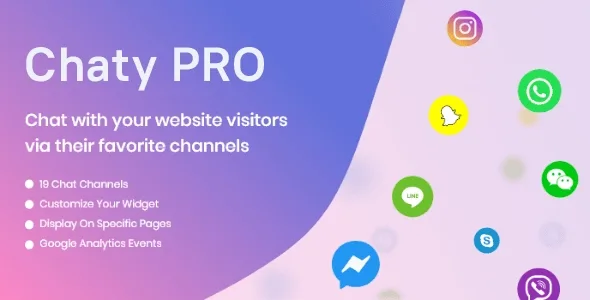
About Chaty Pro
Your customers already have a chat open, it just isn't yours
A visitor with a question rarely wants to fill in a form and wait for an email. They already have WhatsApp, Messenger or Telegram open on their phone, and if they can't find a direct route to you there, they go to a competitor. Chaty Pro puts a floating button on your site that leads to those channels, so the conversation starts where the customer already feels comfortable.
The underlying idea: a small business doesn't need to build a new support centre, it needs to avoid getting in the way of the channel its customer already uses. Chaty Pro only opens the door; you are the one who answers, from your own app.
What the Chaty Pro button does and where it has limits
These are the features that matter when deciding:
- Up to 25 channels in a single widget, chosen from those the plugin offers. It also supports a QR code for WeChat, a customizable WhatsApp message and a customizable email subject.
- Several agents under one channel: for example, one WhatsApp for pre-sales and another for support.
- Dynamic pop-up with two designs, your own text and colour, and tags that insert the URL, the page title or the product name in WooCommerce.
- Multiple widgets: a different one per page, or with different channels on mobile and desktop.
- Pixel-level position (X, Y), three widget designs or your own, and a customizable colour and icon per channel.
- Measurement: it sends clicks on each channel to Google Analytics and offers its own widget statistics.
- Leads sent by email from the contact form, with an editable subject line.
What you should be clear about
Chaty Pro is not a live chat with an inbox: it doesn't manage conversations inside WordPress or store histories. It sends the visitor to another application, and follow-up depends on that app. If you want several agents answering from a shared panel, you need a separate tool.
Rules so the button appears only when it suits you
This is what sets it apart from a simple WhatsApp button. You can show or hide it on specific pages, only on certain days and hours (useful if you don't want someone writing on a Sunday and getting no reply), only for visitors from certain countries, or depending on where they come from: direct traffic, social networks, search engines or Google Ads.
You can also schedule the date and time it appears, designed for promotions or time-limited coupons. By combining rules, one widget can offer WhatsApp to someone arriving from an ad and another channel to someone coming from a search engine.
Frequently asked questions
Is it useful if I only use WhatsApp?
Yes. It's the most common case: a button with a preloaded message and, if you want, several numbers by department.
Can I show a different button on mobile and desktop?
Yes, through multiple widgets with display rules per device.
Does it reply to customers automatically?
No. The plugin opens the channel and shows a pop-up with your text, but you give the replies yourself in the chosen application.
Does it work for a WooCommerce store?
Yes: the pop-up tags can use properties such as the product name, so the message arrives with context.
Start with a single widget and add rules gradually
The most practical approach is to set up one widget first with two or three channels you will really answer, test it on mobile and desktop, and only then add schedules, countries or traffic sources. If you enable the schedule, check that it matches your real availability. And look in Analytics at which channel gets the most clicks: remove the ones nobody uses so you don't overwhelm the visitor.
Topics
Version history
-
v
3.5.9 Current 8 Aug 2026
-
v
3.5.2 5 May 2026
Customer reviews
Sign in to leave a review. Only people who have the product can review it.
No reviews for this product yet.
Frequently asked questions
-
GPL (General Public License) is the license under which WordPress and most premium plugins/themes are distributed. It grants you the right to use, modify and redistribute the software in as many projects as you want, with no domain restrictions.
-
Yes. With membership you get automatic updates via our GPLClub Updater plugin (installed on your WP, detects new versions and applies them). With individual purchase, you get one year of manual updates from your account.
-
Depends on the plan. Monthly: 3 domains. Semi-annual: 7. Annual and Lifetime: 15. Individual purchase: 1 domain.
-
GPLClub offers its own support for installation, configuration and compatibility. For direct support from the original author (feature requests, product-specific bugs), a license purchased from the author is required.