Clearfy Pro
Antivirus scan
Powered by ClamAV
✅ Verified clean
This product file has passed our security filters.
Want to run a fresh ClamAV scan right now? Takes a few seconds and shows scanner version, signature DB and live result.
This can take 5 to 30 seconds.
Clean file Threat detected
No threats detected in this file.
- File
- Size
- Scanned
- ClamAV
- Signature database
⚡ Powered by ClamAV
Scan could not be completed
Report product
If you detected an issue (broken file, malware, inappropriate content, etc.) let us know and we'll review it ASAP.
Sign in to reportNewer version out, or a problem?
About Clearfy Pro
For the single-author blog owner who wants fewer junk pages in search engines
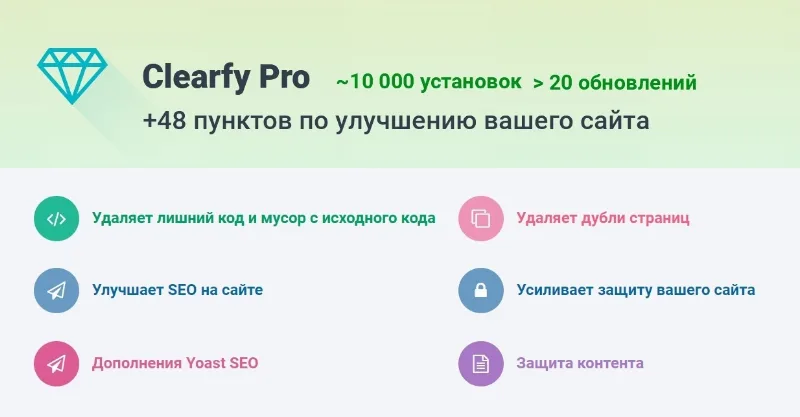
Many single-person blogs end up with addresses nobody created: date archives, author profiles, attachment pages and pagination that search engines index anyway. Clearfy Pro is built to close them. If your site has several writers, check first what you close, because the plugin removes author pages.
Three points depend on other pieces or on the server. The breadcrumb and XML sitemap tweaks only make sense with Yoast SEO installed and active. The Last Modified header depends on your hosting, because some servers don't allow sending it. And hiding comment links works with the standard comment form.
What Clearfy Pro removes from your site: archives and duplicate pages
WordPress generates extra addresses with the same content as the original post. Yearly, monthly and daily archives create at least three duplicates of each article, and Clearfy Pro removes them with a redirect. It also removes author archives and redirects tags to the homepage, which helps anyone who only uses tags for related posts or doesn't use them at all.
It also redirects attachment pages, which are one page per image, and fake post pagination, those addresses with a number at the end that open the same article. It also removes the ?replytocom parameter from nested comments and the /wp-json/ pages that WordPress generates.
Cleaner head code and fewer external requests
Part of a page's unnecessary weight comes from what WordPress puts in the head. Clearfy Pro removes emoji support, which loads an external Twitter library, the RSD and WLW Manifest links and the ?p= shortlink of each post, the dns-prefetch links and the jquery-migrate script, which is only needed for old jQuery scripts. It also removes the fixed styles of the recent comments widget, which are hard to change because they use !important, and the ?ver= from styles and scripts. The result is cleaner code, a lighter page and fewer external links.
Technical SEO signals it adjusts for you
WordPress doesn't create a robots.txt by default, and Clearfy Pro generates one you can edit from the admin panel. It adds alt text to content images that lack it, using the post title, and it can enable the http to https redirect if you have SSL. It also does the following:
- Sends the Last Modified header and answers 304 when a page hasn't changed, so search engines can crawl more pages.
- Sets noindex on /page/2/ pagination and points the canonical to the homepage or the category.
- Converts external links from comments and comment authors to JavaScript code, so they stop passing value.
- Minifies the HTML, which can reduce page weight by 20 to 30%.
Fixes for the XML sitemap and breadcrumbs of Yoast SEO
Clearfy Pro can remove the repeated title in the last breadcrumb or replace it with the post title tag. It removes the image:image tag from the XML sitemap, which Yandex Webmaster flags as an error, and the application/ld+json block from the head, which microdata validators report.
Fewer clues for anyone trying to get into your admin
Several features reduce what an attacker can find out. If someone types ?author=1, WordPress takes them to the profile with the username, and Clearfy Pro closes those author pages and redirects. The login error message doesn't reveal whether a user exists, which makes password guessing harder. It also removes the xmlrpc.php reference from server responses, closing the door to pingback spam, and the meta generator tag, which shows the WordPress version without adding anything useful.
Frequently asked questions about Clearfy Pro
What happens to addresses that are already indexed?
The redirects send visitors to the post or the homepage instead of a duplicate page, so the useful content ends up under a single address.
Can I edit robots.txt without touching server files?
Yes. The plugin creates it and you can modify it from the admin panel.
What happens to images that already have alt text?
The alt attribute is only added where it is missing. Images that already have it are left untouched.
Topics
Version history
-
v
3.6.4 Current 8 Jan 2025
Customer reviews
Sign in to leave a review. Only people who have the product can review it.
No reviews for this product yet.
Frequently asked questions
-
GPL (General Public License) is the license under which WordPress and most premium plugins/themes are distributed. It grants you the right to use, modify and redistribute the software in as many projects as you want, with no domain restrictions.
-
Yes. With membership you get automatic updates via our GPLClub Updater plugin (installed on your WP, detects new versions and applies them). With individual purchase, you get one year of manual updates from your account.
-
Depends on the plan. Monthly: 3 domains. Semi-annual: 7. Annual and Lifetime: 15. Individual purchase: 1 domain.
-
GPLClub offers its own support for installation, configuration and compatibility. For direct support from the original author (feature requests, product-specific bugs), a license purchased from the author is required.