Client Portal for WordPress
Antivirus scan
Powered by ClamAV
✅ Verified clean
This product file has passed our security filters.
Want to run a fresh ClamAV scan right now? Takes a few seconds and shows scanner version, signature DB and live result.
This can take 5 to 30 seconds.
Clean file Threat detected
No threats detected in this file.
- File
- Size
- Scanned
- ClamAV
- Signature database
⚡ Powered by ClamAV
Scan could not be completed
Report product
If you detected an issue (broken file, malware, inappropriate content, etc.) let us know and we'll review it ASAP.
Sign in to report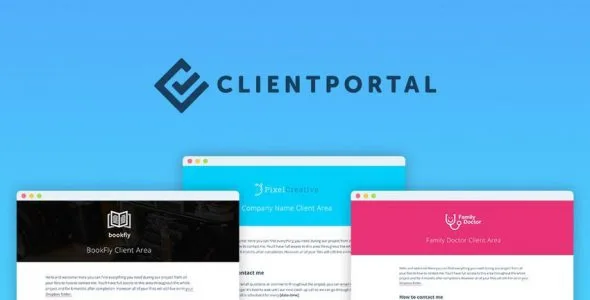
About Client Portal for WordPress
Project files end up scattered across email threads, Google Docs links and attachments nobody can find when they are needed. Then, three weeks later, the client writes again: "Can you resend the logo?". Client Portal for WordPress is a plugin designed to end that conversation: each client gets their own private area on your website, with everything they need.
One portal per client, with your brand and not someone else's
People who hire an agency, an accounting firm or a law firm often judge the service by how organized it feels, not just by the result. A well-presented portal counts as part of the service. In this plugin you choose a template or create your own and adjust colors, fonts and logo so it looks like a natural extension of your website. It is designed to be used without coding: settings are changed from the dashboard.
From the first deliverable to the last: how it works with a real client
Imagine you are an accounting firm and a client's tax year is starting:
- Step 1, you create the portal: you start from a template and apply your visual identity.
- Step 2, you load what the client needs: links, files and information are added in modules. You can add or remove as many as you like, so the portal adapts to your way of working and not the other way around. For an accounting firm you can include checklists, answers to common questions so the client prepares their documents properly, and even the status of the return, with the year and deadline shown at the top.
- Step 3, you give access: you add the client yourself or let them register on their own. Files and portals are private: only you and your client can see them.
- Step 4, you keep the portal alive: the client gets notifications when you update it, and you can also receive notifications when they change something.
If the client returns the following year, you can open another portal and keep each period separate. There is no limit on portals per client, so it also works for separating project types.
What else you can put inside the portal
Besides deliverables, the portal supports embedded training videos, so you do not explain the same thing every time, and calendars from Google, Outlook and others. At a school, for example, it can give families term dates, announcements and events, and store forms, waivers and contracts so they do not get lost. If you work with invoices, receipts and project paperwork, you can keep it all together.
You can also post your available hours and preferred communication channel somewhere visible, which helps curb messages outside business hours.
It is not a project management tool, and it needs WordPress
This plugin does not replace your project management software: it is not meant for internal tasks or for coordinating your team. It works alongside it, showing the client only what they should see, without the learning curve of those tools. And it is a WordPress plugin, so if your website is built with something else, you will have to set up WordPress, for example on a subdomain.
If you are looking for built-in invoicing, payments or chat, that is not what is described here: the portal is a place to organize and deliver material. Check in the demo that the modules cover what your clients expect to find.
Frequently asked questions
Do I need to know how to code?
No. It can be used right away without touching code, and from the settings you change modules and colors.
Is it useful outside agencies?
Yes. It is aimed at agencies, accounting firms, schools, law firms and coaches, and at any business that works with clients.
Can a client have several portals?
Yes, there is no limit on portals per client. You can separate projects or periods.
Does it replace my task tool?
No. It is a complement for the client-facing side.
Topics
Version history
-
v
5.10.0 Current 7 Oct 2026
-
v
5.9.1 15 Sep 2026
-
v
5.8 14 May 2026
-
v
5.7.2 14 Apr 2026
Customer reviews
Sign in to leave a review. Only people who have the product can review it.
No reviews for this product yet.
Frequently asked questions
-
GPL (General Public License) is the license under which WordPress and most premium plugins/themes are distributed. It grants you the right to use, modify and redistribute the software in as many projects as you want, with no domain restrictions.
-
Yes. With membership you get automatic updates via our GPLClub Updater plugin (installed on your WP, detects new versions and applies them). With individual purchase, you get one year of manual updates from your account.
-
Depends on the plan. Monthly: 3 domains. Semi-annual: 7. Annual and Lifetime: 15. Individual purchase: 1 domain.
-
GPLClub offers its own support for installation, configuration and compatibility. For direct support from the original author (feature requests, product-specific bugs), a license purchased from the author is required.