Conditional Product Fields at Checkout
Antivirus scan
Powered by ClamAV
✅ Verified clean
This product file has passed our security filters.
Want to run a fresh ClamAV scan right now? Takes a few seconds and shows scanner version, signature DB and live result.
This can take 5 to 30 seconds.
Clean file Threat detected
No threats detected in this file.
- File
- Size
- Scanned
- ClamAV
- Signature database
⚡ Powered by ClamAV
Scan could not be completed
Report product
If you detected an issue (broken file, malware, inappropriate content, etc.) let us know and we'll review it ASAP.
Sign in to reportNewer version out, or a problem?
About Conditional Product Fields at Checkout
Orders that need a customer detail before payment
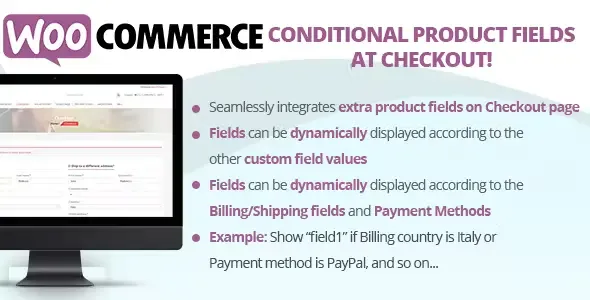
The plugin allows you to display extra product fields at checkout, each with its own conditional rules.
Florists and gifts with dedications
A text or textarea field collects free text from the customer. If you set it per product, each item can have its own field, even when the customer buys several.
Custom and engraving workshops
A number field can have an allowed range, and if the value falls outside it a validation message is shown. Mandatory fields and emails with the wrong format also trigger that message so the customer can fix them.
Products with a date of use or delivery
A date or time field can ask for that type of detail. You can show it only for the selected products or categories.
When Conditional Product Fields at Checkout decides based on payment or billing
Each field has its own conditional rules and only appears when they are met. Rules can check other extra fields, but also WooCommerce's native checkout fields: billing fields, shipping fields and the chosen payment method.
For example, you can show a field only if the billing country is a specific one and the province another, or only if the customer pays with PayPal. You can also chain rules: a second field appears if the first contains a certain phrase, or if the chosen date is later than another. Rules are combined with «and» and «or» from the visual editor.
Text, lists, dates and countries: the available field types
The administrator can create text, textarea, number, email, single or multiple select, date, time, country with province, and HTML fields. The HTML field helps organize the form with headings and is only shown at checkout.
Each field supports its own settings:
- CSS classes for the input field.
- Placeholder text.
- Whether the data appears in emails.
- Whether it appears on the order details page.
- The row size within the form.
If your store uses WPML, the plugin shows multilanguage fields for labels and help texts, so each language can have its own text.
One field per product, per unit or once per order
By default, the plugin shows one field for each matching product. You can change this with three display policies:
- Per product: the field appears once for each matching product.
- Per cart quantity: it appears as many times as units of that product are in the cart.
- One time: it appears only once if at least one of the chosen products or categories is in the cart.
If you do not choose products or categories, one field appears for each product in the cart. One-time fields are shown next to the order's billing or shipping details, and product fields are shown under each item they refer to.
Frequently asked questions about Conditional Product Fields at Checkout
Can I show a field only when the customer chooses a payment method?
Yes. A rule can depend on the payment method, for example to ask for an extra detail only from those who pay with PayPal.
Does the data also reach the emails and the order?
You can choose for each field to appear in emails and on the order details page, so the data does not stay only at checkout.
Can I have the texts in several languages?
If WPML is active, the plugin shows multilanguage fields for labels and help texts, so each language has its own.
Can I make a field mandatory?
Yes. If the customer leaves it empty, if an email has the wrong format or if a number is outside the allowed range, checkout shows a validation message.
Shipping fields only appear when the different shipping address box is checked
A field placed after the shipping form only shows if the customer activates «Ship to a different address» during payment. If they do not, WooCommerce does not show that form and the field is invisible, so for data that must always be requested, it is better to use the billing position.
Two other limits: the country and province field only offers provinces of the countries you sell to, according to WooCommerce's general settings, and rules that relate two extra fields only work between fields that share the same display policy and position.
Topics
Version history
-
v
6.6 Current 8 Jan 2025
Customer reviews
Sign in to leave a review. Only people who have the product can review it.
No reviews for this product yet.
Frequently asked questions
-
GPL (General Public License) is the license under which WordPress and most premium plugins/themes are distributed. It grants you the right to use, modify and redistribute the software in as many projects as you want, with no domain restrictions.
-
Yes. With membership you get automatic updates via our GPLClub Updater plugin (installed on your WP, detects new versions and applies them). With individual purchase, you get one year of manual updates from your account.
-
Depends on the plan. Monthly: 3 domains. Semi-annual: 7. Annual and Lifetime: 15. Individual purchase: 1 domain.
-
GPLClub offers its own support for installation, configuration and compatibility. For direct support from the original author (feature requests, product-specific bugs), a license purchased from the author is required.