Cool Timeline Pro WordPress Plugin
Antivirus scan
Powered by ClamAV
✅ Verified clean
This product file has passed our security filters.
Want to run a fresh ClamAV scan right now? Takes a few seconds and shows scanner version, signature DB and live result.
This can take 5 to 30 seconds.
Clean file Threat detected
No threats detected in this file.
- File
- Size
- Scanned
- ClamAV
- Signature database
⚡ Powered by ClamAV
Scan could not be completed
Report product
If you detected an issue (broken file, malware, inappropriate content, etc.) let us know and we'll review it ASAP.
Sign in to report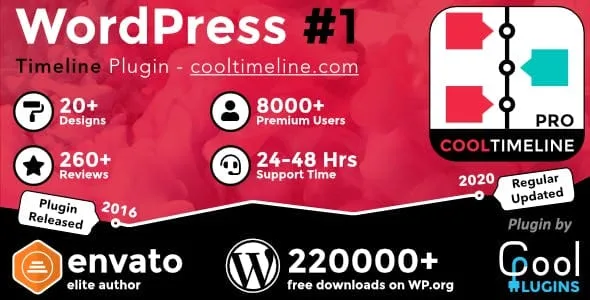
About Cool Timeline Pro WordPress Plugin
If your story has dates and needs to be told in order, this is for you
Telling the history of a company, a launch or a project in loose paragraphs usually ends up as a wall of text nobody scrolls to the end of. Cool Timeline Pro lays those milestones out in a vertical or horizontal timeline, with a date, text and media at each stop.
It suits anyone with a sequence to explain: company history, a product roadmap, a public changelog, a travel itinerary, a résumé or a portfolio. It is not for anyone looking for an events calendar with sign-ups, a bookable schedule or a project manager: it is a plugin for displaying facts in order, not for managing them.
A well-made timeline answers a question visitors never ask out loud
People who land on a brand's history page almost never ask «when was it founded?». They ask «have these people been at this for a while, and are they still active?». A chronology with recent milestones and not only ones from ten years ago answers that without saying it. That is why order matters: Cool Timeline Pro lets you show the oldest first (useful for a track record) or the newest first (the natural choice for news, versions and announcements).
Three ways to build the timeline in Cool Timeline Pro
- Your own stories: you create each milestone as a story, with its title, text, image, video or slideshow.
- Blog posts: the plugin takes your existing posts and places them in a vertical or horizontal timeline. It works for news, releases or changelog-style content without rewriting anything.
- Custom labels: instead of dates you can use «Step 1», «Phase 2», «Launch», «AD» or «BC». This makes the timeline work for processes as well as history.
How to insert it: shortcode or block
There are two routes. With the shortcode you choose the layout, category, number of stories, order and date format, and paste the result into any area that accepts it: Classic Editor, Gutenberg, Elementor, Divi, WPBakery, widgets or sidebars. If you prefer to edit visually, the Gutenberg block lets you add the timeline, adjust the options and preview it inside the editor, without handling attributes by hand.
Several timelines on the same site
Stories are organized by category, so you can show a different timeline on the page of each service, product, department or event. Each page shows only its own category.
Design, navigation and limits to keep in mind
- There are demos for vertical, horizontal, one-sided, compact and blog post timelines.
- Colors, fonts and styles for titles, descriptions, dates and buttons are adjusted from a settings panel to bring them closer to your theme.
- The dots on the line can be replaced with icons, your own images or text.
- If the chronology is long, you can use pagination or Ajax loading, plus a small navigation bar to jump between milestones.
- Each story supports a «Read More» button leading to an article, product page or case study.
- It is responsive and looks good on desktop, tablet and mobile.
As a limit: the final result depends on your theme and your texts. A timeline with forty milestones and no images will still be long; it is best to pick the milestones that matter and use pagination for the rest. Check in the demos which layout holds up best with your volume of content before deciding.
Common questions before choosing Cool Timeline Pro
Does it work with Elementor or Divi?
Yes, through the shortcode, which can be inserted in both and in other builders that support it.
Can I use it with the posts I have already published?
Yes, there is a timeline mode built from blog posts, vertical or horizontal.
Does it have to be by dates?
No. You can use labels such as «Phase 2», «Planning» or «BC» instead of a date.
Can I reverse the order?
Yes, you can show the oldest first or the newest first, depending on the type of content.
Is it useful for managing events with bookings?
No, it displays milestones in chronological order; it does not handle bookings or registrations.
Version history
-
v
8.0.2 Current 21 Oct 2026
-
v
8.0.1 15 Oct 2026
-
v
8.0.0 14 Oct 2026
-
v
7.1.0 7 Oct 2026
-
v
7.0.1 18 Sep 2026
-
v
6.2.5 5 Sep 2026
-
v
6.2.1 31 Jul 2026
-
v
6.1.1 31 Mar 2026
Customer reviews
Sign in to leave a review. Only people who have the product can review it.
No reviews for this product yet.
Frequently asked questions
-
GPL (General Public License) is the license under which WordPress and most premium plugins/themes are distributed. It grants you the right to use, modify and redistribute the software in as many projects as you want, with no domain restrictions.
-
Yes. With membership you get automatic updates via our GPLClub Updater plugin (installed on your WP, detects new versions and applies them). With individual purchase, you get one year of manual updates from your account.
-
Depends on the plan. Monthly: 3 domains. Semi-annual: 7. Annual and Lifetime: 15. Individual purchase: 1 domain.
-
GPLClub offers its own support for installation, configuration and compatibility. For direct support from the original author (feature requests, product-specific bugs), a license purchased from the author is required.