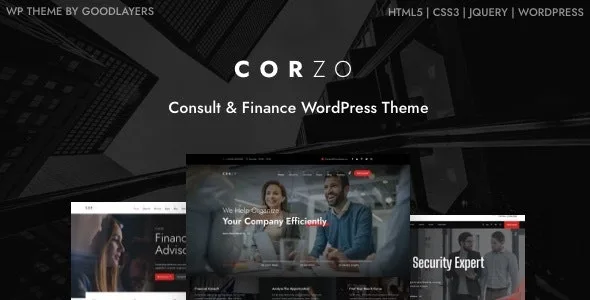
Corzo – Consulting WordPress
Antivirus scan
Powered by ClamAV
✅ Verified clean
This product file has passed our security filters.
Want to run a fresh ClamAV scan right now? Takes a few seconds and shows scanner version, signature DB and live result.
This can take 5 to 30 seconds.
Clean file Threat detected
No threats detected in this file.
- File
- Size
- Scanned
- ClamAV
- Signature database
⚡ Powered by ClamAV
Scan could not be completed
Report product
If you detected an issue (broken file, malware, inappropriate content, etc.) let us know and we'll review it ASAP.
Sign in to reportNewer version out, or a problem?
About Corzo – Consulting WordPress
A web presence for consulting firms that doesn't look like a generic template
Many consultants and financial advisors have good clients and a website that doesn't do them justice, because it was built on a template meant for any business. Corzo is aimed at business consulting, finance, cybersecurity and IT services, and that shows from the start: it comes with demos already built for consulting, finance and cybersecurity, so you don't begin from a blank page.
From the package to a published site, step by step with Corzo
Picture a financial advisor who wants her site up as soon as possible. The first step is choosing a demo as a starting point. Corzo offers two families: the PixeBuilder Demos, with every page already built in PixeBuilder, and the Classic Demos, made with the classic GoodLayers builder. With the one-click importer, the demo content lands on your site at once, and images are imported across multiple threads so it goes faster.
Here comes the first limit: the images you see on the demo preview site are not included in the theme package. Those images are yours to supply, so it's worth having your material ready before importing the demo.
Common questions before choosing Corzo for your consultancy
Are the demo images included?
No. The images you see on the demo site are not part of the theme package, so you will need to replace them with your own.
Can I use Corzo without PixeBuilder?
Yes. You can keep using the classic GoodLayers builder and its classic demos, although PixeBuilder is the builder the theme recommends.
Can I convert pages I already have?
Yes, at any time, from the Migrate to PixeBuilder option.
How Corzo adjusts the header, the footer and every page
Then comes page design. PixeBuilder is the builder the theme recommends and it lets you create and edit pages, but if you already have pages built with the classic GoodLayers builder you can keep using it. Whenever you like, pages can be converted to PixeBuilder from the Migrate to PixeBuilder option. Each section can have its own background and skin color: if a page has three blocks, you create three section colors and apply each where it fits. The spacing between page elements is also adjustable for each element from the admin panel.
The theme includes 22 header layouts where you control the space for the logo and navigation. You can enable a top bar with social links, choose whether the secondary menu slides out or overlays, and turn on floating navigation. Each page can have its own header, and the footer comes in six layouts, with the option to hide the footer and copyright on specific pages. Colors are picked with color selectors, and you can use Google Fonts or upload your own font in EOT or TTF format.
Blog, portfolio and galleries without redoing the design
A consultant who publishes articles or case studies needs every entry to read well. Corzo includes 16 blog layouts, 16 portfolio layouts and 7 gallery layouts, and each post can have its own header background, just like each portfolio item, and you can use the page builder inside a single post. There are 8 post formats: standard, aside, image, video, quote, link, gallery and audio.
For images, you can create custom thumbnail sizes used in portfolio, blog and galleries, and choose between two lightbox styles. Sidebars are unlimited and assigned to specific pages or posts, so a services page can have one sidebar and the blog another.
Maintenance mode, languages, online shop and mobile with Corzo
Before opening the site to the public, you can switch it to maintenance or coming soon mode with a single click. For fine adjustments, there is an additional CSS box in the theme options, another one for the mobile view, and a space for your own JavaScript. Theme options, widgets and page templates can be exported and imported, which is handy for moving a configuration from one site to another.
If your firm works in several languages, Corzo is compatible with WPML, and if you sell services or products online, it is compatible with WooCommerce. It also supports right-to-left languages and a fully responsive design, with SEO optimization and unlimited colors.
Topics
Version history
-
v
1.0.5 Current 13 Aug 2024
Customer reviews
Sign in to leave a review. Only people who have the product can review it.
No reviews for this product yet.
Frequently asked questions
-
GPL (General Public License) is the license under which WordPress and most premium plugins/themes are distributed. It grants you the right to use, modify and redistribute the software in as many projects as you want, with no domain restrictions.
-
Yes. With membership you get automatic updates via our GPLClub Updater plugin (installed on your WP, detects new versions and applies them). With individual purchase, you get one year of manual updates from your account.
-
Depends on the plan. Monthly: 3 domains. Semi-annual: 7. Annual and Lifetime: 15. Individual purchase: 1 domain.
-
GPLClub offers its own support for installation, configuration and compatibility. For direct support from the original author (feature requests, product-specific bugs), a license purchased from the author is required.