Create WordPress Sandbox Automatic
Antivirus scan
Powered by ClamAV
✅ Verified clean
This product file has passed our security filters.
Want to run a fresh ClamAV scan right now? Takes a few seconds and shows scanner version, signature DB and live result.
This can take 5 to 30 seconds.
Clean file Threat detected
No threats detected in this file.
- File
- Size
- Scanned
- ClamAV
- Signature database
⚡ Powered by ClamAV
Scan could not be completed
Report product
If you detected an issue (broken file, malware, inappropriate content, etc.) let us know and we'll review it ASAP.
Sign in to reportNewer version out, or a problem?
About Create WordPress Sandbox Automatic
WordPress demos nobody controls once they stay on your live site
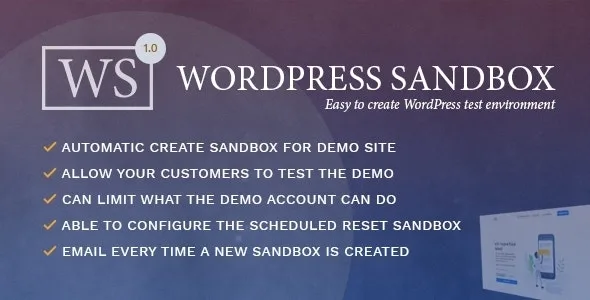
Anyone who sells themes, plugins or services for WordPress knows that showing a product works best when the client can actually try it. The problem is that a demo built by hand inside the live site piles up changes nobody keeps track of, and one extra click in the copy can end up affecting the website that really sells. WordPress Sandbox keeps those two things apart: it creates a copy of your site on your current hosting and lets it live for as long as you decide.
From the moment someone requests the demo until they use it
When someone requests a demo, the plugin creates the copy of your site automatically. Before that, a built-in captcha can stop spam, and you decide whether the person must confirm the request through a link sent to their email or whether the demo is created straight away.
If notifications are enabled, you get an email when the demo is created. You can write the template of that message with your own text or turn off sending.
Who gets into the WordPress Sandbox demo and how far they can go
When you create the demo you can assign it the Super Admin account or leave it out, depending on how much control you want to give. Then you decide what the demo account can do, so the client can explore the product without touching what they should not.
You also set how many test sites can exist at the same time, so the number of copies does not grow out of control. From user management you can see who has registered and which demo sites they have created. The plugin is also designed for multisite networks.
When each demo disappears, without you having to remember
Each demo has a lifespan that you set. When that moment comes, the test site expires and is automatically destroyed.
An isolated WordPress Sandbox copy that does not compete with your website
The test environment is completely independent of your site and is hidden from visitors and search engines. This way, whatever the client does inside the demo stays in the test environment and not on your site.
Frequently asked questions about WordPress Sandbox
Can the demo change my live site?
No. The copy is completely independent of your site, so any changes made by the person trying it stay inside the demo environment.
How long does a demo last?
You decide. You set the time after which it expires, and at that point the test site is automatically destroyed.
Can I require confirmation before the demo is created?
Yes. You can ask the requester to confirm the link they receive by email, or turn that confirmation off.
Can I limit what the demo account does?
Yes. You can restrict its actions and the number of test sites that exist at the same time.
Do I get notified when a demo is created?
Yes, if you enable email notifications. You can also customize the template text or turn sending off.
Topics
Version history
-
v
1.0.4 Current 14 May 2024
Customer reviews
Sign in to leave a review. Only people who have the product can review it.
No reviews for this product yet.
Frequently asked questions
-
GPL (General Public License) is the license under which WordPress and most premium plugins/themes are distributed. It grants you the right to use, modify and redistribute the software in as many projects as you want, with no domain restrictions.
-
Yes. With membership you get automatic updates via our GPLClub Updater plugin (installed on your WP, detects new versions and applies them). With individual purchase, you get one year of manual updates from your account.
-
Depends on the plan. Monthly: 3 domains. Semi-annual: 7. Annual and Lifetime: 15. Individual purchase: 1 domain.
-
GPLClub offers its own support for installation, configuration and compatibility. For direct support from the original author (feature requests, product-specific bugs), a license purchased from the author is required.