Creative Blog Designer Bundle for WordPress
Antivirus scan
Powered by ClamAV
✅ Verified clean
This product file has passed our security filters.
Want to run a fresh ClamAV scan right now? Takes a few seconds and shows scanner version, signature DB and live result.
This can take 5 to 30 seconds.
Clean file Threat detected
No threats detected in this file.
- File
- Size
- Scanned
- ClamAV
- Signature database
⚡ Powered by ClamAV
Scan could not be completed
Report product
If you detected an issue (broken file, malware, inappropriate content, etc.) let us know and we'll review it ASAP.
Sign in to report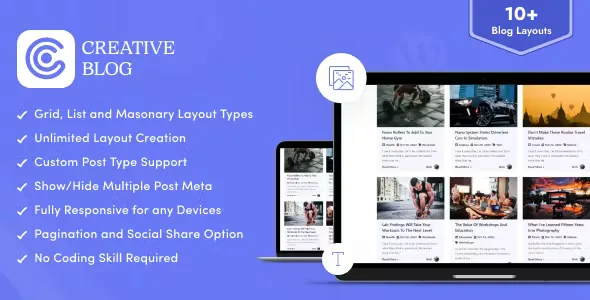
About Creative Blog Designer Bundle for WordPress
A WordPress blog using the theme's default listing often ends up as a single column of identical posts, where your best article carries the same weight as the weakest one. Changing that by hand takes CSS or rebuilt templates. This plugin focuses on exactly that point: how the list of posts is presented.
Your post list is your shop window, and almost nobody designs it
People who publish regularly invest hours in each article and almost nothing in the page that announces it. Yet that page is the first thing a visitor sees when searching for something: if they can't tell at a glance what each post is about, they leave. Creative Blog Designer Bundle lets you decide how each card is displayed (image, title, date, excerpt, author, comments, share icons and button) and remove whatever you don't need.
Three layout types, each with a different purpose
- Grid (5 designs): several posts at once, in the style of a news or magazine site.
- List (5 designs): each post gets more room, designed for technical blogs.
- Masonry (2 designs): a different way of presenting posts, in an up-and-down design.
You can also set how many columns appear on desktop, tablet and mobile.
What you can adjust in Creative Blog Designer Bundle and what not to expect from it
It has more than 50 options in the panel: colors for all elements, borders, box shadows and a hover effect on the button. It works with regular posts as well as custom post types, and you can filter by category or author.
Each layout goes wherever you want via a shortcode, and the plugin includes its own shortcode builder. That makes it usable with Elementor, WPBakery, Divi, Gutenberg or Beaver Builder: you paste the shortcode and you're done. The trade-off is that it isn't a visual widget inside each builder, so you'll need to generate the code in the plugin's panel and copy it.
Nor is it a theme or a full page builder: it only transforms post listings. The single-post page is still controlled by your theme. The designs are the ones included (12 in total), so if you want something very different, you'll need your own CSS.
Frequently asked questions
Does it work with any theme?
It is designed to work with any WordPress theme. As always, check on your site that the colors and fonts fit the rest of the web.
Does it work with custom post types?
Yes, it can display both default and custom posts.
Do I need to know how to code?
No. It is configured from the panel and inserted with a shortcode.
Does it adapt to mobile?
Yes, the design is responsive and you can set the number of columns for desktop, tablet and mobile.
Can it be translated?
It includes a .pot file, so you can translate the plugin's texts into your language.
Create a layout, copy the shortcode and test it on a draft page
The most sensible approach is to start by creating a new layout in the panel, choosing the type (grid, list or masonry) and adjusting which data is shown. Then generate the shortcode, paste it into a draft page and review it on mobile before replacing your current blog page. If you have many categories, create one layout for each and place them in different sections of your homepage.
Topics
Version history
-
v
1.0.6 Current 29 Jul 2026
-
v
1.0.1 8 May 2024
Customer reviews
Sign in to leave a review. Only people who have the product can review it.
No reviews for this product yet.
Frequently asked questions
-
GPL (General Public License) is the license under which WordPress and most premium plugins/themes are distributed. It grants you the right to use, modify and redistribute the software in as many projects as you want, with no domain restrictions.
-
Yes. With membership you get automatic updates via our GPLClub Updater plugin (installed on your WP, detects new versions and applies them). With individual purchase, you get one year of manual updates from your account.
-
Depends on the plan. Monthly: 3 domains. Semi-annual: 7. Annual and Lifetime: 15. Individual purchase: 1 domain.
-
GPLClub offers its own support for installation, configuration and compatibility. For direct support from the original author (feature requests, product-specific bugs), a license purchased from the author is required.