CSS Hero Pro Plugin
Antivirus scan
Powered by ClamAV
✅ Verified clean
This product file has passed our security filters.
Want to run a fresh ClamAV scan right now? Takes a few seconds and shows scanner version, signature DB and live result.
This can take 5 to 30 seconds.
Clean file Threat detected
No threats detected in this file.
- File
- Size
- Scanned
- ClamAV
- Signature database
⚡ Powered by ClamAV
Scan could not be completed
Report product
If you detected an issue (broken file, malware, inappropriate content, etc.) let us know and we'll review it ASAP.
Sign in to reportNewer version out, or a problem?
About CSS Hero Pro Plugin
Visual changes live without opening the theme code
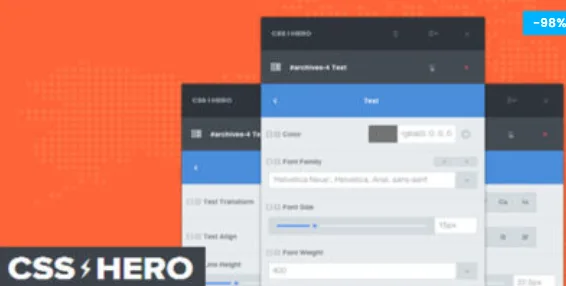
Many adjustments on a WordPress site, such as changing a color, moving a margin or trying another typeface, end up waiting for someone with CSS skills to make them. CSS Hero Pro shortens that path: you move the mouse over the element you want to edit, click it and change it while seeing the result on the same page.
You don't need programming skills to start. You select any element on your site, adjust its properties and the change shows up instantly.
Visual design for people who don't know CSS and a code editor for those who do
The product serves two profiles, and it helps to know which one you are before installing it:
- If you don't want to write code: gradients, text and box shadows, margins, paddings and the rest of the CSS properties are adjusted with visual controls, color pickers and sliders.
- If you know CSS: there is a full CSS and LESS editor with live preview, where you can review and fix the code the tool generates, add your own rules and media queries, and check the code with the CSSLint engine to avoid common mistakes.
Both modes work together: what you do with the visual controls appears afterwards in the code, and what you type by hand is reflected on the page as you write it.
Google and TypeKit fonts, and saved colors
A large collection of Google Fonts is within your reach, and TypeKit fonts are supported too. The color picker remembers your last used colors, which helps you build your own color palette.
Mobile and tablet adjustments you can preview before publishing
Getting how a site looks on mobile is a big part of design. CSS Hero lets you edit, preview and control how your site is displayed on desktop and handheld devices, with standard or custom breakpoints.
You can make edits specific to each device and preview them with one click. There is also a desktop-only feature that limits some edits to that screen, so desktop tweaks don't have to break the responsive design on mobile.
History and undo without touching the theme files
CSS Hero does not modify the files of your theme or plugins. It generates a single extra stylesheet that overrides the theme's original one.
Every edit is saved in a complete history with undo. You can review all the versions of your generated CSS and recover the one you prefer, or reset a single property or a single element to the theme's original style.
Export your changes as CSS or LESS to keep them outside the plugin
The generated code can be exported as CSS or LESS and downloaded as a file, which also works as a backup. If you want to keep the result without the plugin, paste that CSS into the Additional CSS field of the WordPress Customizer and your changes stay in place.
Frequently asked questions about CSS Hero Pro
Can I break the site if I make a mistake?
Every edit stays in the history, so you can undo it, go back to an earlier state or reset only the element you messed up. The rest of your customizations are not lost.
Does it slow down my site?
For visitors it only adds one static stylesheet, and the plugin does not cause a significant performance drop. Your edits are stored in your database and the public only receives that CSS file.
Does it modify my theme files?
No. It does not alter the files of the theme or the plugins, and when you deactivate it, the look goes back to what it was before you installed it.
Does it work with any theme and page builder?
It works on any WordPress theme and plugin, and it has been tested with themes and page builders such as Divi, Elementor, Beaver Builder and Genesis.
Version history
-
v
5.1.0 Current 4 May 2024
Customer reviews
Sign in to leave a review. Only people who have the product can review it.
No reviews for this product yet.
Frequently asked questions
-
GPL (General Public License) is the license under which WordPress and most premium plugins/themes are distributed. It grants you the right to use, modify and redistribute the software in as many projects as you want, with no domain restrictions.
-
Yes. With membership you get automatic updates via our GPLClub Updater plugin (installed on your WP, detects new versions and applies them). With individual purchase, you get one year of manual updates from your account.
-
Depends on the plan. Monthly: 3 domains. Semi-annual: 7. Annual and Lifetime: 15. Individual purchase: 1 domain.
-
GPLClub offers its own support for installation, configuration and compatibility. For direct support from the original author (feature requests, product-specific bugs), a license purchased from the author is required.