CSS Igniter Convert Business
Antivirus scan
Powered by ClamAV
✅ Verified clean
This product file has passed our security filters.
Want to run a fresh ClamAV scan right now? Takes a few seconds and shows scanner version, signature DB and live result.
This can take 5 to 30 seconds.
Clean file Threat detected
No threats detected in this file.
- File
- Size
- Scanned
- ClamAV
- Signature database
⚡ Powered by ClamAV
Scan could not be completed
Report product
If you detected an issue (broken file, malware, inappropriate content, etc.) let us know and we'll review it ASAP.
Sign in to report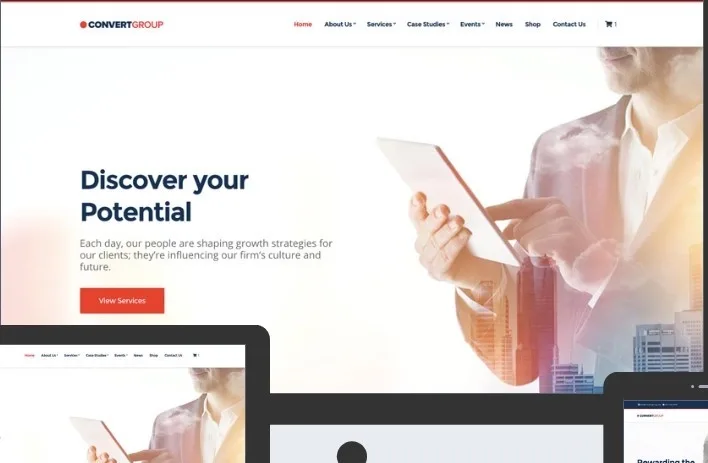
About CSS Igniter Convert Business
For the small business that needs to look serious without hiring a designer
A corporate website is judged in the time it takes a visitor to decide whether to stay, and the decision is usually based on the header and footer, not the text in between. Convert is made for those who need that first impression of a serious company and can adjust it themselves: a small service business, a law or consulting firm, or a local business that wants a tidy site without custom development.
It is not the right choice if you want a theme with dozens of ready-made sector designs: Convert offers several presets, but don't assume how many or of what type, so check the demo before deciding. Nor is it a complete builder on its own: for drag-and-drop layouts you need Elementor, and the block editor covers the rest.
Header and footer: where Convert gives you the most control
The header and footer are customized from the WordPress Customizer, with a real-time preview. You can change the color scheme, layout, typography and logo of the header, and in the footer adjust colors, layout and fonts, as well as add important links or information.
- Header: color, layout, font and logo, seeing the result as you change it.
- Footer: the same settings, useful for adding important links or information.
This is a practical advantage: what shapes brand perception isn't hidden away in code.
Your brand's colors and fonts, global or by area
Convert lets you create your own color scheme from the Customizer options. You can change the colors across the whole theme or fine-tune them in specific areas such as the top bar, header or footer. Fonts work in a similar way: you pick a pair from the available Google Fonts and then adjust the typographic properties of the main sections.
If your company already has a brand guide with defined colors and typefaces, this is where you apply them without touching CSS. If your corporate typeface is not a Google Font, this is not the place to load it without extra work.
Blocks, Elementor and global sections: three ways to build
You can work with the WordPress block editor and the GutenBee custom blocks collection, or with Elementor if you prefer drag and drop. Both routes work with the same theme, so you choose the one that whoever maintains the site knows best.
Global sections
You design a section once (with the block editor or Elementor) and reuse it across several pages. It is useful, for example, for a call to get in touch that you want to repeat across the site without copying it by hand.
Demo import
It includes one-click demo import to replicate the sample site with its content. It is a good starting point, but remember that the sample content has to be replaced with your own.
WooCommerce: possible, but not its specialty
Convert is compatible with WooCommerce, so you can add a shop to a corporate website to sell products and manage inventory with the WooCommerce checkout. Think of it as an add-on to the company site. If your main business is the shop, the maker has themes built specifically for WooCommerce that will fit better. Remember that WooCommerce is a separate plugin that must be installed.
Questions to ask before choosing Convert
Do I need Elementor?
No. You can use just the block editor and GutenBee. Elementor is optional, for those who prefer drag and drop.
Can I change the logo and colors without coding?
Yes, from the Customizer, with a live preview.
Does it work with any plugin?
Popular plugins from reliable developers should work, but not all have been tested. If you depend on a specific one, try it in a test environment.
Is it suitable for a blog or a portfolio?
It is designed as a business theme. For a portfolio or blog, the maker has other, more specific themes.
Do I need anything else to use it?
A domain, hosting and WordPress installed.
Topics
Version history
-
v
1.5.3 Current 15 Jun 2024
Customer reviews
Sign in to leave a review. Only people who have the product can review it.
No reviews for this product yet.
Frequently asked questions
-
GPL (General Public License) is the license under which WordPress and most premium plugins/themes are distributed. It grants you the right to use, modify and redistribute the software in as many projects as you want, with no domain restrictions.
-
Yes. With membership you get automatic updates via our GPLClub Updater plugin (installed on your WP, detects new versions and applies them). With individual purchase, you get one year of manual updates from your account.
-
Depends on the plan. Monthly: 3 domains. Semi-annual: 7. Annual and Lifetime: 15. Individual purchase: 1 domain.
-
GPLClub offers its own support for installation, configuration and compatibility. For direct support from the original author (feature requests, product-specific bugs), a license purchased from the author is required.