Custom CSS and JavaScript Developer Edition
Antivirus scan
Powered by ClamAV
✅ Verified clean
This product file has passed our security filters.
Want to run a fresh ClamAV scan right now? Takes a few seconds and shows scanner version, signature DB and live result.
This can take 5 to 30 seconds.
Clean file Threat detected
No threats detected in this file.
- File
- Size
- Scanned
- ClamAV
- Signature database
⚡ Powered by ClamAV
Scan could not be completed
Report product
If you detected an issue (broken file, malware, inappropriate content, etc.) let us know and we'll review it ASAP.
Sign in to reportNewer version out, or a problem?
About Custom CSS and JavaScript Developer Edition
For those who maintain their own CSS and JavaScript in WordPress
This plugin lets you write CSS and JavaScript to change the look and behavior of your website, and keeps the code well structured and organized.
It is aimed at WordPress users who are looking for an easy way to supercharge their website, and at developers who want to use variables and nesting. Keep in mind that the real-time preview only works in supported browsers, so not every computer will have it available.
Several virtual files organized in tabs
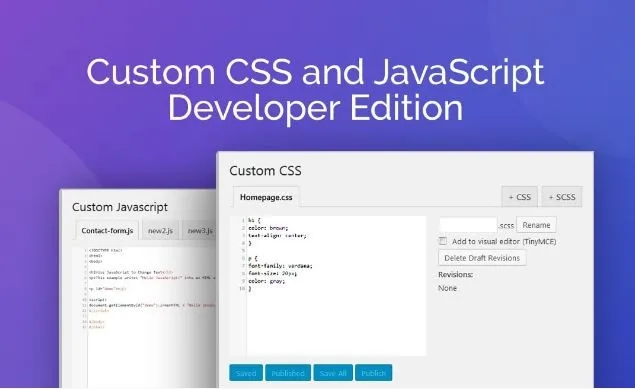
The multi-file interface shows each virtual file in its own tab above the editor, for both CSS and SCSS and for JavaScript. This lets you work in parts without losing track of snippets or searching through a huge block of lines.
If you prefer SASS, the plugin includes a compiler and supports its common features, such as variables and nesting. The code is combined into a single CSS or JavaScript file, with optional minification to reduce its size.
Preview CSS in another tab before publishing it
With the Live View feature, CSS changes are previewed while you edit, in a second browser tab or window and in near real time. The preview works on any page of the site, not only the homepage, so you can check a change exactly where you need it.
Because it depends on the browser, make sure yours is one of the compatible ones before relying on it to review a design.
Dated revision history to roll back
Each time you save a file, a revision with date and time is created, and you can return to any of them if needed. The same system works in the CSS editor and in the JavaScript editor.
Code kept apart from the core and the theme, served from the filesystem
Your edits are stored separately from the WordPress core and theme files, so the base code stays intact while you add your changes.
The code is served from the filesystem instead of the database, which avoids extra database queries when custom code loads on the homepage and on the rest of the site.
Editor with line numbers, automatic indentation and saving without reloading
Both editors appear in the Appearance menu of the dashboard, under the items Custom CSS and Custom Javascript, and each one opens its tabbed interface.
- Syntax highlighting for CSS and JavaScript, with color coding.
- Line numbering and automatic indentation.
- Saving via AJAX, without reloading the editor, so you do not lose your place while writing.
Each editor lets you download the file you are viewing or all of them at once in a zip, and use the import and export function to reuse code in other projects.
Frequently asked questions about Custom CSS and JavaScript Developer Edition
Can I add code without touching the theme files?
Yes. Your edits are stored separately from the WordPress core and theme files, which remain intact.
Can I write in SASS?
Yes. The plugin includes a compiler and supports variables, nesting and other SASS features.
What happens if a change goes wrong?
Every save creates a revision with date and time, and you can go back to it if you need to.
Does the preview work in any browser?
No. It only works in compatible browsers, although you can use it on any page of the site.
Can I take my code to another website?
Yes. You can download one file or all of them at once in a zip, and import them again wherever you need them.
Version history
-
v
1.0.14 Current 17 May 2024
Customer reviews
Sign in to leave a review. Only people who have the product can review it.
No reviews for this product yet.
Frequently asked questions
-
GPL (General Public License) is the license under which WordPress and most premium plugins/themes are distributed. It grants you the right to use, modify and redistribute the software in as many projects as you want, with no domain restrictions.
-
Yes. With membership you get automatic updates via our GPLClub Updater plugin (installed on your WP, detects new versions and applies them). With individual purchase, you get one year of manual updates from your account.
-
Depends on the plan. Monthly: 3 domains. Semi-annual: 7. Annual and Lifetime: 15. Individual purchase: 1 domain.
-
GPLClub offers its own support for installation, configuration and compatibility. For direct support from the original author (feature requests, product-specific bugs), a license purchased from the author is required.