Custom Start Date for WooCommerce Subscriptions
Antivirus scan
Powered by ClamAV
✅ Verified clean
This product file has passed our security filters.
Want to run a fresh ClamAV scan right now? Takes a few seconds and shows scanner version, signature DB and live result.
This can take 5 to 30 seconds.
Clean file Threat detected
No threats detected in this file.
- File
- Size
- Scanned
- ClamAV
- Signature database
⚡ Powered by ClamAV
Scan could not be completed
Report product
If you detected an issue (broken file, malware, inappropriate content, etc.) let us know and we'll review it ASAP.
Sign in to report
About Custom Start Date for WooCommerce Subscriptions
Charging today for a service that starts months from now
Selling a subscription clashes with the calendar: customers want to buy when they remember, or when the gift idea strikes, but the service starts when it is due. If you force people to buy on the start day, you lose the one who was keen today and will not be tomorrow. Custom Start Date for WooCommerce Subscriptions separates the moment of purchase from the moment the subscription begins.
When checkout is completed, the subscription is created and scheduled. The customer has no access to anything until the start date; that day it activates by itself and future payments are calculated from it. In the cart and at checkout, the customer sees the future start date and the already updated renewal date.
Four ways to set the start
You can apply one date to all subscriptions or only to one product, and choose between these variants:
- Visible fixed date: all subscriptions start on the same day and the customer sees it on the sales page, just above the purchase button.
- Hidden fixed date: the date is applied at payment without being shown on the sales page.
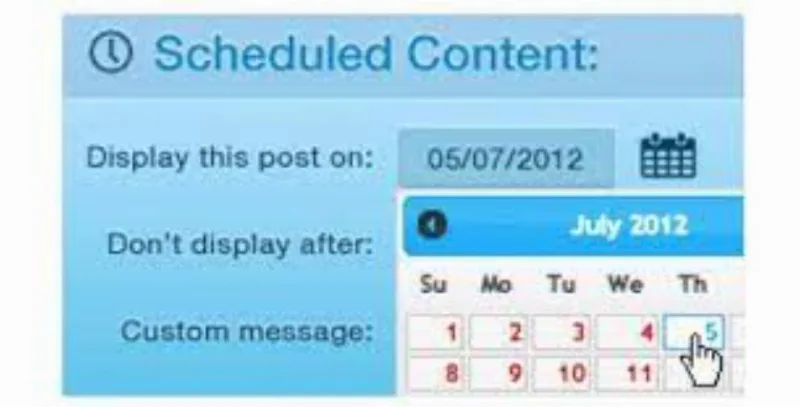
- Date of their choice: a date picker appears on the product page and the choice is reflected in the cart and at checkout.
- Fixed delay: an interval of days, weeks or months between the first payment and the start, useful as a cooling-off or preparation period.
You also decide when to charge the first period and shipping: at the end of checkout or on the start date. Sign-up fees are always billed at purchase.
Gifts, courses and seasons with Custom Start Date for WooCommerce Subscriptions
If you sell gift subscriptions
The giver buys in advance and picks the day it must start, for example a birthday. If the subscription started at payment, the gift would be used up before it was handed over.
If you run courses or a school year
Students can enrol all year round and tuition is aligned with the start of the term.
If you sell something seasonal
You can offer the service or product all year and let people book in advance. The subscription does not start until the season begins, so the customer who arrives in midwinter looking for something for summer does not leave empty-handed.
Several dates in one order and changes after purchase
A customer can buy several subscriptions with different start dates in a single payment. The plugin groups them by start date and billing period, and each group is managed separately. Mind the parent order: it stays as "Processing" from the earliest start date.
While the subscription is still in "Scheduled" status, the store administrator or manager can change the start date. All other dates (next payment, end of trial, expiration) are recalculated automatically. It also accepts start dates in the past: the next payment is calculated and scheduled automatically.
Common questions before installing it
What does the customer see between purchase and start? The subscription shows as scheduled, but the customer has no access to any product or service reserved for active subscribers until the start date.
Can I charge on the start date instead of at purchase? Yes, for both the first period and shipping. Sign-up fees are always charged at purchase.
Does it work with variable subscriptions? Yes, with simple and variable subscriptions.
Is it compatible with HPOS? Yes.
It needs WooCommerce Subscriptions and does not support product bundles
It is an add-on: it requires WooCommerce and WooCommerce Subscriptions, and dates are configured on subscriptions created with that plugin. Product bundles are not supported, so if you sell bundles with a subscription, this plugin will not work for them.
Topics
Version history
-
v
1.7.0 Current 1 Oct 2026
-
v
1.6.6 26 Aug 2026
-
v
1.6.0 30 Mar 2026
Customer reviews
Sign in to leave a review. Only people who have the product can review it.
No reviews for this product yet.
Frequently asked questions
-
GPL (General Public License) is the license under which WordPress and most premium plugins/themes are distributed. It grants you the right to use, modify and redistribute the software in as many projects as you want, with no domain restrictions.
-
Yes. With membership you get automatic updates via our GPLClub Updater plugin (installed on your WP, detects new versions and applies them). With individual purchase, you get one year of manual updates from your account.
-
Depends on the plan. Monthly: 3 domains. Semi-annual: 7. Annual and Lifetime: 15. Individual purchase: 1 domain.
-
GPLClub offers its own support for installation, configuration and compatibility. For direct support from the original author (feature requests, product-specific bugs), a license purchased from the author is required.