Darkify – WordPress Dark Mode Plugin
Antivirus scan
Powered by ClamAV
✅ Verified clean
This product file has passed our security filters.
Want to run a fresh ClamAV scan right now? Takes a few seconds and shows scanner version, signature DB and live result.
This can take 5 to 30 seconds.
Clean file Threat detected
No threats detected in this file.
- File
- Size
- Scanned
- ClamAV
- Signature database
⚡ Powered by ClamAV
Scan could not be completed
Report product
If you detected an issue (broken file, malware, inappropriate content, etc.) let us know and we'll review it ASAP.
Sign in to reportNewer version out, or a problem?
About Darkify – WordPress Dark Mode Plugin
Dark mode for the website and the WordPress panel
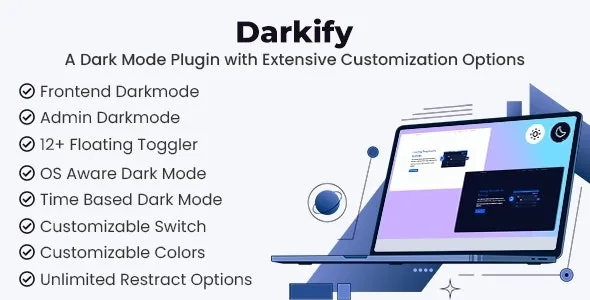
Darkify is a dark mode plugin for WordPress that offers that dark version both on the public side of the site and in the admin panel. It aims to keep the visitor on your website for longer.
Visitors switch modes with one click
When you enable dark mode on the frontend, visitors see a switch that changes the site from light to dark. You can place it as a floating button over the page, inside the navigation menu, or on any page or post with a shortcode. The floating button can be dragged, so each person leaves it where it suits them.
You can also change its look. There are several floating button styles to choose from and an adjustable design so the switch matches your brand's colors and style. Keyboard users have the Ctrl+Alt+D shortcut to toggle between light and dark.
Frequently asked questions about Darkify
Can I leave dark mode on by default?
Yes. The site can start in dark mode, and visitors can turn it off if they prefer light mode.
Can I decide which pages or posts show in dark mode?
Yes. You choose which pages should have dark mode and which should not, and you can do the same post by post.
What happens to images when dark mode is on?
You can adjust their brightness, convert them to grayscale, darken backgrounds and invert inline SVGs.
Can I save the settings to use on another site?
Yes. It includes a backup option to reuse the same settings across different sites.
What you decide: default mode, local time and the visitor's system
Before anyone clicks, you configure how the site starts. You can set dark mode as the default view, or let it activate according to the visitor's local time or the preference of their operating system.
For colors there are eight ready-to-use presets, which you can modify or replace with your own scheme. If you want dark mode to match your visual identity, this is where you fine-tune it.
Fine adjustments for elements, images and the WordPress panel
With selective element customization you enable or disable dark mode in specific parts using tags, class names or IDs, and with custom CSS you adjust the look of each element.
The WordPress admin panel also has its dark mode version, designed to improve the editing experience.
Darkify with Avada, Divi, Elementor and multi-language sites
Darkify works well with Fusion Builder for Avada, Divi Builder, WP Bakery, Visual Composer, Beaver Builder, Oxygen Builder and Elementor. It has been tested with several popular WordPress themes, and the plugin is ready for right-to-left text and multilingual sites.
Version history
-
v
1.4.0 Current 18 Jun 2025
Customer reviews
Sign in to leave a review. Only people who have the product can review it.
No reviews for this product yet.
Frequently asked questions
-
GPL (General Public License) is the license under which WordPress and most premium plugins/themes are distributed. It grants you the right to use, modify and redistribute the software in as many projects as you want, with no domain restrictions.
-
Yes. With membership you get automatic updates via our GPLClub Updater plugin (installed on your WP, detects new versions and applies them). With individual purchase, you get one year of manual updates from your account.
-
Depends on the plan. Monthly: 3 domains. Semi-annual: 7. Annual and Lifetime: 15. Individual purchase: 1 domain.
-
GPLClub offers its own support for installation, configuration and compatibility. For direct support from the original author (feature requests, product-specific bugs), a license purchased from the author is required.