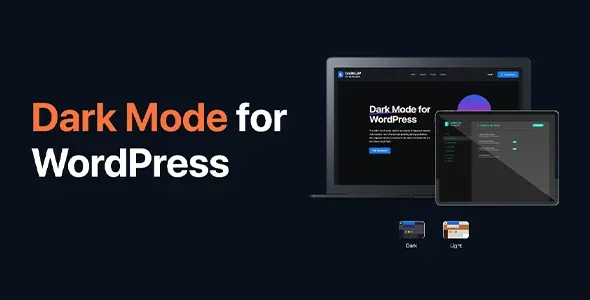
Darklup WP Dark Mode Plugin
Antivirus scan
Powered by ClamAV
✅ Verified clean
This product file has passed our security filters.
Want to run a fresh ClamAV scan right now? Takes a few seconds and shows scanner version, signature DB and live result.
This can take 5 to 30 seconds.
Clean file Threat detected
No threats detected in this file.
- File
- Size
- Scanned
- ClamAV
- Signature database
⚡ Powered by ClamAV
Scan could not be completed
Report product
If you detected an issue (broken file, malware, inappropriate content, etc.) let us know and we'll review it ASAP.
Sign in to reportNewer version out, or a problem?
About Darklup WP Dark Mode Plugin
When the visitor arrives at night and the white background dazzles them
Over 80% of users prefer dark mode. Darklup adds it to your site to reduce eye strain, without you having to rebuild your site or write code.
Dark mode turns on by itself according to the visitor's system
The plugin checks each visitor's operating system dark mode preference and applies it automatically. Anyone who already uses dark mode on their device sees it without clicking anything. If you prefer to set the timing yourself, hourly scheduling lets you decide when dark mode starts and ends on your site.
The floating switch and the accessibility menu for those who want more control
When a visitor wants to change something on their own, a floating switch appears whose look you can customize among more than 15 styles. Pressing ALT + A opens an accessibility panel the visitor controls themselves, with these settings:
- Dark mode and contrast
- Bigger text and readable font
- Font weight and text alignment
- Highlighted links and stopped animations
- Monochrome and reading mask
- Hidden images and reset settings
This helps anyone who needs larger text, without you having to rebuild your site.
Your WooCommerce store without inverted product photos
If you sell online, the fear is that a product photo changes color or that the buy button gets lost in the dark. Product images keep their look, buy buttons and price tags adapt, and dark mode reaches the product page, cart, checkout and order confirmation. It works with any WooCommerce theme and you don't need code.
Dynamic Mode by Darklup checks each element before darkening it
A dark mode that only inverts colors can break photos and logos. Dynamic Mode analyzes every visible element on the page, such as text, buttons, cards, images and the footer, and measures the brightness the human eye perceives in each color. Light elements get darkened, dark ones stay or get slight adjustments, and each element is handled separately instead of all at once.
Different images for light and dark mode, and custom CSS, only in the paid version
Two features require the paid version. The first lets you choose one image for light mode and another for dark mode, and it switches automatically based on the visitor's preference. The second is custom CSS support, to change the color of a specific section of your site if you know how to code.
Three common questions about Darklup's dark mode
Do I need to touch code for it to work?
No. System dark mode applies on its own, and button styles and color schemes are chosen without programming. Only custom CSS requires knowing code.
Can I change the colors of the dark version?
Yes. You can use any color, and brand colors stay intact because logos and accents are respected.
Does it work with any WordPress theme?
It is designed to work with any theme and works instantly once activated.
Version history
-
v
3.2.11 Current 17 Jan 2026
Customer reviews
Sign in to leave a review. Only people who have the product can review it.
No reviews for this product yet.
Frequently asked questions
-
GPL (General Public License) is the license under which WordPress and most premium plugins/themes are distributed. It grants you the right to use, modify and redistribute the software in as many projects as you want, with no domain restrictions.
-
Yes. With membership you get automatic updates via our GPLClub Updater plugin (installed on your WP, detects new versions and applies them). With individual purchase, you get one year of manual updates from your account.
-
Depends on the plan. Monthly: 3 domains. Semi-annual: 7. Annual and Lifetime: 15. Individual purchase: 1 domain.
-
GPLClub offers its own support for installation, configuration and compatibility. For direct support from the original author (feature requests, product-specific bugs), a license purchased from the author is required.