Direct checkout, WooCommerce Single page checkout , WooCommerce One page checkout - PRO
Antivirus scan
Powered by ClamAV
✅ Verified clean
This product file has passed our security filters.
Want to run a fresh ClamAV scan right now? Takes a few seconds and shows scanner version, signature DB and live result.
This can take 5 to 30 seconds.
Clean file Threat detected
No threats detected in this file.
- File
- Size
- Scanned
- ClamAV
- Signature database
⚡ Powered by ClamAV
Scan could not be completed
Report product
If you detected an issue (broken file, malware, inappropriate content, etc.) let us know and we'll review it ASAP.
Sign in to report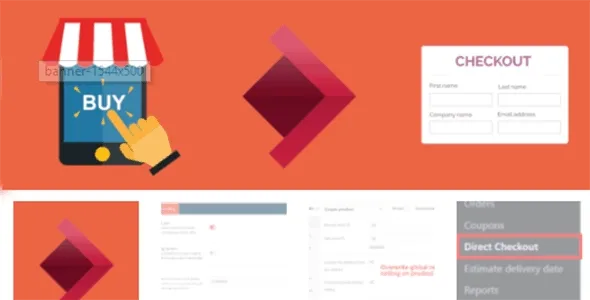
About Direct checkout, WooCommerce Single page checkout , WooCommerce One page checkout - PRO
For the store that sells on impulse, not the one that lives off a full cart
Every step between the buy button and payment is a chance for the customer to change their mind. If you sell products that are decided quickly (an accessory, a top-up, a replenishment item), the intermediate cart only gets in the way. This plugin shortens that path. If your business depends on customers adding several products and comparing, it will be less useful.
It is also not a payment gateway and does not add payment methods: it only changes the route to the WooCommerce checkout and some details of that page.
The Direct checkout buy button: one product without touching the cart
The buy now button lets customers purchase a single product without altering what they already had in their cart. It is designed for people who want to pay right away, as in the big online stores. For each product you can:
- Set its own redirect URL.
- Disable the button.
- Change the button text.
This way you can keep the button only on products where it makes sense and remove it from those that need more thought.
What happens right after adding to the cart
You can redirect the customer after they add a product: to another page of your site, an offer, a landing page or an external site. On variable products, each variation can have its own URL. If you redirect to an external website, there is an option not to add the product to the cart. You can also change the add to cart button text per product, or disable the redirect on the ones you don't want it on.
Keep in mind that if the redirect leaves your store, the customer leaves your purchase process. Use it carefully.
Single page checkout with editable quantities
On the payment page the customer can change quantities or remove products without going back to the cart. From the settings you can also:
- Remove the order comments field.
- Remove some of the default fields from the form.
- Require login to reach the checkout.
- Assign a different thank you page per product, so whoever buys X sees one page and whoever buys Y sees another.
Removing fields requires judgment: if you need them for shipping or billing, don't delete them.
Checkout captcha to stop fake orders
It includes a captcha at checkout that works with both the classic and the block-based checkout. It helps reduce fake orders generated by bots and the load they put on the server. It is also compatible with WooCommerce HPOS (high-performance order storage).
Frequently asked questions
Is it suitable for stores with many products per order?
It can help with editing quantities at checkout, but its strength is the quick purchase of a single product.
Does the buy now button empty the customer's cart?
No: it lets them buy a product without affecting the contents of their cart.
Can I send each product to a different thank you page?
Yes, you can set a thank you page per product.
Topics
Version history
-
v
1.3.7.3 Current 28 May 2024
Customer reviews
Sign in to leave a review. Only people who have the product can review it.
No reviews for this product yet.
Frequently asked questions
-
GPL (General Public License) is the license under which WordPress and most premium plugins/themes are distributed. It grants you the right to use, modify and redistribute the software in as many projects as you want, with no domain restrictions.
-
Yes. With membership you get automatic updates via our GPLClub Updater plugin (installed on your WP, detects new versions and applies them). With individual purchase, you get one year of manual updates from your account.
-
Depends on the plan. Monthly: 3 domains. Semi-annual: 7. Annual and Lifetime: 15. Individual purchase: 1 domain.
-
GPLClub offers its own support for installation, configuration and compatibility. For direct support from the original author (feature requests, product-specific bugs), a license purchased from the author is required.