Directory Pro
Antivirus scan
Powered by ClamAV
✅ Verified clean
This product file has passed our security filters.
Want to run a fresh ClamAV scan right now? Takes a few seconds and shows scanner version, signature DB and live result.
This can take 5 to 30 seconds.
Clean file Threat detected
No threats detected in this file.
- File
- Size
- Scanned
- ClamAV
- Signature database
⚡ Powered by ClamAV
Scan could not be completed
Report product
If you detected an issue (broken file, malware, inappropriate content, etc.) let us know and we'll review it ASAP.
Sign in to reportNewer version out, or a problem?
About Directory Pro
Directories with growing listings
A directory with many listings becomes chaotic fast: someone has to decide who can publish, who approves each listing, how a visitor finds one business among hundreds, and what happens when a business wants to pay to feature its listing. That is where hand-built directories usually fail.
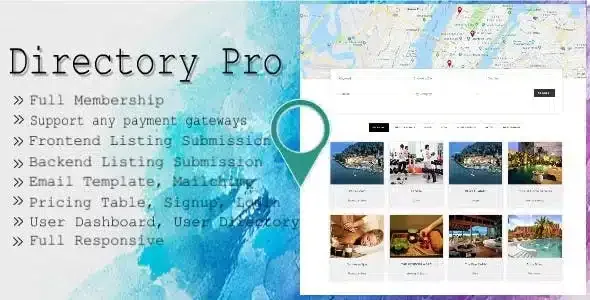
Directory Pro is built to create directories with listings inside your WordPress site, with multiple locations. Each item has its own detail page, and the directory is organized by categories, with a map, search, and filters. You can create as many search forms as you need, with custom fields and field types such as drop-down or multi-select, and the map lets you use images as markers by category. The layout adapts to mobile and includes a touch slider. From the admin you can also add new fields to the listings.
Who publishes, who approves, and who claims a listing
Members can add and edit their listings from My Account, right on the site, without going through the admin panel. You decide whether each listing is published immediately or held for approval, and you can choose which user roles can read or write listings. If a business owner already appears in the directory, they can claim the listing. Members can save favorites, and the owner can see who has shown interest in their listing. Contact messages go by email to the listing owner, and you can send a copy to the administrator.
Payments with PayPal, Stripe or WooCommerce and package-based memberships
If listings are paid, Directory Pro accepts payments with PayPal and Stripe, including full synchronization with Stripe plans. You can also charge through WooCommerce, and that option requires WooCommerce installed and active. Membership types cover a free account, one-time payment, recurring payment, free trial, paid trial, and variable payment by package.
With packages you can create custom user roles for each level. Subscriptions support upgrades, downgrades, and cancellation, and coupons can be tied to a package, with a usage limit and an expiry date. Listing owners can also sell coupons or deals, charged through PayPal.
Free, paid, and featured listings
There is a free account and paid membership types for listings, and a listing can be featured.
- Paid listing. The business pays by recurring subscription, one-time payment, or package, depending on the membership type, and can feature its listing.
- Free listing. Users register with a free account and publish their details, which you can keep pending approval.
Membership types define whether the listing is charged and how.
Languages, maps, Elementor and WPBakery with Directory Pro
Directory Pro integrates with WPML, Loco, and Polylang to translate the directory, and with the WPBakery page builder. Its Elementor widgets require Elementor installed and active. The emails the system sends (welcome, forgotten password, order, contact, claim, or subscription reminder) are editable templates, and you can override page templates to adapt the listing page and the listing detail. If you use Mailchimp, new registrants' emails can be stored there.
Frequently asked questions about Directory Pro
Can I charge for publishing a listing?
Yes. You can charge with PayPal, Stripe, or WooCommerce, and choose between one-time payment, recurring payment, free trial, or variable payment packages.
Can members manage their listings without going into the admin?
Yes. They can add and edit their listings from My Account, check their payment history, and save their favorites.
Can I add custom fields to the listings?
Yes. From the admin you can add new fields and build the data form, and decide which user roles can read or write each listing.
Does it work for a directory in several languages?
Yes, with WPML, Loco, or Polylang.
Topics
Version history
-
v
2.6.0 Current 4 Nov 2026
-
v
2.5.8 14 Apr 2026
Customer reviews
Sign in to leave a review. Only people who have the product can review it.
No reviews for this product yet.
Frequently asked questions
-
GPL (General Public License) is the license under which WordPress and most premium plugins/themes are distributed. It grants you the right to use, modify and redistribute the software in as many projects as you want, with no domain restrictions.
-
Yes. With membership you get automatic updates via our GPLClub Updater plugin (installed on your WP, detects new versions and applies them). With individual purchase, you get one year of manual updates from your account.
-
Depends on the plan. Monthly: 3 domains. Semi-annual: 7. Annual and Lifetime: 15. Individual purchase: 1 domain.
-
GPLClub offers its own support for installation, configuration and compatibility. For direct support from the original author (feature requests, product-specific bugs), a license purchased from the author is required.