Divi Module Custom CSS Selectors
Antivirus scan
Powered by ClamAV
✅ Verified clean
This product file has passed our security filters.
Want to run a fresh ClamAV scan right now? Takes a few seconds and shows scanner version, signature DB and live result.
This can take 5 to 30 seconds.
Clean file Threat detected
No threats detected in this file.
- File
- Size
- Scanned
- ClamAV
- Signature database
⚡ Powered by ClamAV
Scan could not be completed
Report product
If you detected an issue (broken file, malware, inappropriate content, etc.) let us know and we'll review it ASAP.
Sign in to report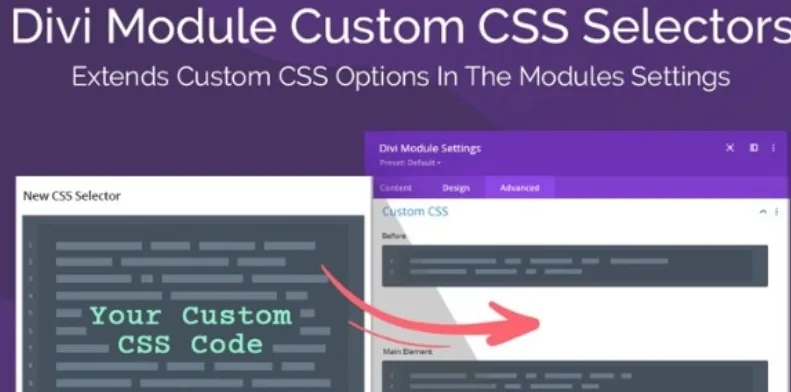
About Divi Module Custom CSS Selectors
When styling a Divi module means opening the browser dev tools
You want to change the colour of a single icon inside a module, or adjust the margin of a heading on tablet only, and you end up inspecting the code, trying out classes and pasting rules into the child theme stylesheet. Divi modules offer few selectors in their Advanced tab, and for everything else you have to hunt them down by hand.
Divi Module Custom CSS Selectors tackles that problem: it adds the missing selectors to each module, so you can write CSS in the module itself without leaving the builder.
More than 500 selectors inside the Advanced tab
The plugin extends the list of custom CSS selectors that each Divi module shows in its Advanced tab. That lets you target a specific element of the module and write a very precise rule, without digging through the code to find out what it's called.
- New selectors: more than 500 spread across the modules, compared with the few Divi offers out of the box.
- CSS per device: you can write styles for each breakpoint from the field itself, without building media query blocks by hand.
- Hover states: besides the normal state, you can define CSS for hover.
- No configuration: install it, open the builder and the new selectors are already there.
What is still up to you
The plugin gives you somewhere to write, not what to write. You need to know CSS: it has no visual editor and no ready-made rules. It is also an add-on for Divi: it won't work with other page builders or with a theme that doesn't use the Divi Builder. If you work with Divi 5, check it first on a test site.
Frequently asked questions about Divi Module Custom CSS Selectors
Do I need to know CSS?
Yes. It saves you the search for selectors, but you write the rules yourself.
Does it slow down the site?
It's a lightweight plugin. The CSS you add to modules goes through Divi's optimization: it is combined, minified and saved as static CSS files.
Do I have to configure anything?
No. There are no settings: when you open the builder, the new selectors are in the Advanced tab of the modules.
Does it replace the child theme?
It doesn't have to. It's for adjustments that affect one specific module without touching the stylesheet. Site-wide rules can stay in the child theme.
The underlying problem: CSS scattered everywhere
It's a way to stay organised, not to write less code: you still write CSS, just in the right place.
You activate it and use it from the first module you open
Since it's a plugin with no settings of its own, getting started means activating it and opening the Divi Builder. A practical way to begin is to pick a module you already have on a page, such as a blurb or a button, go to the Advanced tab and look at the extended list of custom CSS selectors.
If you're going to use it on a client site, test on a copy first: check that the rules look right on desktop, tablet and mobile, and check hover on the elements where you defined it.
Topics
Version history
-
v
1.0.3 Current 14 May 2024
Customer reviews
Sign in to leave a review. Only people who have the product can review it.
No reviews for this product yet.
Frequently asked questions
-
GPL (General Public License) is the license under which WordPress and most premium plugins/themes are distributed. It grants you the right to use, modify and redistribute the software in as many projects as you want, with no domain restrictions.
-
Yes. With membership you get automatic updates via our GPLClub Updater plugin (installed on your WP, detects new versions and applies them). With individual purchase, you get one year of manual updates from your account.
-
Depends on the plan. Monthly: 3 domains. Semi-annual: 7. Annual and Lifetime: 15. Individual purchase: 1 domain.
-
GPLClub offers its own support for installation, configuration and compatibility. For direct support from the original author (feature requests, product-specific bugs), a license purchased from the author is required.